Ship winning Shopify A/B tests in two weeks with Rollouts
Yes, you can run A/B tests on Shopify. Native Rollouts handles theme, template and checkout experiments on qualifying plans, and you’ll still need a specialist app for price testing, offer testing or granular segmentation. If your store has decent traffic, start with Rollouts. If you’re testing prices or need audience-level splits, go straight to an app. Either way, pick one high-traffic page, write a hypothesis, and schedule a 50/50 split for at least two weeks.
TL;DR:
- Shopify native Rollouts can handle basic split testing of themes, templates, and checkout variants, but lack automatic significance calculations and segmentation options.
- High-traffic stores should start with simple A/B tests on product pages, checkout, or offers, focusing on structural changes rather than cosmetic tweaks for faster, more reliable results.
- Proper test setup requires defining specific hypotheses, choosing one primary metric, calculating sample size beforehand, and running tests for at least two weeks to avoid false positives.
- Price or audience segmentation tests need dedicated apps beyond Shopify’s native tools, especially for testing offers, discounts, or personalized experiences.
- Most failed tests result from stopping early, overlapping experiments, or poor documentation, emphasizing the importance of discipline and a broader CRO program for sustained improvement.
Table of Contents
- What is Shopify A/B testing, and which test types exist?
- How does A/B testing actually work, step by step?
- Shopify Rollouts vs third-party apps: what each one covers
- Which tests should you run first for the fastest results?
- How many visitors do you need, and when can you trust the result?
- Run your first Rollouts experiment: a step-by-step checklist
- Common mistakes that quietly ruin good tests
- Using segmentation and personalisation in your tests
- Turning test results into marketing and business decisions
- What successful Shopify tests actually look like
- Soodo’s perspective: testing as part of a CRO programme
- How to run A/B testing that actually ships results
- Sources
- FAQ
What is Shopify A/B testing, and which test types exist?
A/B testing means showing two versions of a page (A and B) to different visitors at the same time, then measuring which one performs better against a single metric. If you change your product page’s call-to-action button from “Add to Cart” to “Get Yours Now” and show each version to half your traffic, you’re running a straightforward A/B test. Whichever version drives more purchases, weighted for statistical confidence, wins.
Split testing on Shopify isn’t limited to one format, though. Three variants matter here:
- A/B testing: two versions of one page, one variable changed, traffic split evenly. This is the default for most Shopify stores because it’s fast to set up and easy to interpret.
- Multivariate testing (MVT): multiple variables tested in combination (headline plus image plus button colour, for example) to see which combination wins. MVT needs far more traffic than a simple A/B test because it’s testing several permutations at once, so it’s rarely practical below tens of thousands of monthly sessions.
- Split-URL testing: two entirely different page designs, hosted on separate URLs, compared against each other. Useful when you’re testing a full page redesign rather than a single element, since the changes are too extensive to isolate as one variable.
For most Shopify merchants, a simple A/B test is the right starting point. Save multivariate testing for high-traffic stores that can afford to spread visitors across several combinations without stalling.
Whichever format you choose, track the same core KPIs: conversion rate (visitors who purchase), revenue per visitor or RPV (total revenue divided by total sessions, which captures both conversion and order value in one number), and average order value or AOV (how much each order is worth). RPV is often the most honest metric because it doesn’t let a test win purely by attracting cheaper buyers.
How does A/B testing actually work, step by step?
A test lives or dies on how carefully it’s set up before you launch it, not on how the results look afterwards. The process itself is simple. Getting each step right is where most merchants slip.
- Write a measurable hypothesis. Not “test the button colour” but “changing the CTA from grey to orange will increase add-to-cart rate by at least 5% because orange draws more visual attention against our theme’s palette.” A hypothesis names the change, the expected effect, and the metric you’ll judge it by.
- Design one variant, one variable. Change the button colour, or the headline, or the trust badge placement, not all three together. If you change several things at once, you won’t know which change caused the result. Multivariate testing exists for exactly this problem, but it demands significantly more traffic to reach a reliable conclusion.
- Decide your primary metric before launch. Conversion rate, RPV, or AOV, pick one and commit to it in writing. Deciding the metric after you’ve seen early results is how teams talk themselves into false wins.
- Calculate your sample size. Work out how many visitors per variant you need before you start, not after. Tools built on Evan Miller’s sample-size guidance let you plug in your baseline conversion rate and minimum detectable effect to get a visitor target.
- Run the test without touching it. Let it run its full planned duration. Don’t nudge the traffic split, don’t tweak the copy mid-test, and don’t add a second concurrent test to the same page.
- Analyse and record everything. Export sessions, conversions, and revenue per variant. Check for statistical significance, not just which number looks bigger.
Pro Tip: Write your decision rule on paper before you launch. “We’ll ship the winner if it beats control by X% at 95% confidence, and if not, we’ll extend the test by one week.” Deciding this after the data comes in is how teams rationalise a coin-flip result into a strategy.
Confounders are the quiet killers of test validity. Running a sale during your test window, launching a new ad campaign, or restocking a bestseller mid-test can all shift results in ways that have nothing to do with your variant. Log anything unusual that happens during the run so you can sanity-check the result afterwards.
Shopify Rollouts vs third-party apps: what each one covers
Shopify’s native Rollouts feature, rolled out as part of the platform’s testing capability, lets you split traffic between theme versions, templates, and checkout configurations directly from the admin. It runs server-side, which avoids the flicker and page-speed penalty that plagued older client-side testing scripts, and it’s a legitimate reason to try native testing before paying for an app.
But Rollouts has real limits, and knowing them upfront saves wasted setup time.
What Rollouts does well:
- Splits traffic between theme, template, and checkout variants without slowing page load, because the split happens server-side rather than in the visitor’s browser.
- Schedules experiments in advance and reports conversion and revenue per variant directly in the Shopify admin.
- Keeps mutual exclusion within its own system, so a shopper isn’t accidentally dropped into two conflicting Rollouts experiments at once.
Where Rollouts falls short:
- The admin reports per-variant metrics but doesn’t calculate statistical significance for you. You’ll need to run the numbers yourself or use a separate calculator.
- Traffic-split experiments require a higher-tier plan; scheduling works on lower plans, but the actual split test has a plan floor, so check your current plan before you build a test around it.
- It can’t test price changes or promotional offers within the theme editor, and its segmentation options are limited compared with dedicated tools.
Specialist apps earn their subscription fee where Rollouts stops. If you need to test a $49 price point against $59, run a bundle offer against a straight discount, target returning customers differently from first-time visitors, or want a built-in engine that calls statistical winners automatically, that’s app territory. Independent playbooks generally advise starting with Rollouts for theme and checkout changes and moving to an app only once you need pricing tests, segmentation, or automated significance scoring.
The decision usually comes down to two questions: what are you testing, and how much traffic do you have? A visual or structural test on a mid-traffic store fits Rollouts comfortably. A price test, an offer test, or anything requiring audience segmentation needs an app, regardless of your traffic level, because Rollouts simply doesn’t have the mechanism for it.
Which tests should you run first for the fastest results?
Not every test deserves equal priority. Some changes move the needle within weeks; others take months of traffic to prove anything at all, if they prove anything.
Focus your first tests on pages closest to the purchase decision, because changes near checkout produce larger, faster-to-prove effects than tweaks further up the funnel:
- Product detail pages: test image order, review placement, and CTA wording. These pages see high-intent traffic, so even modest changes tend to show measurable movement faster than homepage tests.
- Checkout flow: trust badges, fewer form fields, guest checkout options. Every step you remove from checkout is a step fewer shoppers can abandon on.
- Offers and pricing structure: bundles versus straight discounts, free gift versus percentage off. Offer tests often produce the quickest revenue-per-visitor gains because they change the actual value proposition, not just the presentation of it.
Aesthetic tests, button colours, font tweaks, background shades, are the ones store owners want to run first and usually shouldn’t. They tend to lose on low-traffic stores simply because the effect size is too small to detect within a realistic testing window. If your store gets a few hundred sessions a day, a colour change would need a genuinely large effect to reach significance before you run out of patience. Bigger structural changes (layout, offer, or a full checkout redesign) reach a detectable result faster, because the underlying effect on behaviour tends to be larger.
Before committing to a test size, estimate the potential uplift in RPV terms. A 2% lift in conversion rate on a page converting at 1.5% doubles your visitor requirement compared with testing the same lift against a 3% baseline. Match your ambition to your traffic, not the other way round.
How many visitors do you need, and when can you trust the result?
Run every test to at least 95% statistical confidence, and resist the urge to call a winner before then. This convention exists because at anything lower, you’re accepting a meaningfully higher chance that the result you’re seeing is random noise rather than a real effect.
Sample-size calculators built on Evan Miller’s sample-size and power methodology are the standard reference here. Feed in your current conversion rate and the minimum detectable effect (the smallest lift you actually care about catching) and the calculator returns the number of visitors you need per variant. As a working rule: the smaller the effect you’re trying to detect, or the lower your baseline conversion rate, the more traffic you’ll need, often by a wide margin.
A few practical heuristics worth keeping in your back pocket:
- Halving your minimum detectable effect roughly quadruples the sample size you need. Chasing small lifts is expensive in traffic terms.
- Low-traffic stores should test for bigger effects (layout, offer structure) rather than small effects (copy tweaks), because smaller stores need bigger changes to reach significance within a realistic window.
- Always calculate sample size before launch, not partway through. Deciding you need “a bit more traffic” mid-test is a sign the test wasn’t planned properly.
On runtime: plan for a minimum of two weeks, and cover at least one full weekday and weekend cycle. Shopping behaviour shifts noticeably between a Tuesday afternoon and a Saturday morning, and a test that only spans weekdays will miss that entirely.
Practitioners widely agree that the most common A/B testing failure is stopping a test too early. Peeking at results daily and calling a winner the moment the numbers look good, rather than waiting for the full planned duration and confidence threshold, produces false positives more often than genuine wins.
If your dashboard shows a variant “winning” after three days, treat that as noise until it survives the full run. Early leads flip more often than most merchants expect.
Run your first Rollouts experiment: a step-by-step checklist
Here’s the practical sequence for setting up your first native experiment, from planning through to shipping a winner.
Before you touch the Shopify admin:
- Write your goal in one sentence: what business outcome are you trying to move, and by how much?
- State your hypothesis: the specific change, the expected effect, and why you expect it.
- Choose your primary metric (conversion rate, RPV, or AOV) and write it down before launch.
- Calculate your minimum detectable effect and required sample size using a calculator built on Evan Miller’s methodology.
- Set your test duration, at minimum two weeks, covering both weekday and weekend traffic patterns.
Inside the Shopify admin:
- Create your rollout and select the page, template, or checkout flow you’re testing.
- Build your variant, changing only the one element your hypothesis targets.
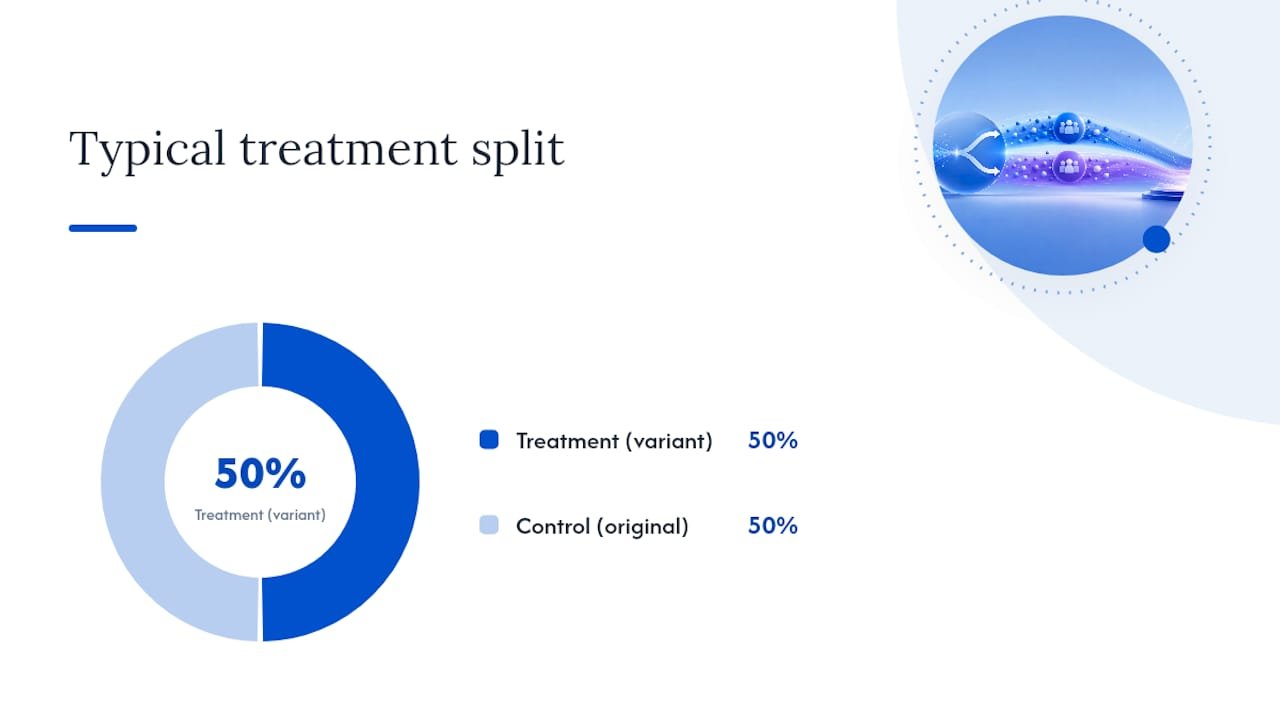
- Set your treatment percentage. A 50/50 split is standard unless you have a specific reason to weight it differently.
- Schedule the rollout to launch at a clean start point (avoid launching mid-promotion or mid-sale).
- Activate the test and leave it alone for its full planned duration.
Pro Tip: Screenshot your rollout settings (treatment percentage, dates, target page) the moment you activate it. If a colleague or developer edits the theme mid-test without realising a rollout is live, you’ll need that record to figure out what changed and when.
After the test ends:
- Export session and conversion data per variant directly from the admin.
- Run a significance check, don’t rely on visual impression of “which bar is bigger” in the dashboard.
- Inspect for large outlier orders that might be skewing revenue-per-visitor in either direction, and consider capping (winsorizing) extreme values before trusting the RPV comparison.
- Check for segment-level effects. A test that’s flat overall sometimes hides a strong win in one traffic source or device type.
- Implement the winning variant store-wide, and archive the losing variant’s data along with your original hypothesis for future reference.
If your test needs code-level changes rather than layout tweaks, note that Rollouts is fundamentally a theme-forking workflow. Liquid-level edits sometimes need a genuinely separate theme built for the variant, which is where a developer becomes useful rather than optional.
For merchants who want a broader pre-test hygiene pass before committing traffic to an experiment, Soodo’s conversion rate optimisation strategies cover the groundwork worth doing first.
Common mistakes that quietly ruin good tests
Most failed tests aren’t failed because the idea was bad. They’re failed because of process errors that happen after launch, when discipline slips.
- Stopping early. Calling a winner after three or four days because the numbers “look good” is the single most common error, and it inflates your false-positive rate substantially.
- Overlapping experiments. Running two tests on the same funnel stage at once (a checkout test and a pricing test simultaneously, say) makes it impossible to know which change caused which result. Keep experiments mutually exclusive wherever they touch the same stage of the journey.
- Ignoring revenue skew. A single $2,000 order landing in one variant can make a losing page look like a winner. Use RPV rather than raw conversion count when money is genuinely at stake, and cap extreme outliers before trusting the comparison.
- Not documenting results. A test that isn’t recorded, hypothesis, metric, duration, outcome, is a test you’ll accidentally repeat in eight months, wasting traffic you’ve already spent once.
Pro Tip: Keep a simple spreadsheet log: date, page tested, hypothesis, metric, sample size, result, decision. Six months in, this becomes the most valuable document your CRO programme owns, because it stops you re-testing ideas you’ve already disproved.
Using segmentation and personalisation in your tests
Not every visitor responds to a change the same way, and averaging across your whole audience can hide a real win. A homepage variant might flop overall while performing strongly with mobile visitors, or a checkout change might only matter to first-time buyers who’ve never seen your trust signals before.
Segmenting your test results by traffic source, device type, new versus returning visitor, and geography, where you have enough volume in each segment, often reveals effects the topline number buries. The catch is sample size: splitting your traffic into segments means each segment needs its own adequate sample before you can trust a conclusion drawn from it. Don’t chase a segment-level “win” on a slice of traffic too small to be meaningful.
Native Rollouts doesn’t offer deep segmentation controls, which is one of the clearer reasons merchants move to a specialist app once personalised testing becomes a priority. Apps built for segmentation let you show different variants to different customer groups intentionally, rather than just analysing segments after the fact.
Personalisation and testing work best as a sequence rather than parallel efforts: run a broad A/B test to find your winning direction, then use segmentation to check whether the win holds consistently across your key audiences, or whether it’s actually two different stories hiding inside one average. A variant that wins by 8% overall but loses with your highest-value repeat customers isn’t actually a win, it’s a trade you need to know you’re making before you ship it store-wide.

Turning test results into marketing and business decisions
A test result that lives only in the Shopify admin is a wasted result. The real value shows up when a winning variant changes decisions beyond the page it was tested on.
If a product page test shows that leading with customer reviews above the fold lifts conversion, that’s not just a page update, it’s a signal for how your ad creative and email campaigns should present social proof too. If an offer test proves bundles outperform straight discounts, that finding should shape your promotional calendar, not just one landing page. Testing tells you what actually moves your specific audience, which is more reliable than assumptions borrowed from a competitor’s site or a generic best-practice list.
Build a habit of feeding winning and losing results into your broader marketing planning. A losing price test still tells you something valuable, that your audience isn’t as price-sensitive as you assumed, which might redirect budget away from discount-led campaigns and toward value-based messaging instead. Treat null results as data, not failure.
This is also where testing and analytics need to talk to each other properly. If your conversion tracking isn’t set up cleanly before you start testing, you’ll struggle to trust any result downstream, whether it’s a Rollouts split or an app-based experiment. Get the measurement foundation right first, then let test results steer decisions about creative, pricing strategy, and where you invest CRO effort next quarter.
What successful Shopify tests actually look like
The stores that get consistent value from testing share a pattern: they test structural, high-leverage changes rather than cosmetic ones, and they let tests run their full course.
A common winning pattern involves checkout friction. Stores that test removing unnecessary form fields, or adding a guest checkout option where one didn’t exist, tend to see measurable lifts in completion rate, because every field removed is one less reason for a shopper to abandon. The mechanism is simple: checkout is the last hurdle before revenue, so small reductions in friction there tend to show up faster and more clearly than changes made earlier in the funnel.
Offer structure tests follow a similar logic. A store testing “buy one, get one 50% off” against a flat 20% discount is testing two fundamentally different psychological framings of the same rough discount value, and the winner often isn’t the one that looks more generous on paper. This is precisely the kind of test that needs an app rather than native Rollouts, since it touches pricing logic rather than page layout.
Not every test wins, and that’s expected. Most testing programmes see only a minority of experiments produce a genuine positive lift; the rest are either flat or negative. The stores that improve steadily over time aren’t the ones that win every test, they’re the ones that document every result, including the losses, and use that accumulated knowledge to sharpen the next hypothesis. Soodo’s work on landing page optimisation in the TAHAN Shopify project reflects this same principle: consistent, structured testing against a clear hypothesis outperforms sporadic, gut-feel changes over the long run.
Soodo’s perspective: testing as part of a CRO programme
Running isolated tests without a broader optimisation plan is how most merchants waste their traffic. An effective approach starts by diagnosing the store first, checking for the obvious friction points that don’t need a test to fix (broken mobile layouts, unclear shipping costs, weak product photography), before building a disciplined testing calendar around what’s left.
Raise the easy wins first. There’s little point running a four-week statistically rigorous test on button colour when your checkout has an unnecessary form field costing you conversions right now. Fix what’s obviously broken, then test what’s genuinely uncertain.
Bring in outside help when the complexity outpaces your internal capacity, specifically around Liquid-level theme forking for code-dependent tests, statistical analysis beyond what a dashboard shows you, or when you need to run a testing programme at a pace your team can’t sustain alongside day-to-day store operations. Stores that treat testing as an ongoing programme, not a one-off project, see compounding gains that isolated tests never deliver on their own. The TAHAN case study shows what that structured approach looks like when it’s executed properly, from diagnosis through to measurable lift.
— Soodo
How to run A/B testing that actually ships results
A founder-led team can build your test plan, construct variants, run significance analysis, and hand you a clear decision rather than a dashboard full of ambiguous numbers.

If you’ve read this far, you already know the mechanics. What most merchants lack isn’t knowledge, it’s the time to write a proper hypothesis, calculate sample sizes correctly, build a clean variant without breaking the theme, and interpret the result without second-guessing it for another two weeks. Test planning, variant builds, and AOV-focused optimisation can be handled as part of an engagement, so testing becomes a repeatable part of how a store grows rather than a one-off project that stalls after the first result comes in.
Start with a practical first step: work through the Shopify store creation checklist to make sure your foundation is test-ready, then get in touch to discuss a CRO engagement built around your store’s actual traffic and goals. If you want to see the kind of structured result this approach produces, the Soodo portfolio has the detail.
Sources
- A/B Testing: What It Is and How To Run A/B Tests (2026) – Shopify
- Sample Size and Power for A/B Tests — Evan Miller
- Shopify Native A/B Testing: How to Use (2026) | Talk Shop
- Shopify Theme A/B Testing: The 2026 Playbook
FAQ
Does Shopify allow A/B testing?
Yes. Shopify’s native Rollouts feature lets you split traffic between theme, template and checkout variants, though the admin reports conversion and revenue per variant without calculating statistical significance for you.
Is there an A/B testing app available for Shopify?
Yes, several specialist apps integrate with Shopify to handle price testing, offer testing, audience segmentation and automated significance scoring, all areas where native Rollouts has limited or no functionality.
What is A/B testing in ecommerce?
A/B testing means showing two versions of a page to different visitors simultaneously and measuring which version performs better against a chosen metric, typically conversion rate, revenue per visitor, or average order value.
Is Shopify still worth it in 2026?
Shopify remains a strong platform choice for growing ecommerce brands, particularly with native features like Rollouts now handling testing that once required a third-party app, though stores with complex pricing or segmentation needs will still want to pair it with a specialist tool.
How long should a Shopify A/B test run?
Plan for a minimum of two weeks, covering at least one full weekday and weekend cycle, and don’t call a winner before reaching roughly 95% statistical confidence.
Recommended

Jessica Bong
Jessica Bong is the founder of Soodo, a Singapore Shopify agency that builds, revamps and migrates Shopify stores, with every store set up to be found in AI search (GEO). She has spent over 10 years in ecommerce and runs her own Shopify brand, Patch&Bagel, where every Soodo technique is tested first. Jessica is also a WSQ-certified Shopify trainer at Equinet Academy.