

Reformation is a clothing brand now on the New York Stock Exchange. It sold over $500M last year.
You can't touch clothes online. So its website answers your questions before you ask them.
Here are the 3 things it does really well, why they work, and how to copy them on your own Shopify store.
What they do well
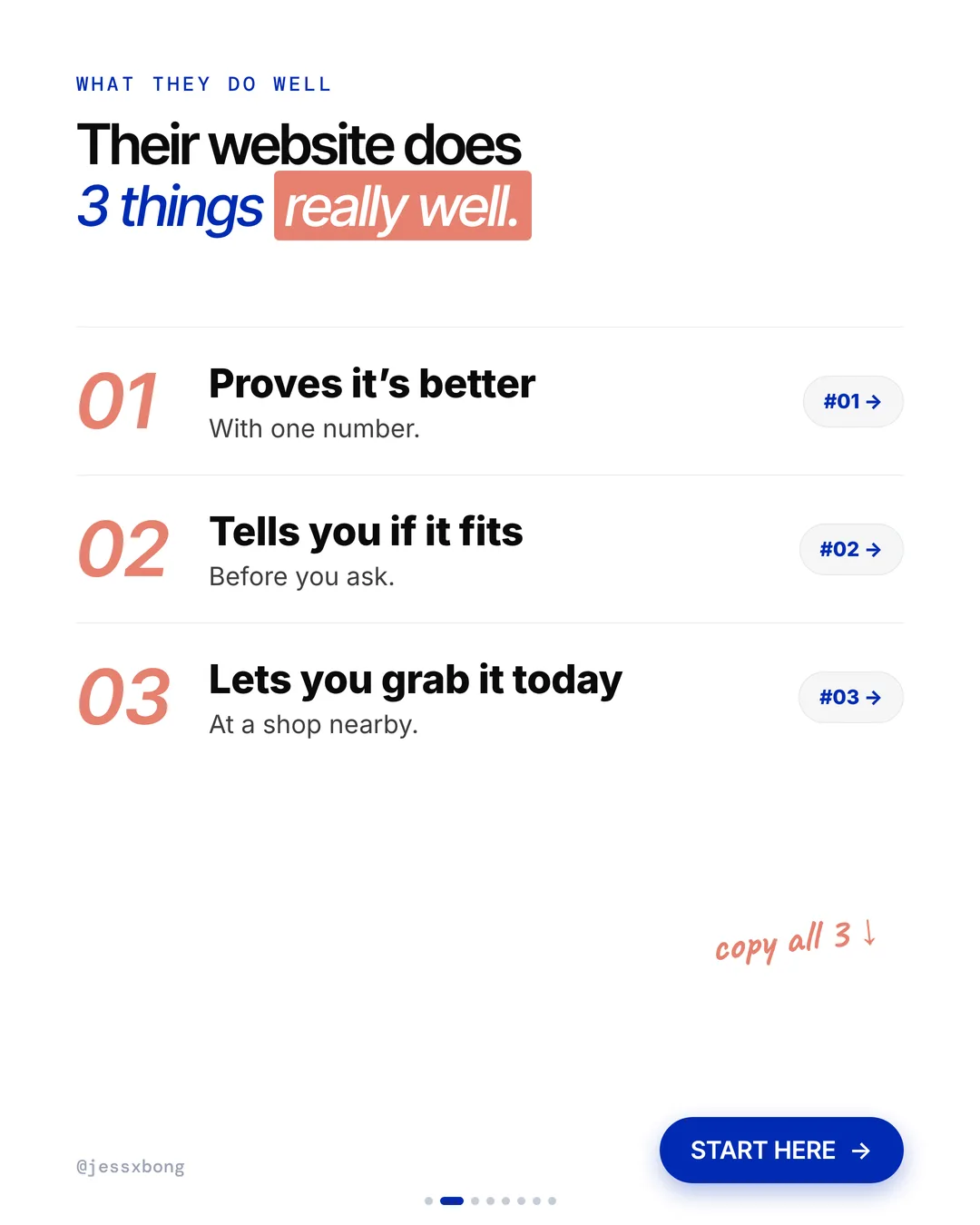
- 01Proves it's betterOne number on every product: its CO2.
- 02Tells you if it fitsThe model's size and how it fits, on every product.
- 03Lets you grab it todayPick it up at a shop nearby.
01 · Reformation
Proves it's better
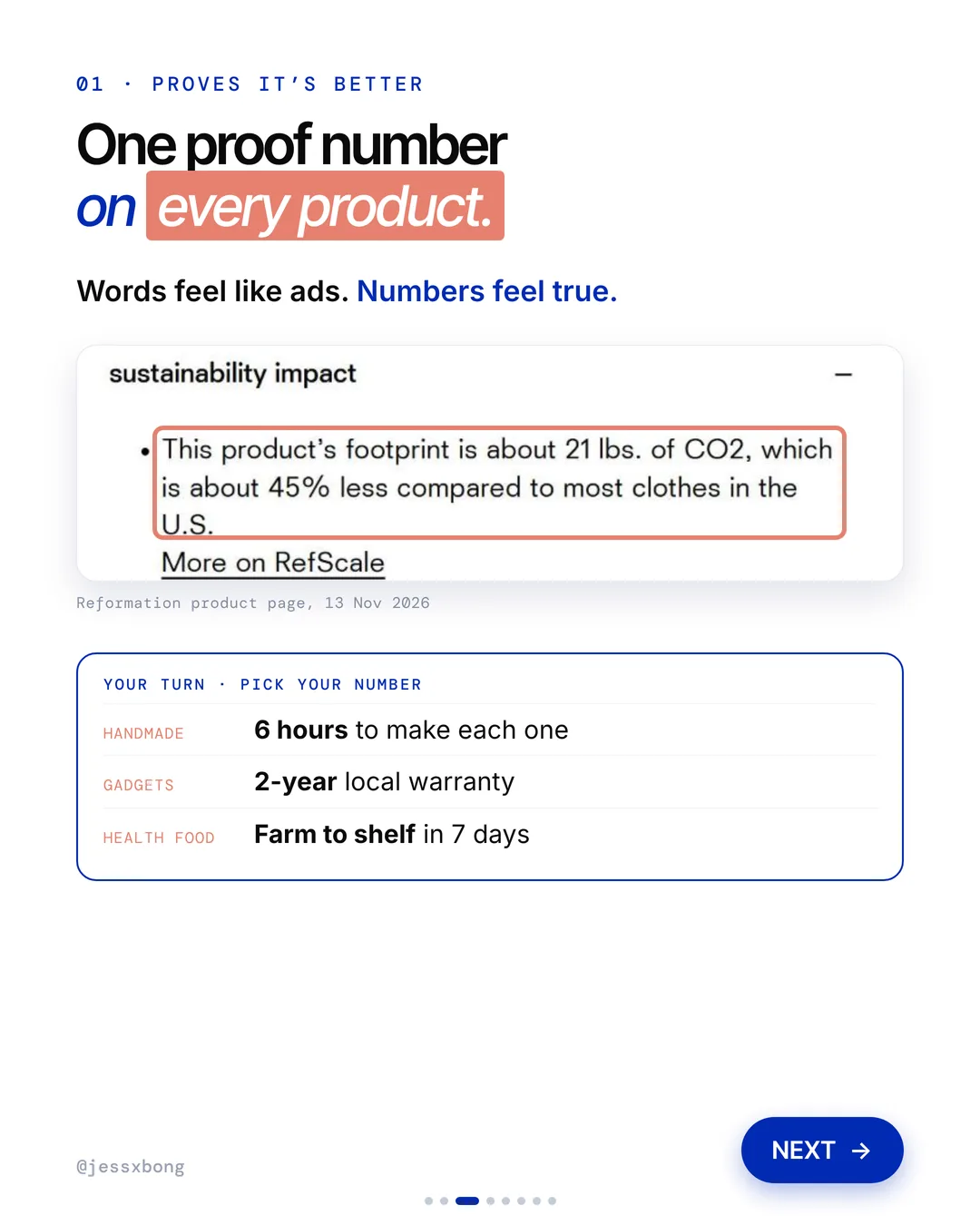
Each Reformation product has a "sustainability impact" note. It gives one number, the CO2 of that item. For example: about 21 lbs. of CO2, which is about 45% less than most clothes in the U.S.
Reformation calls its tool RefScale. It tracks the carbon and water footprint of each product, compared with most clothes bought in the US. The result goes on every product page, and the totals go in its Sustainability Report.
On the Eli Oversized Shirt, the note says about 9 lbs. of CO2, about 55% less than most clothes in the U.S. Under it is a "More on RefScale" link for anyone who wants the method. Short number first, full detail one click away.
Why it works
"Is it really better?" Words feel like ads. Numbers feel true.
One clear number builds trust. Shoppers believe you without a long story.
Your turn
- Handmade: 6 hours to make each one
- Gadgets: 2-year local warranty
- Health food: farm to shelf in 7 days
How to do it on Shopify
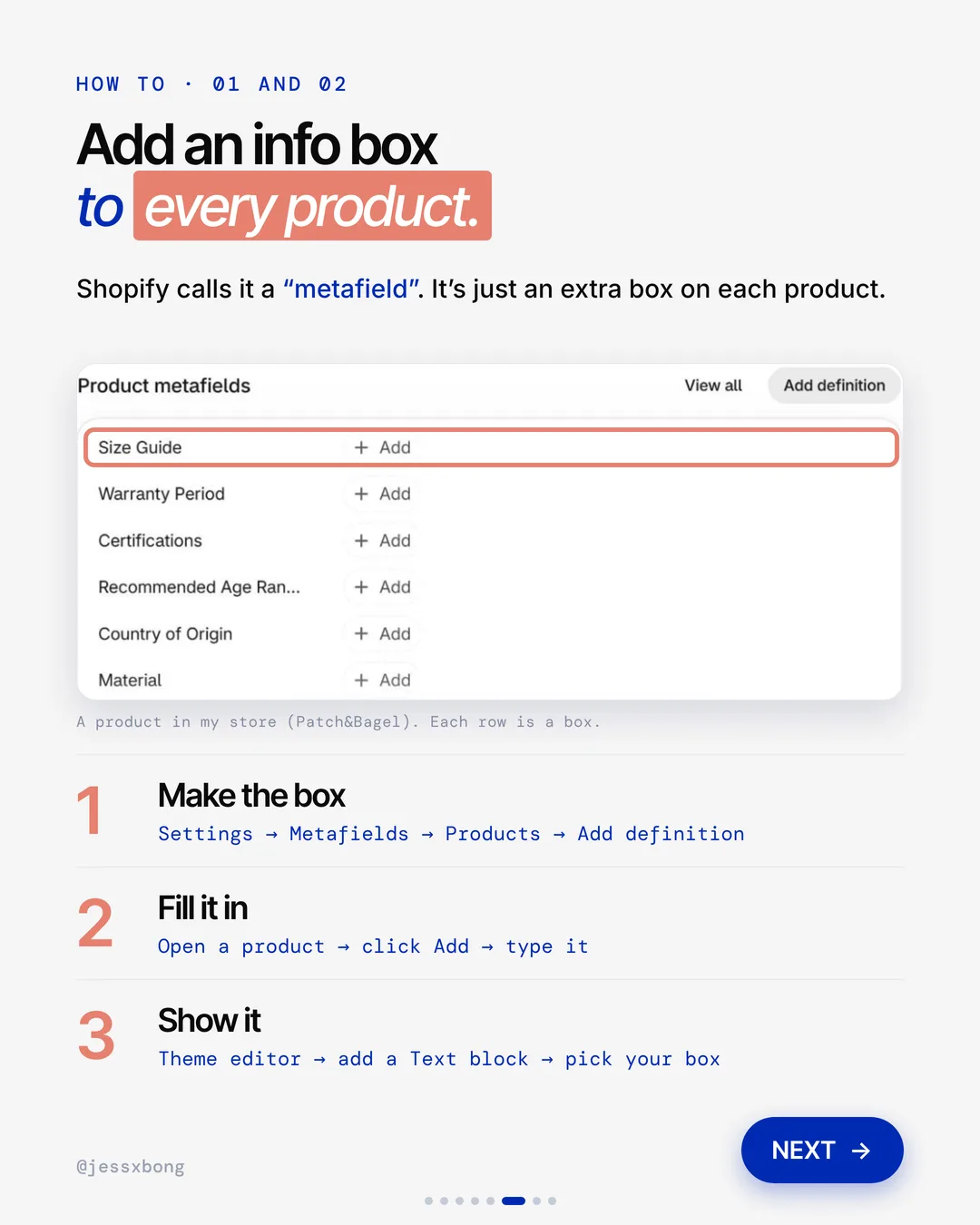
- Go to Settings, then Metafields, then Products, then Add definition. A metafield is just an extra info box on each product.
- Name the box, like "Our number".
- Open a product, click Add and type the number in.
- In the theme editor, add a Text block to your product page and pick your box.
Mistakes to avoid
- Making a claim you cannot back up when a shopper asks how you got the number.
- Using a different kind of number on every product, so shoppers cannot compare.
- Putting the number so far down the page that nobody sees it.
How to tell it is working. In Analytics, compare the conversion rate of product pages with the number against pages without it. Also check if fewer people email to ask the same question.
Free checklist
Get the free Shopify Optimization Checklist
The same checklist people get on Instagram when they comment SHOP. Go through your homepage, product pages, checkout and more, one tick at a time. No developer needed.
02 · Reformation
Tells you if it fits
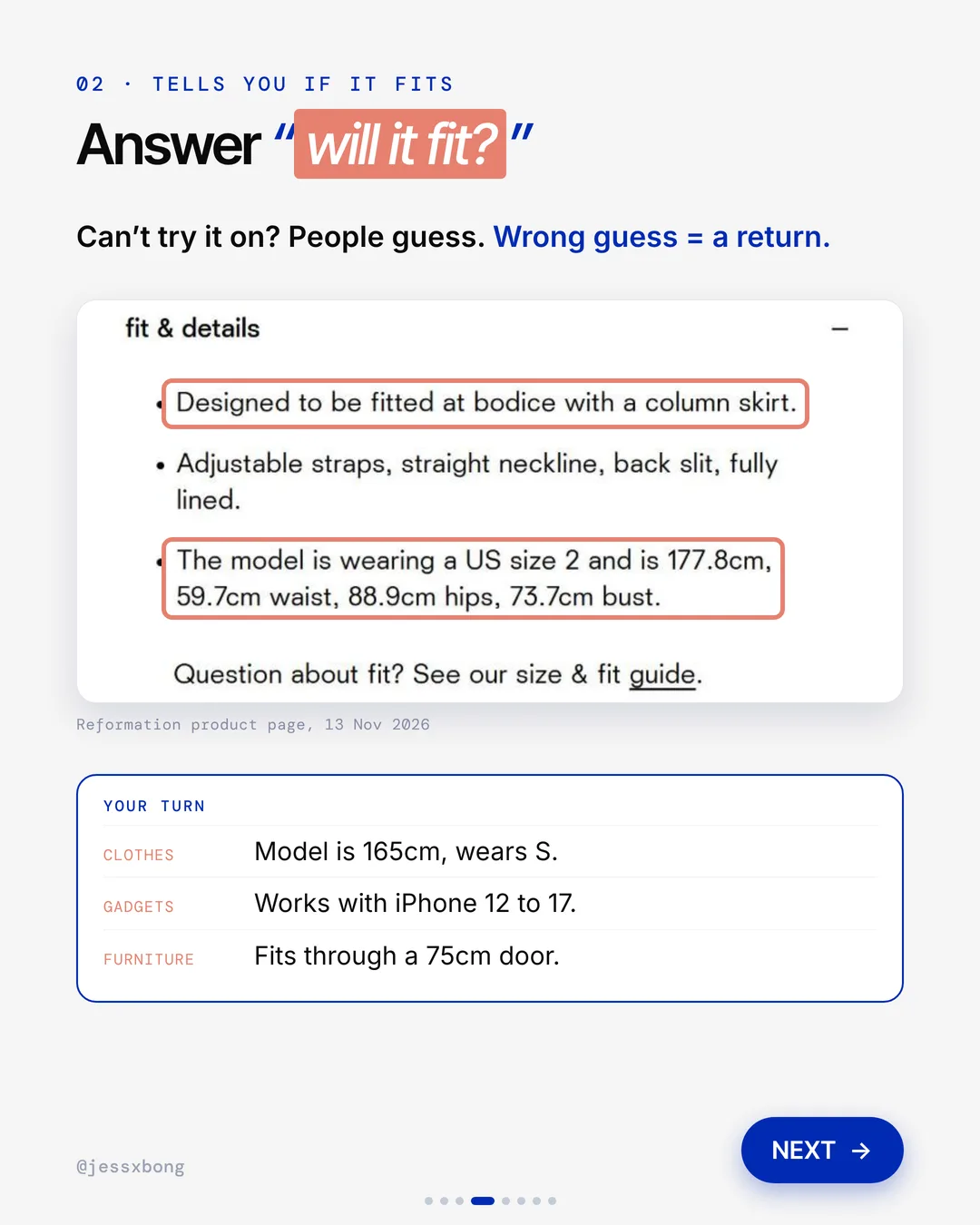
Reformation's "fit & details" note says how the item fits, like "fitted at bodice with a column skirt". It also gives the model's size and height: a US size 2, 177.8cm tall.
The fit note goes further than the model's size. On the Eli Oversized Shirt, it says the model wears a US size XS and is 180.3cm tall, and it gives her waist, hips and bust in cm too. A short sizing tip from reviews sits just above it.
There is also a full size guide. It shows how to measure your bust, waist and hips, with charts for regular and petite sizes. It turns US sizes into UK, EU, Australian and other sizes, so a shopper in another country does not have to guess.
Why it works
"Will it fit me?" You can't try it on, so you guess. Now there is no guessing.
A wrong guess means a return. Clear fit notes mean fewer returns.
Your turn
- Clothes: "Model is 165cm, wears S"
- Gadgets: "Works with iPhone 12 to 17"
- Furniture: "Fits through a 75cm door"
How to do it on Shopify
- Go to Settings, then Metafields, then Products, then Add definition.
- Make a box called "Size Guide" or "Fit".
- Open each product, click Add and type the fit note.
- In the theme editor, add a Text block to your product page and pick your box.
Mistakes to avoid
- Giving only a size chart, with no note on how this one item fits.
- Not saying how tall the model is, so the photo tells shoppers nothing about fit.
- Using only inches or only cm, when many of your shoppers use the other one.
How to tell it is working. Shopify keeps a reason for each return, like size too small or too large. If fewer returns give a size reason after you add fit notes, it is working.
03 · Reformation
Lets you grab it today
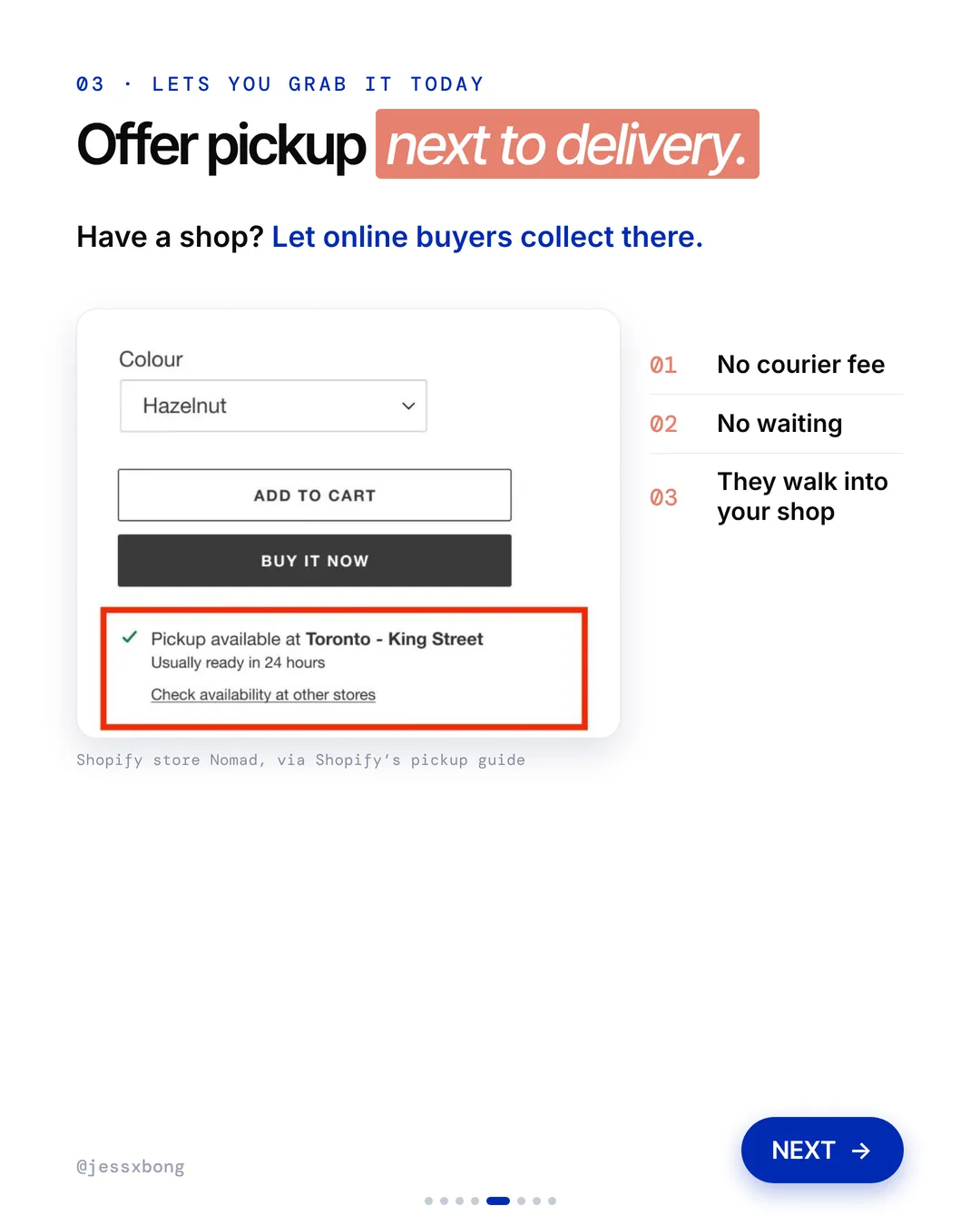
Reformation lets you pick up at a shop nearby. On Shopify, pickup shows on the product page next to delivery, like "Pickup available" and "Usually ready in 24 hours".
Each Reformation shop has its own page. The Fulton Market page in Chicago lists the address, opening hours, a number to call or text, and what the shop offers: online returns and exchanges, phone orders, in-store pickup and RefRecycling.
So pickup is not hidden away at checkout. It sits next to other reasons to visit, like bringing back an online order. As general advice, every visit is a chance for the shopper to try something on and buy one more thing.
Why it works
"Can I get it today?" Pickup means no courier fee and no waiting.
Have a shop? Your website should send people there. They walk into your shop.
Your turn
- Have a shop? Let online buyers collect there.
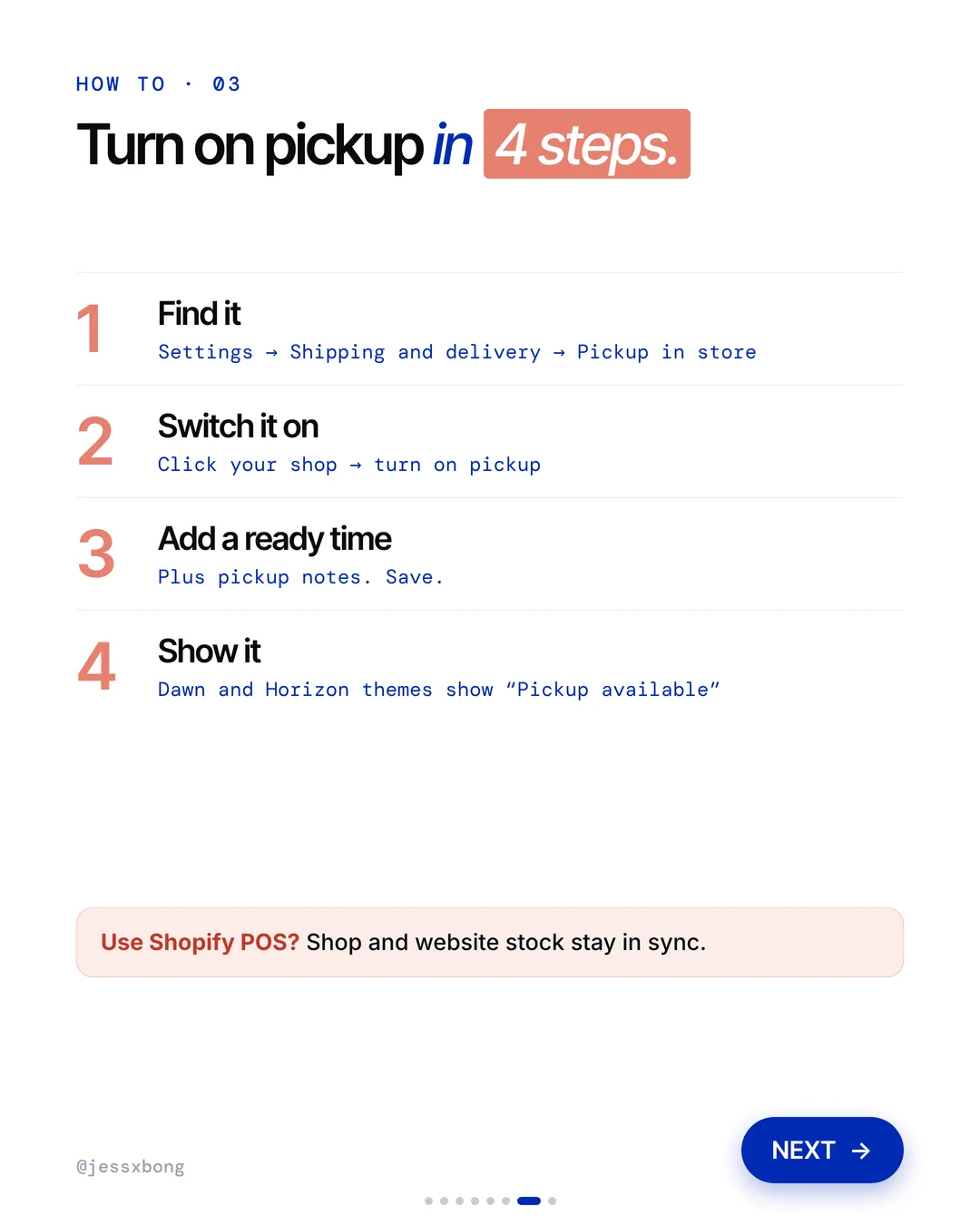
- Use Shopify POS so shop and website stock stay in sync.
How to do it on Shopify
- Go to Settings, then Shipping and delivery, then Pickup in store.
- Click your shop and turn on pickup.
- Add a ready time plus pickup notes. Save.
- Dawn and Horizon themes show "Pickup available" on the product page.
Mistakes to avoid
- Turning on pickup without telling your staff, so orders sit unpacked.
- Promising a ready time your shop cannot meet.
- Letting website stock and shop stock drift apart, so people come for something that is not there.
How to tell it is working. In Orders, filter by delivery method to see how many orders are pickup each week. If you use Shopify POS, check if pickup customers buy extra when they collect.
Do this this week
- Pick one proof number for your products and add it with a metafield.
- Add the model's height and size to every product with a model photo.
- Add a fit note to your best seller, like "Runs small, size up".
- Turn on Pickup in store if you have a shop, and add a ready time.
- Look at last month's return reasons to see which products people get wrong.
You can't touch things online. So answer the questions before people ask.
Questions
What does Reformation's website do well?
Three things. It shows one CO2 number on each product, it tells you the model's size and how the item fits, and it lets you pick up at a shop nearby. (Seen on thereformation.com on 13 Nov 2026.)
How do I add a size guide or info box to every product on Shopify?
Use a metafield. Go to Settings, then Metafields, then Products, then Add definition. Fill it in on each product, then show it with a Text block in the theme editor.
Can I offer pickup in store on Shopify?
Yes. Go to Settings, then Shipping and delivery, then Pickup in store, and turn it on for your shop. Dawn and Horizon themes show "Pickup available" on the product page.
Does Reformation use Shopify?
No. thereformation.com runs on Salesforce Commerce Cloud (checked 16 Nov 2026). But all 3 ideas work on Shopify with built-in features.
How do I show the model's height and size on Shopify?
Make a product metafield, for example "Model info". On each product, type something like "Model is 165cm and wears S". Then show it on the product page with a Text block in the theme editor.