



Would you buy a ring you can't try on? Lots of people do. Brilliant Earth sells rings online every day. It did $437.5 million in sales in 2025.
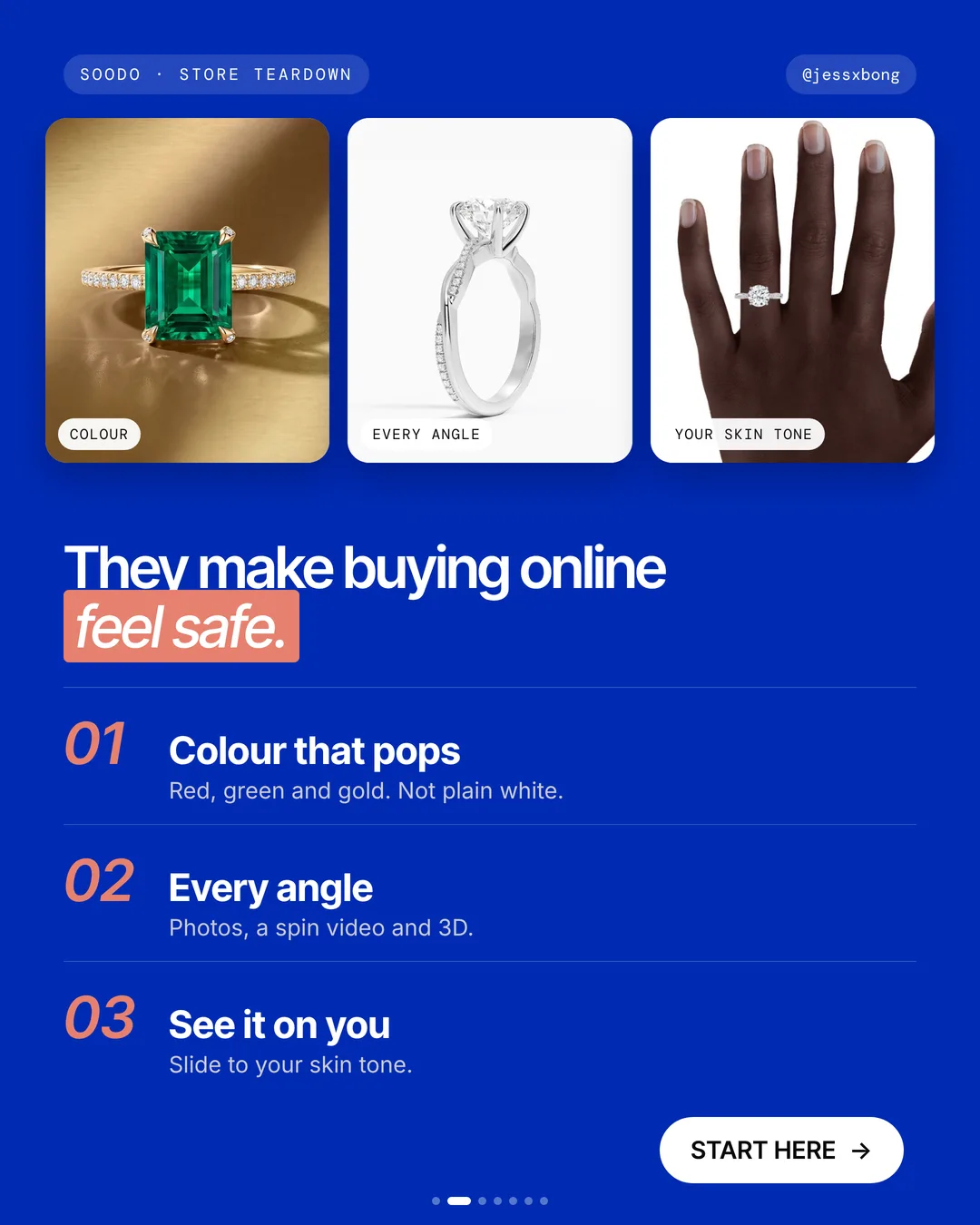
Its website makes buying online feel safe. Shoppers can see the ring clearly, from every side, and on skin like their own.
Here are the 3 tricks, why they work, and how to do them on your own Shopify store.
What they do well
- 01Colour that popsBold red, green and gold. Not plain white.
- 02Every anglePhotos, a spin video and a 3D view.
- 03See it on youSlide from lighter to darker skin. Same ring.
01 · Brilliant Earth
Colour that pops
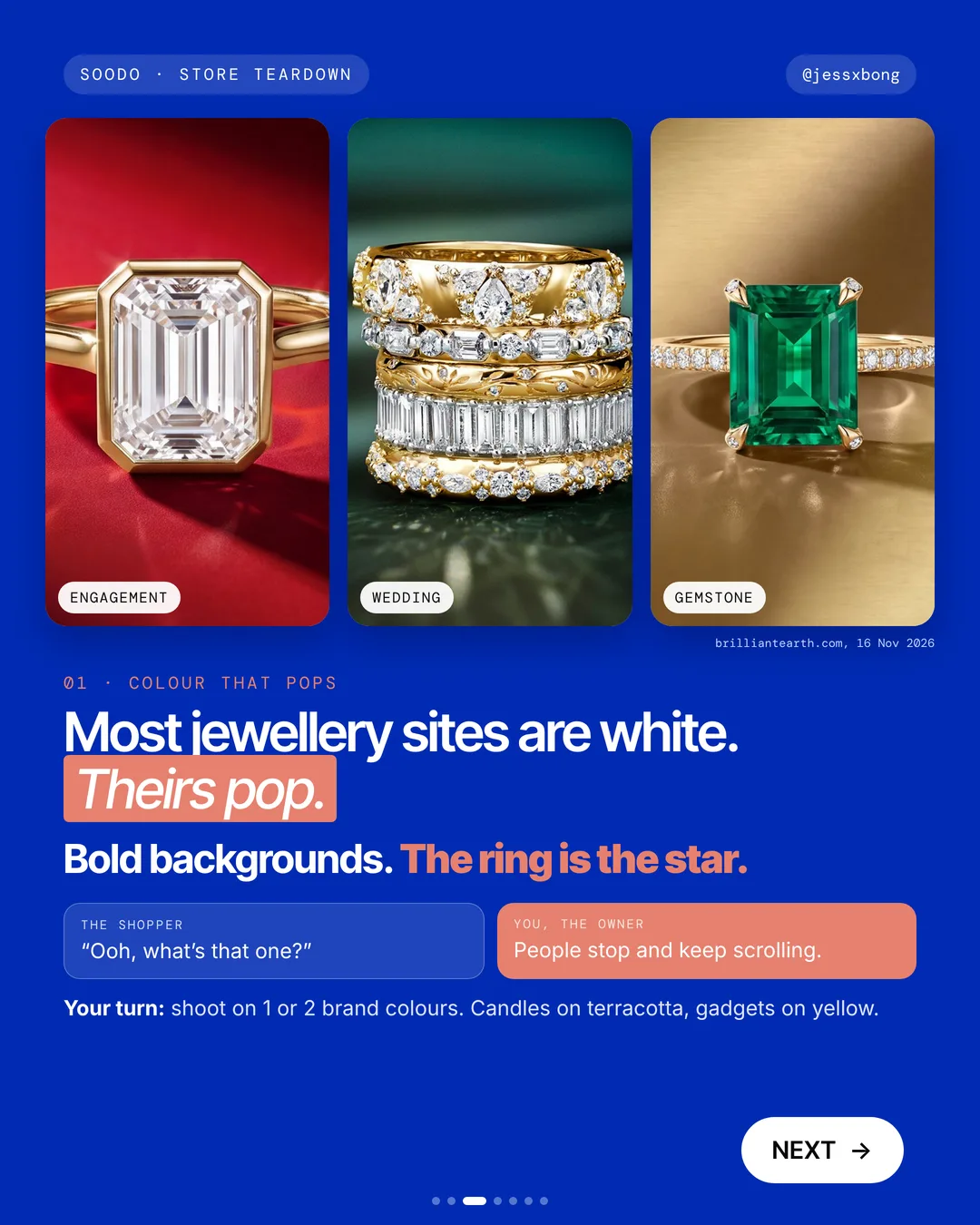
Most jewellery sites are plain white. Brilliant Earth shoots its rings on bold red, green and gold backgrounds. The ring is the star.
The trick is to use the same few colours again and again. When the photos sit on the same red, green and gold, the whole site feels like one brand. Shoppers start to know your look.
You do not need a studio. For small products, a sheet of coloured card and light from a window is enough. Pick a colour that makes your product look its best, not just your favourite colour.
Why it works
"Ooh, what's that one?" A bold colour makes people stop.
People stop and keep scrolling. Your products stand out from every white page.
Your turn
- Shoot on 1 or 2 brand colours
- Candles on terracotta
- Gadgets on yellow
How to do it on Shopify
- Open the theme editor, then Theme settings, then Colours.
- Set your 1 or 2 brand colours.
- Shoot your product photos on the same 1 or 2 colours.
Mistakes to avoid
- Using a different background in every photo, so the page looks messy.
- Picking a colour that clashes with the product or hides its edges.
- Putting text on a bright background where it is hard to read.
How to tell it is working. Compare your add to cart rate and conversion rate in Analytics, before and after you swap the photos. If you run ads, also compare the click rate of old and new photos in your ads report.
Free checklist
Get the free Shopify Optimization Checklist
The same checklist people get on Instagram when they comment SHOP. Go through your homepage, product pages, checkout and more, one tick at a time. No developer needed.
02 · Brilliant Earth
Every angle
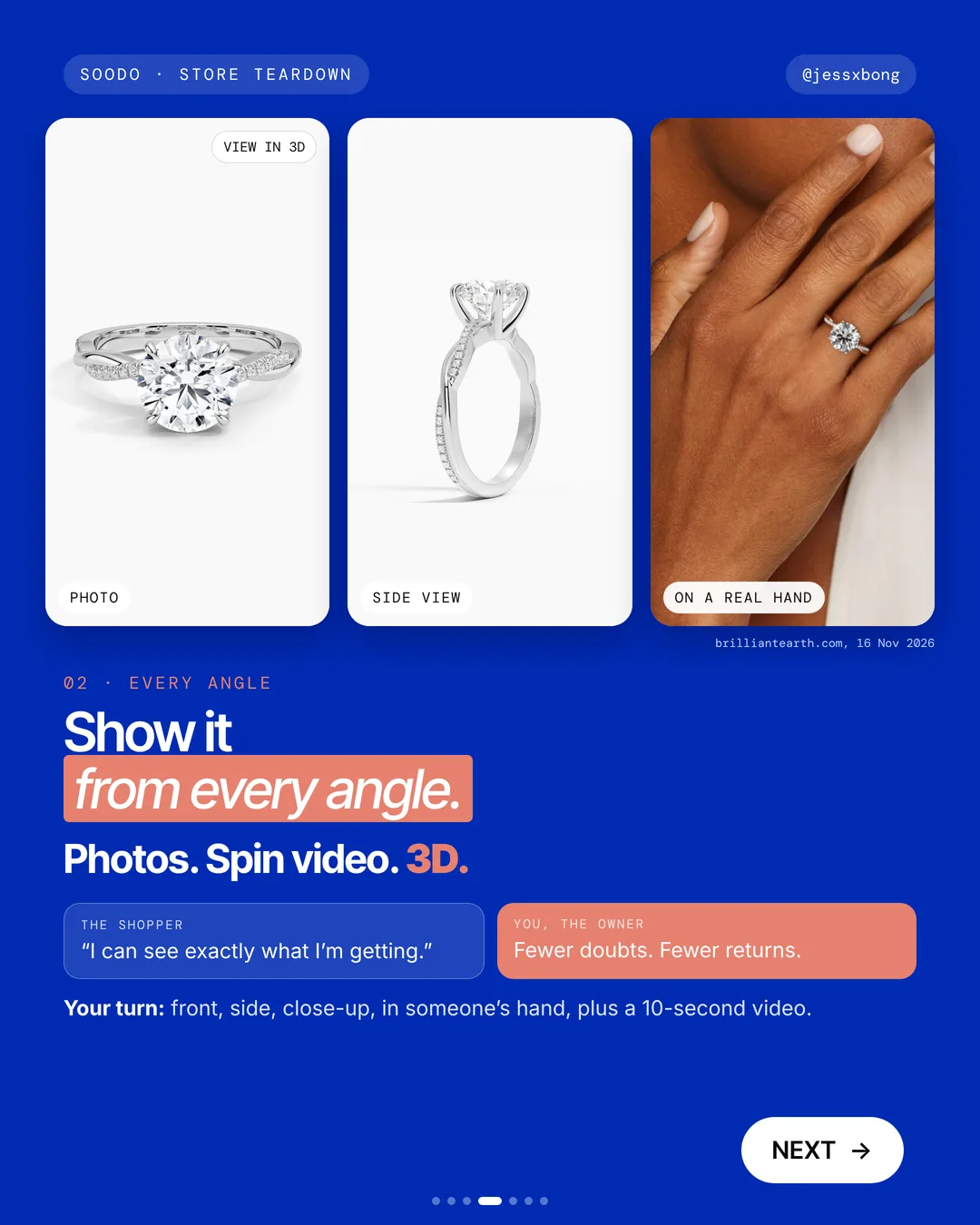
Each Brilliant Earth ring has photos, a spin video and a 3D view. You see it from the front, the side and on a real hand.
Take the Secret Garden Diamond Ring page. It has a gallery of photos, a video you drag to rotate, and a View in 3D button. There are also photos of the ring on a hand.
The page shows the safety net too: a free lifetime warranty, free 1-year resizing, and free shipping and returns. Seeing every angle and knowing you can send it back work together. Both take away doubt.
Why it works
"I can see exactly what I'm getting." No guessing what the back or side looks like.
Fewer doubts. Fewer returns.
Your turn
- Front
- Side
- Close-up
- In someone's hand
- A 10-second video
How to do it on Shopify
- In Shopify, go to Products, then your product, then Media.
- Add photos, a video and a 3D model (.glb file).
- Media is what shows on your product page.
Mistakes to avoid
- Only showing the front, so shoppers have to guess what the back looks like.
- Uploading huge files that make the page slow on phones.
- Using photos that make the product look better than it is, which leads to returns.
How to tell it is working. Watch the product's conversion rate and your returns in Analytics. If more people buy and fewer send it back, the extra angles are working.
03 · Brilliant Earth
See it on you
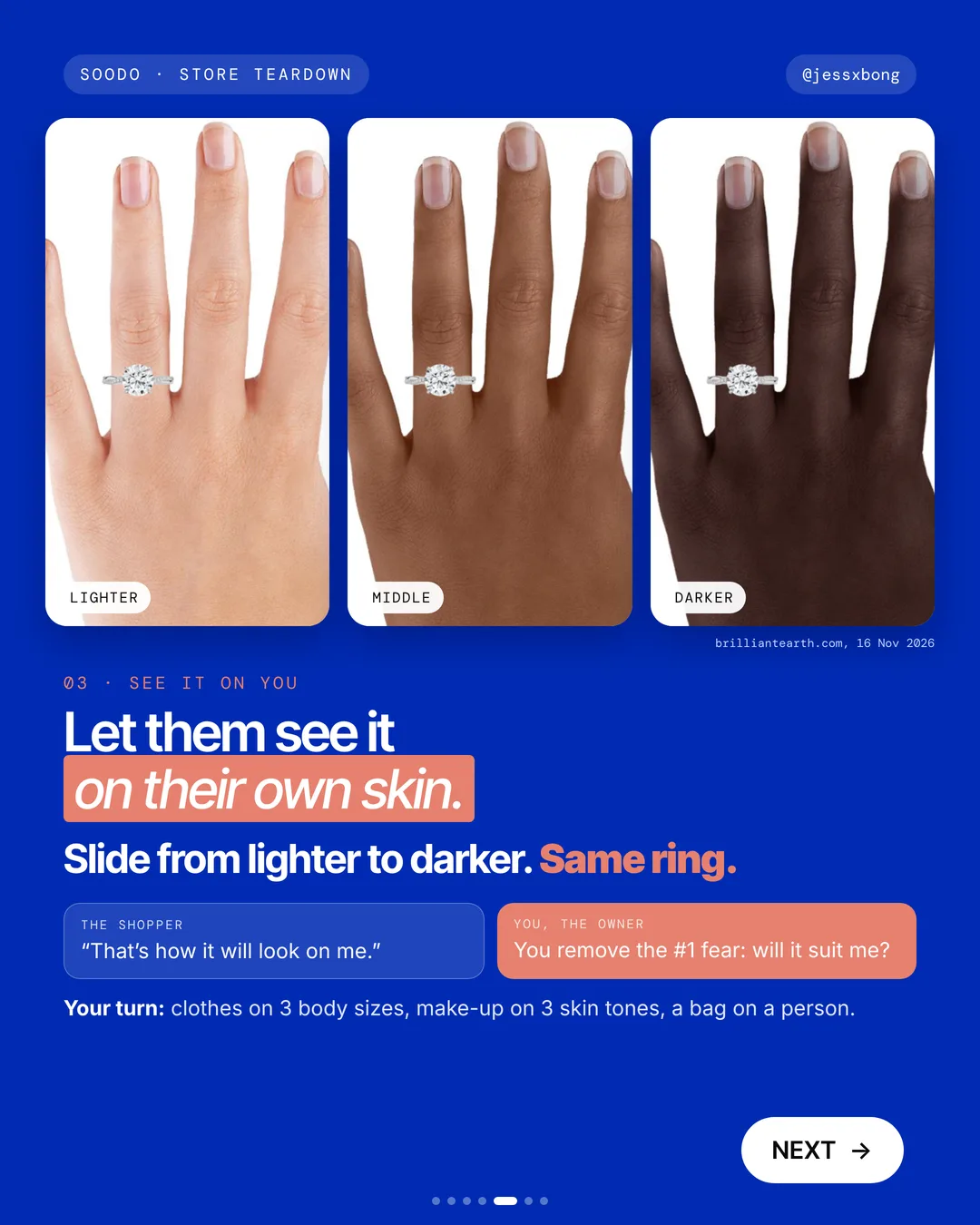
On Brilliant Earth, you can slide from lighter to darker skin tones on the same ring. You see how it will look on a hand like yours.
On the same ring page, you can switch between hand photos, from Lighter at one end to Darker at the other. The ring and the metal stay the same. Only the hand changes, so it is easy to compare.
Start small. Three skin tones or three body sizes cover a lot of shoppers. Shoot them all in the same light and the same pose, so the only thing that changes is the person.
Why it works
"That's how it will look on me." The page answers the question before they ask.
You remove the number 1 fear of buying online: will it suit me?
Your turn
- Clothes on 3 body sizes
- Make-up on 3 skin tones
- A bag on a person
How to do it on Shopify
- The easy way: add on-skin photos for each tone to your product Media.
- A slider like theirs needs an app or a developer.
Mistakes to avoid
- Using only one model, so most shoppers can't picture it on themselves.
- Shooting each model in different light, so the product looks different too.
- Editing skin so much that the photo stops being true.
How to tell it is working. Compare the product's conversion rate in Analytics before and after you add the new photos. Also check whether fewer orders come back as returns.
Do this this week
- Pick 1 or 2 brand colours and set them in Theme settings.
- Reshoot your best seller on one of those colours.
- Add a side view, a close-up and a 10-second video to that product's Media.
- Drag your clearest front photo to the top of the Media list.
- Add photos of that product on 3 different people or skin tones.
Make buying online feel safe. Let the product pop, show every angle, and let shoppers see it on themselves.
Questions
How does Brilliant Earth sell rings online?
It makes buying online feel safe. Rings sit on bold red, green and gold backgrounds, each one has photos, a spin video and a 3D view, and shoppers can slide from lighter to darker skin tones on the same ring. (Seen on brilliantearth.com on 16 Nov 2026.)
Can I add a 3D model or video to a Shopify product page?
Yes. Go to Products, open your product, then Media. Add photos, a video and a 3D model as a .glb file.
Can I show my product on different skin tones on Shopify?
Yes. The easy way is to add on-skin photos for each tone to your product Media. A slider like Brilliant Earth's needs an app or a developer.
Do I need a 3D model to sell online?
No. Clear photos from every side and a short video do most of the work. A 3D model is a nice extra if you can get one made.
How many product photos should I add on Shopify?
There is no magic number. Show the front, the side, a close-up and the product in use, plus a short video if you can. Add enough that a shopper has no questions left.