

Singapore Developers: 10 Step Shopify Checkout Extensibility Migration
Shopify Checkout Extensibility is Shopify’s app based framework for customising checkout, built on three pillars: Checkout UI extensions, Shopify Functions and Web Pixels. If you have customised checkout with Liquid or script tags, the single action to take now is to audit those customisations and mapping each one to an extension or Function before the remaining sunset deadlines hit. Shopify Plus is required for full in-checkout steps.
TL;DR:
- Custom checkout features involving discounts, shipping, or payment validation must now be implemented with Shopify Functions for reliability and compliance.
- Extensions that modify contact, shipping, or payment steps require Shopify Plus, and support ends for checkout.liquid on certain pages in August 2025 and script tags in August 2026.
- Developers should carefully map existing customizations to UI extensions, Functions, or Web Pixels and adhere to strict API, bundle size, and sandboxing constraints for smooth migration.
- Use absolute backend endpoints with session tokens for fetch calls in extensions to avoid iframe origin errors and ensure reliable backend communication.
- A staged approach, including auditing, mapping, testing, and staged deployment via Shopify CLI, is essential to minimize risks and monitor checkout performance after migration.
Table of Contents
- 1. What the framework is: UI extensions, Functions and Web Pixels explained
- 2. Which Shopify plans support checkout extensions, and the key 2026 deadlines
- 3. Developer constraints you must design around: web components, API versions, sandboxing and bundle size
- 4. The migration checklist: audit, map, build, test and deploy
- 5. Developer patterns and troubleshooting: backend calls and blocking behaviour
- 6. Testing, API upgrades and staged deployment with Shopify CLI
- How an agency scopes a checkout extensibility project
- Migration and custom checkout development with Soodo
- FAQ
- Sources
- Authoritative docs and community threads to read next
1. What the framework is: UI extensions, Functions and Web Pixels explained
Checkout Extensibility replaces freeform checkout.liquid editing with three purpose built tools, and knowing which one handles which job saves weeks of rework. According to Shopify’s own framework overview, the architecture splits cleanly into three pillars: Checkout UI Extensions for interface elements, Shopify Functions for backend business logic, and Web Pixels for tracking.
Checkout UI extensions render inside fixed target areas (order summary, contact information, shipping, payment, thank you) and come in block, static or runnable variants depending on what the target allows. They’re built for visible, reader facing elements: upsell banners, delivery instructions, loyalty point displays, gift message fields.
Shopify Functions run server side and never touch the DOM. They handle logic that must be fast, secure and guaranteed to execute: discount stacking rules, custom shipping rates, payment method availability, and validation that blocks checkout when something is wrong.
Web Pixels replaced script tags for analytics and tracking. They run in a sandboxed context with no access to cookies or the storefront DOM directly, which is precisely why Shopify retired the old script tag model.
A quick way to sort a feature request into the right bucket:
- An upsell banner on the order summary page belongs in a UI extension.
- A rule that combines two discount codes belongs in a Function.
- A conversion tracking pixel for a marketing platform belongs in Web Pixels, never a custom script tag.
Getting this mapping wrong is the most common cause of rebuilt-twice migration projects, so it’s worth settling early.
2. Which Shopify plans support checkout extensions, and the key 2026 deadlines
Plan tier decides how much of checkout you can touch, and that single fact shapes most migration budgets. Per Shopify’s Checkout UI extensions documentation, extension availability splits by target:
- Information, shipping and payment step extensions are available only on Shopify Plus.
- Thank you, order status and post-purchase targets are available on every plan except Starter.
That means a non-Plus merchant can still add a thank you page upsell or an order status tracking widget, but cannot touch the contact, shipping or payment steps at all without upgrading.
Timing matters just as much as plan tier. checkout.liquid support for thank you and order status pages ended on 28 August 2025, and script tags on non-Plus checkouts are scheduled to stop working on 26 August 2026. Any store still running custom Liquid or script tags on those pages needs a plan before that date, not after.
A simple decision rule for whether to commission outside help: if your checkout.liquid file has more than a handful of custom blocks, or any logic that touches discounts, shipping rates or payment validation, treat it as a Functions-level rebuild rather than a weekend task and budget for an agency or experienced contractor.
3. Developer constraints you must design around: web components, API versions, sandboxing and bundle size
Checkout extensions run in a tightly sandboxed environment, and ignoring the constraints is the fastest way to get a release blocked. Modern API versions expect Polaris web components as the native building blocks for extension UI, per the web components reference. Adopting them early, rather than retrofitting later, avoids a painful rewrite when an older API version is deprecated.
A handful of hard limits shape every build:
- Extension bundles have a size limit, so heavy third-party libraries should be avoided inside an extension.
- Extensions run inside a sandboxed Web Worker with no DOM access and a restricted set of global APIs.
- Network calls cannot target the extension’s own iframe origin; they must go to an absolute, production backend endpoint.
- API versions are supported for roughly 12 months, after which the Shopify CLI will refuse to deploy against them, so
shopify.extension.tomlneeds itsapi_versionkept current. - Required capabilities and metafields must be declared explicitly in the TOML file, both for the app review process and to avoid runtime permission errors.
The 64 KB cap sounds generous until a design system or a chart library sneaks in. Extract anything heavy to a backend service and call it over a secure endpoint instead of bundling it into the extension itself.
Pro Tip: Keep your extension’s TOML file as the single source of truth for capabilities and metafields; a mismatch between declared and used metafields is one of the most common app review rejections.
4. The migration checklist: audit, map, build, test and deploy
Moving off checkout.liquid is a project with a defined start and end, not an ongoing tweak, and treating it that way keeps scope under control.
- Run an audit. Pull Shopify’s checkout customisations report and list every script, app and Liquid block currently touching checkout.
- Map each behaviour. Assign it to a UI extension, a Function, an existing public app, or mark it for retirement if it’s no longer needed.
- Check plan constraints. Confirm which mapped extensions need Shopify Plus before committing to a build plan.
- Update the TOML. Set the current
api_version, declare[[extensions.metafields]]and request only the capabilities you actually need. - Scaffold with Shopify CLI. Generate the extension structure locally rather than hand rolling boilerplate.
- Build lean. Use Preact or native web components, keep bundles under the 64 KB cap, and push heavy logic to Functions.
- Test on a development store. Verify each extension target renders correctly across desktop and mobile checkout flows.
- Activate blocking carefully. If an extension needs to halt checkout, turn on “Allow app to block checkout” in the checkout editor and confirm the merchant understands why.
- Roll out in stages. Enable for a subset of traffic or a single market before a full release.
- Deploy via Shopify CLI, then watch error rates and checkout conversion for at least one full sales cycle, with a rollback plan ready.
A quick reference for where time typically goes:
| Migration stage | Primary risk if skipped | Typical owner |
|---|---|---|
| Audit | Hidden scripts break silently after cutover | Developer |
| Mapping | Wrong pillar chosen, rework required | Developer + merchant |
| TOML and capability setup | App review rejection | Developer |
| Staged rollout | Conversion drop goes unnoticed | Merchant + developer |
Our Shopify Store Creation Checklist covers related setup items worth re-checking, such as payment methods and metafields, once the migration itself is live.
5. Developer patterns and troubleshooting: backend calls and blocking behaviour
A recurring error in 2026 builds is “Fetches to the iframe’s origin are not allowed”, and it comes up often enough that it’s worth addressing head on. As documented in a Shopify developer community thread, the fix is to stop relying on shopify.extension.scriptUrl to derive a backend origin and instead call an absolute, production app endpoint directly, authenticated with a session token or routed through an app proxy.
A few practical fixes that come up repeatedly:
- Set an explicit
APP_URLenvironment variable for local development rather than deriving it from the extension’s own script URL, which points at the CDN origin in production and breaks fetches silently. - Test against production endpoints before final deployment; dev tunnel CORS behaviour does not always match production.
- Use
useExtensionEditor()to surface a merchant facing warning when an extension depends on blocking behaviour.
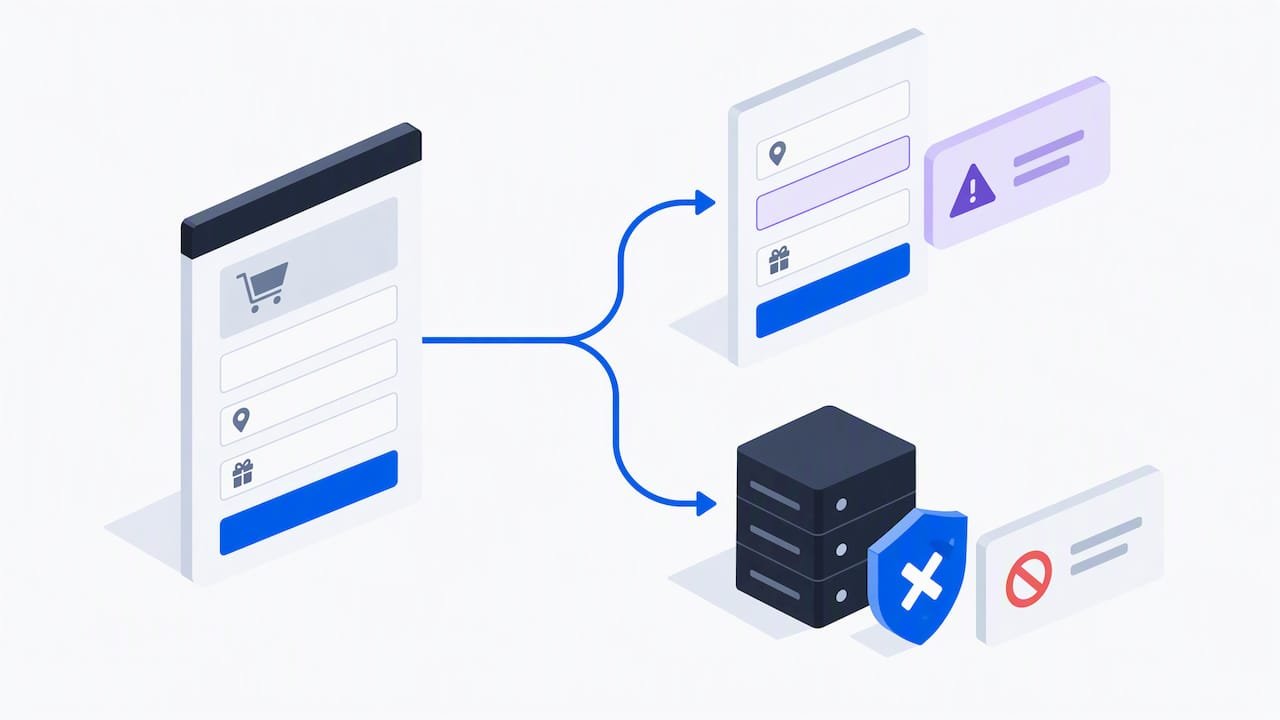
Since the default non-blocking change landed on 26 January 2026, extensions that support blocking no longer block checkout unless the merchant explicitly enables “Allow app to block checkout” in the editor. That’s a deliberate shift, and the recommended response is to move anything genuinely critical, such as address or payment validation, into a Shopify Function rather than leaning on UI level blocking at all.
Pro Tip: Reserve UI blocking for soft nudges (a missing gift note, an unconfirmed address format) and push anything that must never fail into a Function, which runs server side and isn’t subject to the editor’s blocking toggle.
6. Testing, API upgrades and staged deployment with Shopify CLI
Treat every extension release the way you’d treat an app release: versioned, tested, and rolled back if something breaks. Shopify CLI handles local development and deployment, and the same workflow applies whether you’re shipping a brand new extension or upgrading an old one.
A sensible upgrade sequence:
- Bump
api_versioninshopify.extension.tomlwell before the 12-month support window closes, since the CLI will block deploys against an unsupported version per the migration guide. - Map any deprecated metafield hooks across to
shopify.appMetafieldsand adopt web components where the new API version requires them. - Confirm production backend endpoints are live and responding before deploying the extension that calls them, not after.
- Roll out behind a feature flag or to a limited market first, with a clear merchant facing note in the checkout editor if blocking behaviour is involved.
Once live, keep an eye on checkout conversion rate, extension error logs and whether the feature is actually active for the segment you intended. A silent failure in a payment step extension is far more expensive than a slow rollout.
How an agency scopes a checkout extensibility project
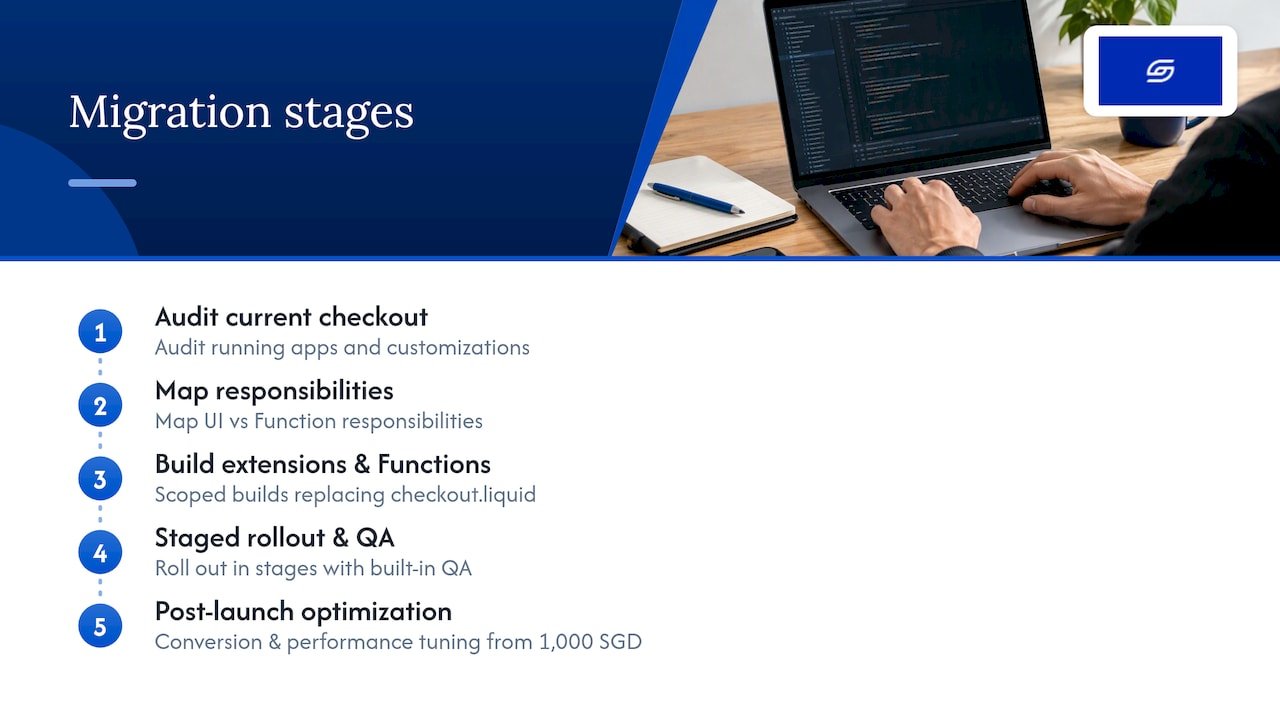
A checkout migration typically follows a fixed sequence: audit the existing checkout.liquid and script tag setup, map each behaviour to the right pillar, build and configure the extensions and Functions, run through a QA pass on a development store, then roll out in stages. For a typical mid-market catalogue, that sequence runs over a few focused weeks rather than months, with most of the time spent on mapping and QA rather than raw build time.
Functions are generally preferred over public apps whenever the logic touches discounts, shipping or validation, since Functions stay predictable for conversion rate work. Public apps may be the right call when the behaviour is standard and already well supported.
— Soodo
Migration and custom checkout development with Soodo
If your checkout.liquid file has outgrown what a template or a generic app can safely replace, the process involves building the extensions and Functions that take its place, scoped carefully so nothing breaks mid-migration. This means a proper audit of what’s running today, a clear map of which behaviour becomes a UI extension and which becomes a Function, then a staged rollout with QA built in rather than bolted on.

Our Platform migration service covers exactly this kind of move, starting from 4,000 SGD for the project, and our Custom One-Time Projects offering covers bespoke Function and extension builds when the standard migration scope doesn’t fit. Once checkout is live on the new framework, our Existing Shopify Store Optimization service, from 1,600 SGD, picks up the conversion and performance tuning that tends to follow a successful migration. The outcome we aim for is straightforward: a checkout that stays on supported infrastructure, built with the fewest moving parts, with risk caught before it reaches your customers rather than after.
Get in touch through our strategic approach page for a project estimate, or browse recent work in our portfolio first.
FAQ
What is Shopify Checkout Extensibility?
It’s Shopify’s framework for customising checkout using Checkout UI extensions, Shopify Functions and Web Pixels instead of editing checkout.liquid directly. The three pillars split the work between visible interface elements, backend business logic and tracking, as described in Shopify’s own framework overview.
Do I need Shopify Plus for checkout extensions?
You need Shopify Plus only for extensions placed on the information, shipping or payment steps. Thank you, order status and post-purchase extensions are available on every plan except Starter, according to Shopify’s documentation.
When does checkout.liquid stop working?
Support for checkout.liquid on thank you and order status pages ended on 28 August 2025, and script tags on non-Plus checkouts are set to stop working on 26 August 2026. Any store still relying on either needs to migrate before those dates.
Why do my extension fetches fail with an iframe origin error?
This happens when an extension tries to call its own iframe origin instead of an absolute backend endpoint. The fix, documented in a Shopify developer community thread, is to call a production app endpoint directly using a session token or app proxy pattern.
Should I use a UI extension or a Function for validation?
Use a Shopify Function for anything that must reliably block checkout, since UI extensions default to non-blocking behaviour unless a merchant manually enables blocking. Functions run server side and aren’t affected by that editor setting, which makes them the safer choice for critical validation.
Sources
- Checkout UI extensions
- Customize checkout (Shopify partners blog)
- Checkout UI extension on api_version = “2026-04” — fetch from extension throws “Fetches to the iframe’s origin are not allowed” – Extensions – Shopify Developer Community Forums
Authoritative docs and community threads to read next
Start with Shopify’s own Checkout UI extensions reference and the web components guide, then review the checkout.liquid migration notes and the non-blocking behaviour changelog. For real-world troubleshooting, the community thread on iframe origin fetch errors is worth bookmarking, alongside Shopify Partner resources if you’re weighing agency support.
Recommended

Jessica Bong
Jessica Bong is the founder of Soodo, a Singapore Shopify agency that builds, revamps and migrates Shopify stores, with every store set up to be found in AI search (GEO). She has spent over 10 years in ecommerce and runs her own Shopify brand, Patch&Bagel, where every Soodo technique is tested first. Jessica is also a WSQ-certified Shopify trainer at Equinet Academy.


