
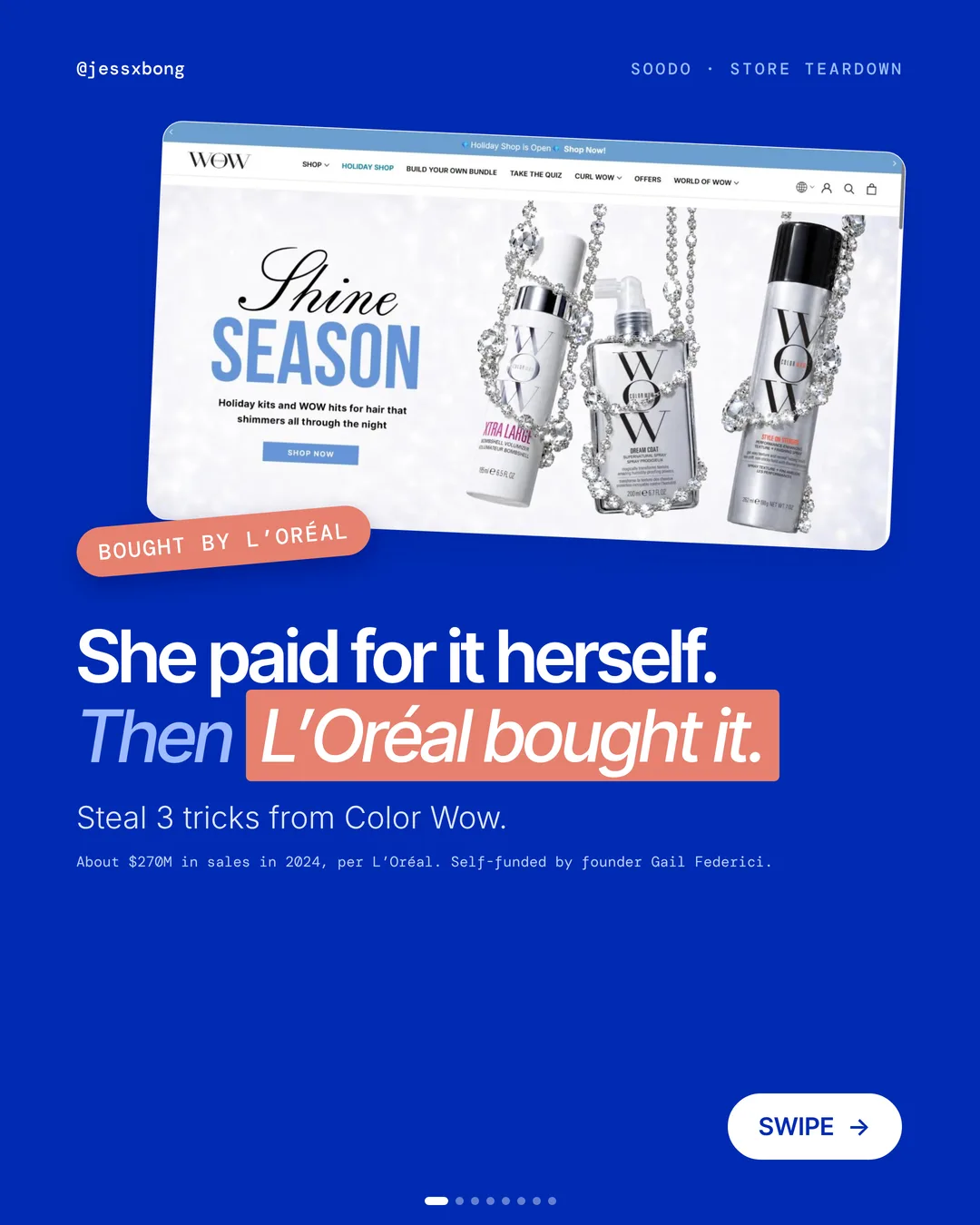


Founder Gail Federici paid for Color Wow herself. Then L'Oréal bought it. Per L'Oréal, it made about $270M in sales in 2024.
Its website does a few simple things very well. It helps people choose, it nudges them to add one more thing, and it answers their questions before they leave.
Here are the 3 things it does really well, why they work, and how to copy them on your own Shopify store.
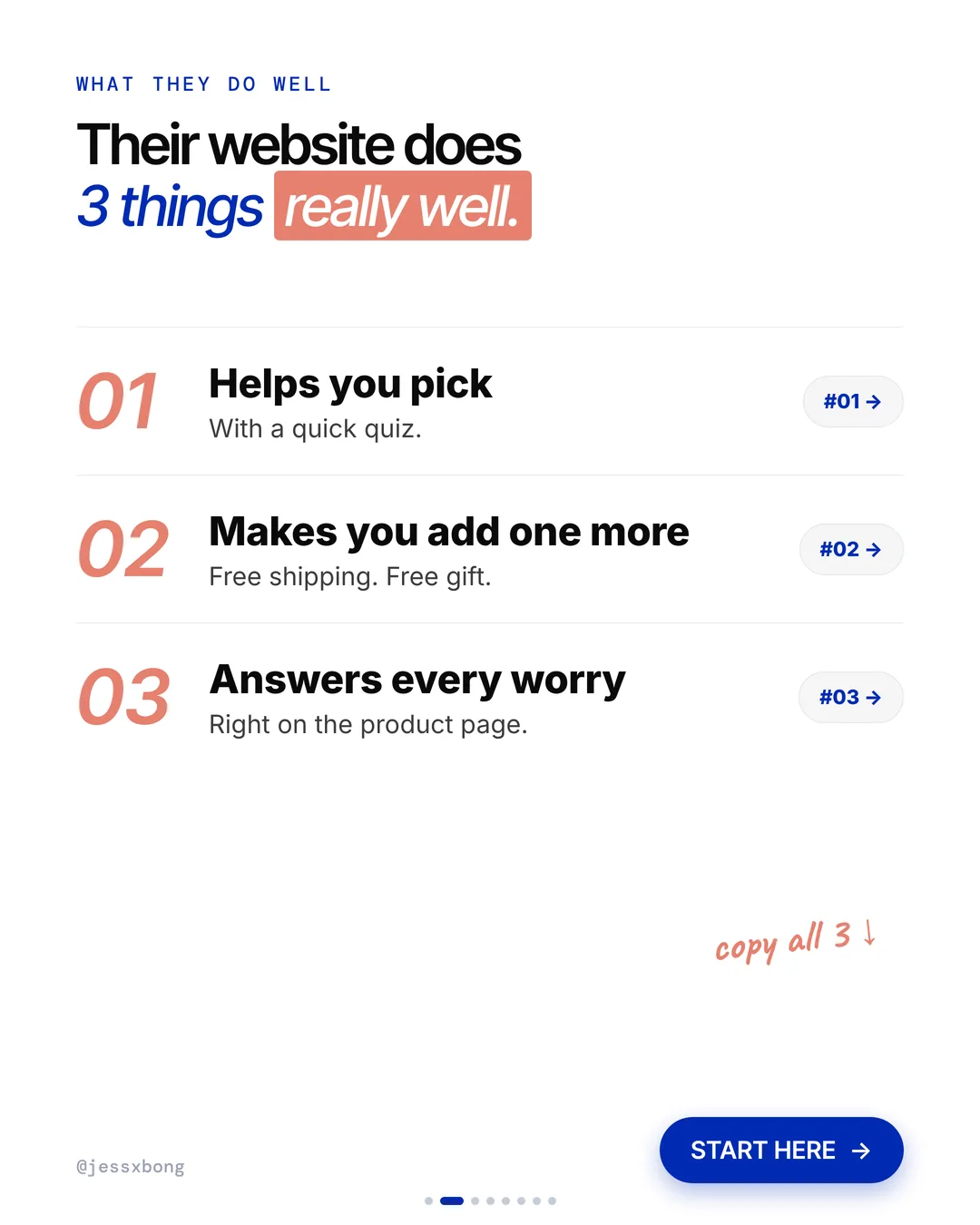
What they do well
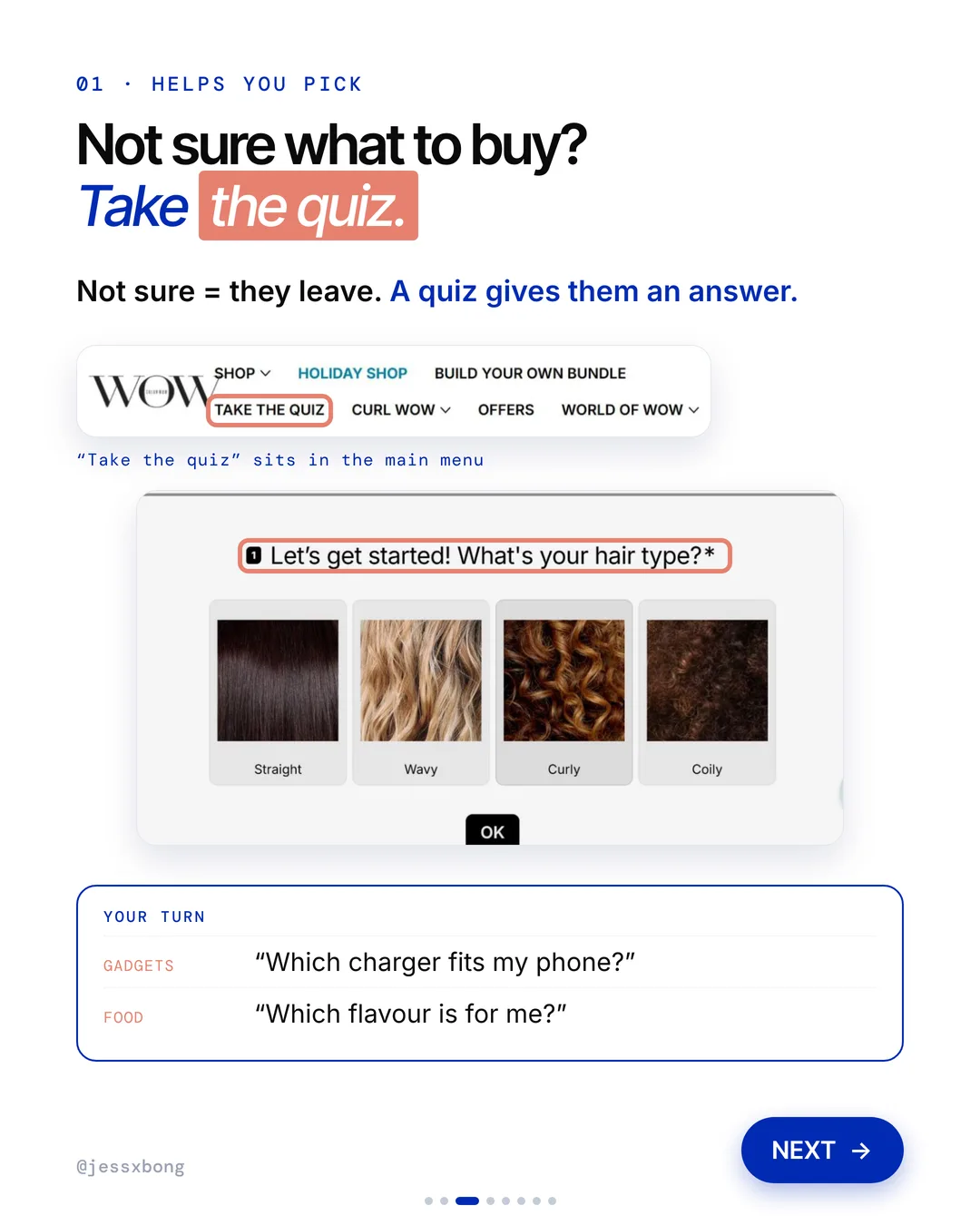
- 01Helps you pick"Take the quiz" sits right in the main menu.
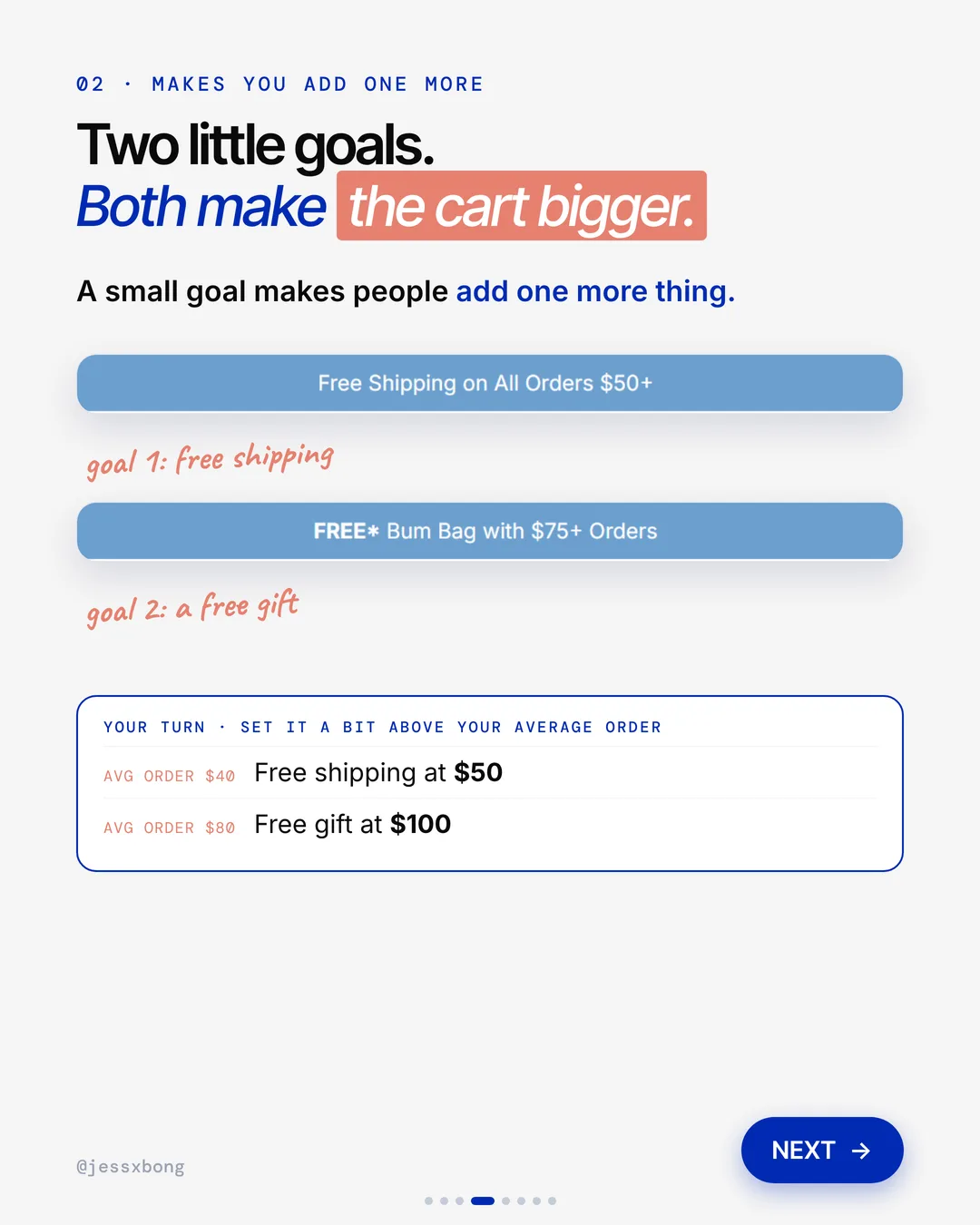
- 02Makes you add one moreFree shipping at $50. A free gift at $75.
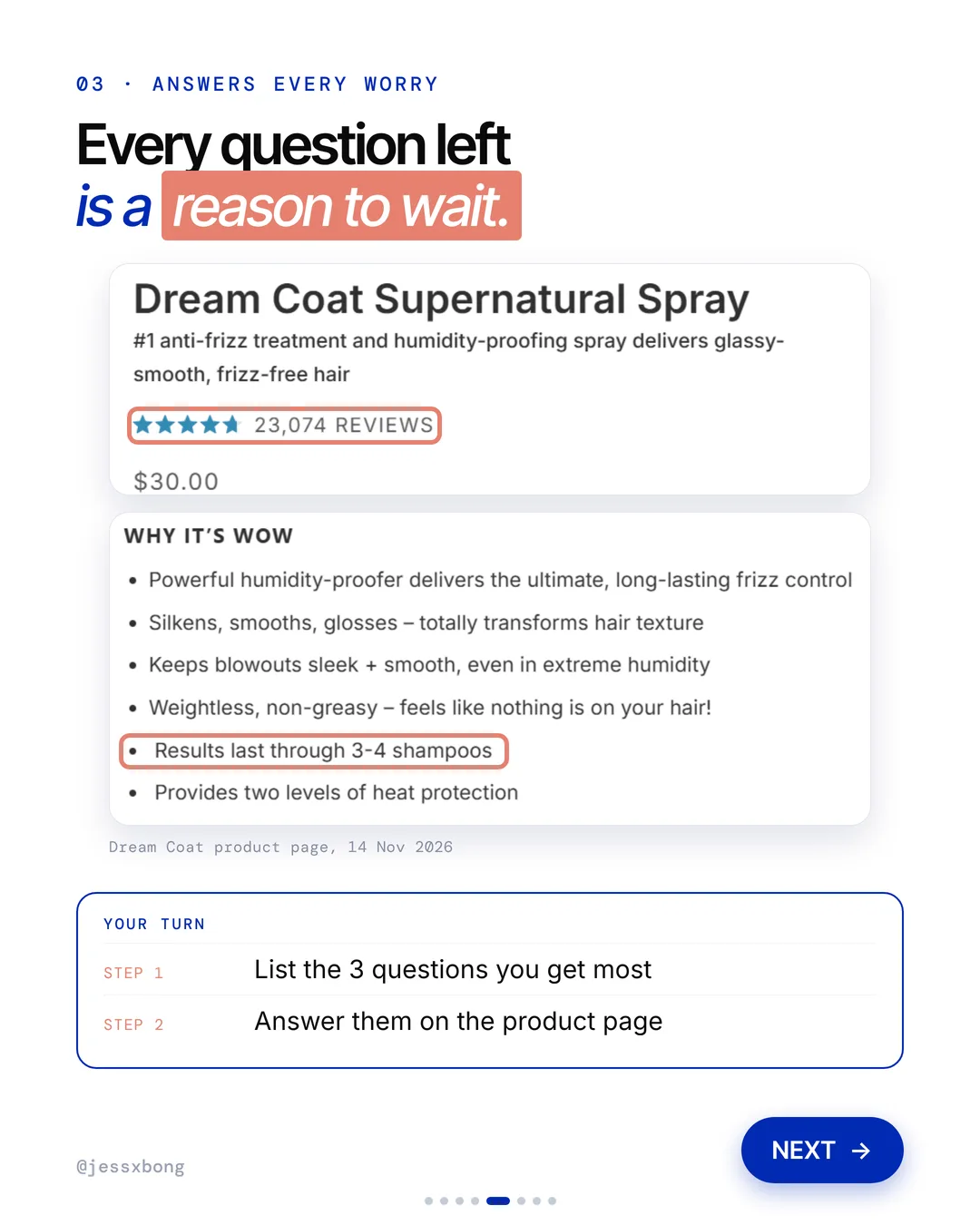
- 03Answers every worry23,074 reviews, how long it lasts, and an FAQ.
01 · Color Wow
Helps you pick
Color Wow puts "Take the quiz" right in its main menu. The quiz starts with one easy question: "What's your hair type?" You pick straight, wavy, curly or coily.
The quiz page promises to build your perfect routine in 60 seconds. That tells shoppers it will be quick before they start. The menu link just says "Quiz", so it is easy to spot.
The product page has a mini quiz too. Under "Which Dream Coat is right for you?" you pick your hair type, how dry it is and the look you want. Then you tap "Find my Dream Coat". So even someone who skipped the big quiz gets help right on the page.
Why it works
"I don't know which one is for me." Not sure means they leave. A quiz gives them an answer.
Fewer people give up because they can't choose. The quiz walks them to the right product.
Your turn
- Gadgets: "Which charger fits my phone?"
- Food: "Which flavour is for me?"
How to do it on Shopify
- Open the Shopify App Store and search "product quiz".
- Add a quiz app and write a few simple questions.
- Go to Online Store, then Navigation.
- Add the quiz to your main menu.
Mistakes to avoid
- Asking too many questions, so people quit halfway.
- Giving a result with no Add to Cart button, so people have to go and search for it.
- Hiding the quiz in the footer instead of the main menu.
How to tell it is working. Most quiz apps have their own report that shows how many people start and finish the quiz. Check that, then use Sales by product in Analytics to see if the products it suggests sell more.
Free checklist
Get the free Shopify Optimization Checklist
The same checklist people get on Instagram when they comment SHOP. Go through your homepage, product pages, checkout and more, one tick at a time. No developer needed.
02 · Color Wow
Makes you add one more
Color Wow shows two banners: "Free Shipping on All Orders $50+" and a "Free Bum Bag with $75+ Orders". Two little goals for the shopper to reach.
The cart keeps count for you. With an empty cart it says "Spend $50.00 more and get free shipping!" The shopper always knows how far they are from the goal.
Color Wow also has a "Ship-Free Shop" in its menu. Every item in it is $50 or more, so one item alone gets free shipping. It is an easy answer for a shopper who is just a bit short, and most of the items are bundles.
Why it works
"I'm only a bit away, I'll add one more." A small goal makes people add one more thing.
Both goals make the cart bigger. You earn more from each order.
Your turn
- Set it a bit above your average order
- Average order $40: free shipping at $50
- Average order $80: free gift at $100
How to do it on Shopify
- Check your average order first. Go to Reports, then Average order value.
- Go to Settings, then Shipping and delivery, and add a free rate over $50.
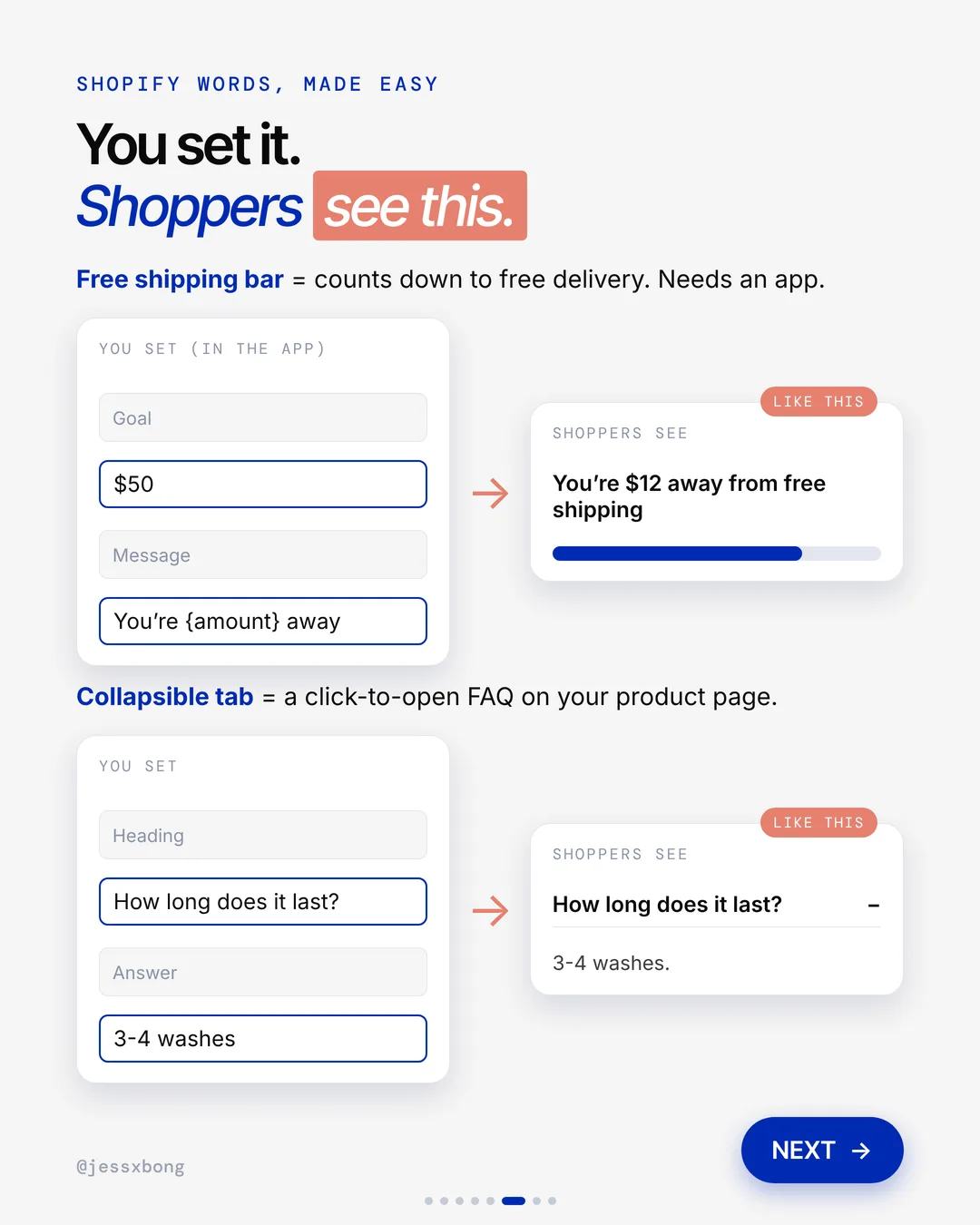
- In the App Store, add a "free shipping bar" app for the countdown, like "You're $12 away from free shipping".
- Go to Discounts, choose Buy X get Y, and set a minimum spend for the free gift.
Mistakes to avoid
- Setting the goal so high that nobody reaches it, so it feels like a trick.
- Not showing how far away the goal is, so people do not know to add more.
- Offering a free gift, then running out of it with no note in the cart.
How to tell it is working. Watch your average order value in Analytics for a few weeks before and after. If it goes up and your conversion rate holds steady, the goal is working.
03 · Color Wow
Answers every worry
The Dream Coat Supernatural Spray page shows 23,074 reviews near the top. Its "Why it's Wow" list says results last through 3 to 4 shampoos. The answers are all on the product page.
Right under the name, the Dream Coat page shows 4.7 out of 5 stars from over 23,000 reviews. Then comes the price, a Subscribe + Save 5% option and the "Why it's Wow" list. The big questions are answered before you scroll far.
Lower down there are click-to-open tabs: Notes from the Lab, Ingredients and FAQ. The FAQ answers real worries, like whether you can use it on dry hair or every wash. Tabs keep the page tidy, but nothing is missing.
Why it works
"Does it work? How long will it last?" Every question left is a reason to wait. Here the answers are right there.
Fewer people leave the page to think about it. They buy now, not later.
Your turn
- Step 1: list the 3 questions you get most
- Step 2: answer them on the product page
How to do it on Shopify
- Install a reviews app so reviews show on the product page.
- Open the theme editor and go to your product page.
- Add a Collapsible tab. That is a click-to-open FAQ.
- Write a heading like "How long does it last?" and a short answer.
Mistakes to avoid
- Writing FAQ answers that sound like ads instead of plain answers.
- Putting reviews at the very bottom, where few people scroll.
- Copying the same FAQ onto every product, even when the questions are different.
How to tell it is working. In Analytics, check the conversion rate of your top product pages before and after you add the answers. Also count how many questions you get by email or chat before people buy.
Do this this week
- Check your average order value in Analytics.
- Set a free shipping goal a bit above it, and show a countdown in the cart.
- Make a small collection of products that reach the goal on their own.
- Write down the 3 questions you get most, and answer them on your best seller's page.
- Add a short quiz to your main menu if shoppers often ask which product to pick.
Help people pick, give them a small goal, and answer their questions on the page. That is how the cart gets bigger.
Questions
What does Color Wow's website do well?
Three things. It puts "Take the quiz" in the main menu, it sets two goals with free shipping at $50 and a free gift at $75, and it answers worries on the product page with reviews and clear facts. (Seen on colorwowhair.com on 14 Nov 2026.)
How do I add a free shipping bar on Shopify?
First set a free shipping rate in Settings, then Shipping and delivery. Then add a "free shipping bar" app from the Shopify App Store to show the countdown. Set the goal a bit above your average order.
Can I add a product quiz to my Shopify store?
Yes. Search "product quiz" in the Shopify App Store and add an app. Then add the quiz to your main menu in Online Store, then Navigation.
Does Color Wow use Shopify?
Yes. colorwowhair.com runs on Shopify. We checked the page code on 16 Nov 2026.
How do I give a free gift over a set amount on Shopify?
Go to Discounts and make a Buy X get Y discount. Set a minimum purchase amount, then pick the gift as the item they get free. Shoppers need to add the gift to their cart, so tell them about it in a banner and in the cart.