
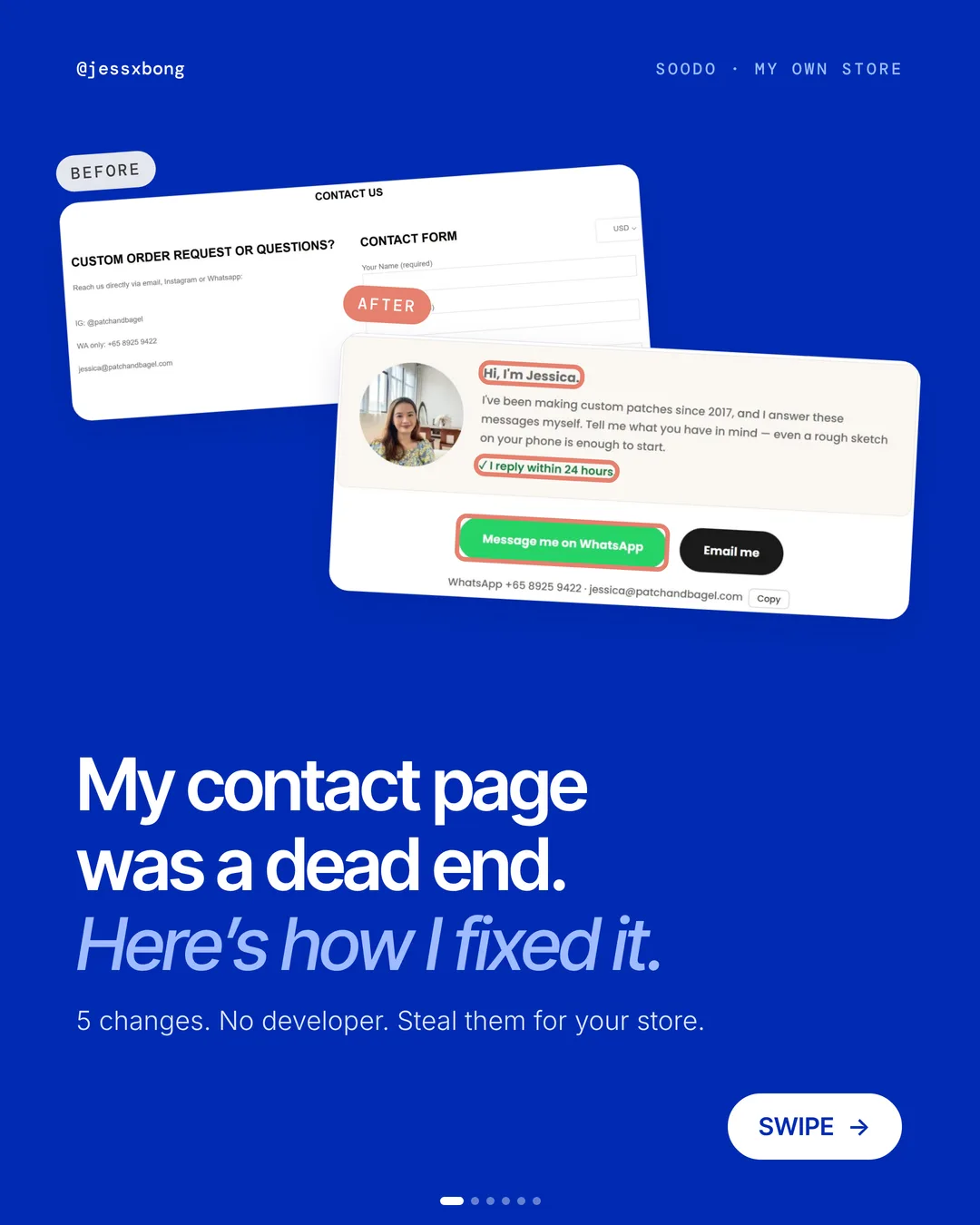
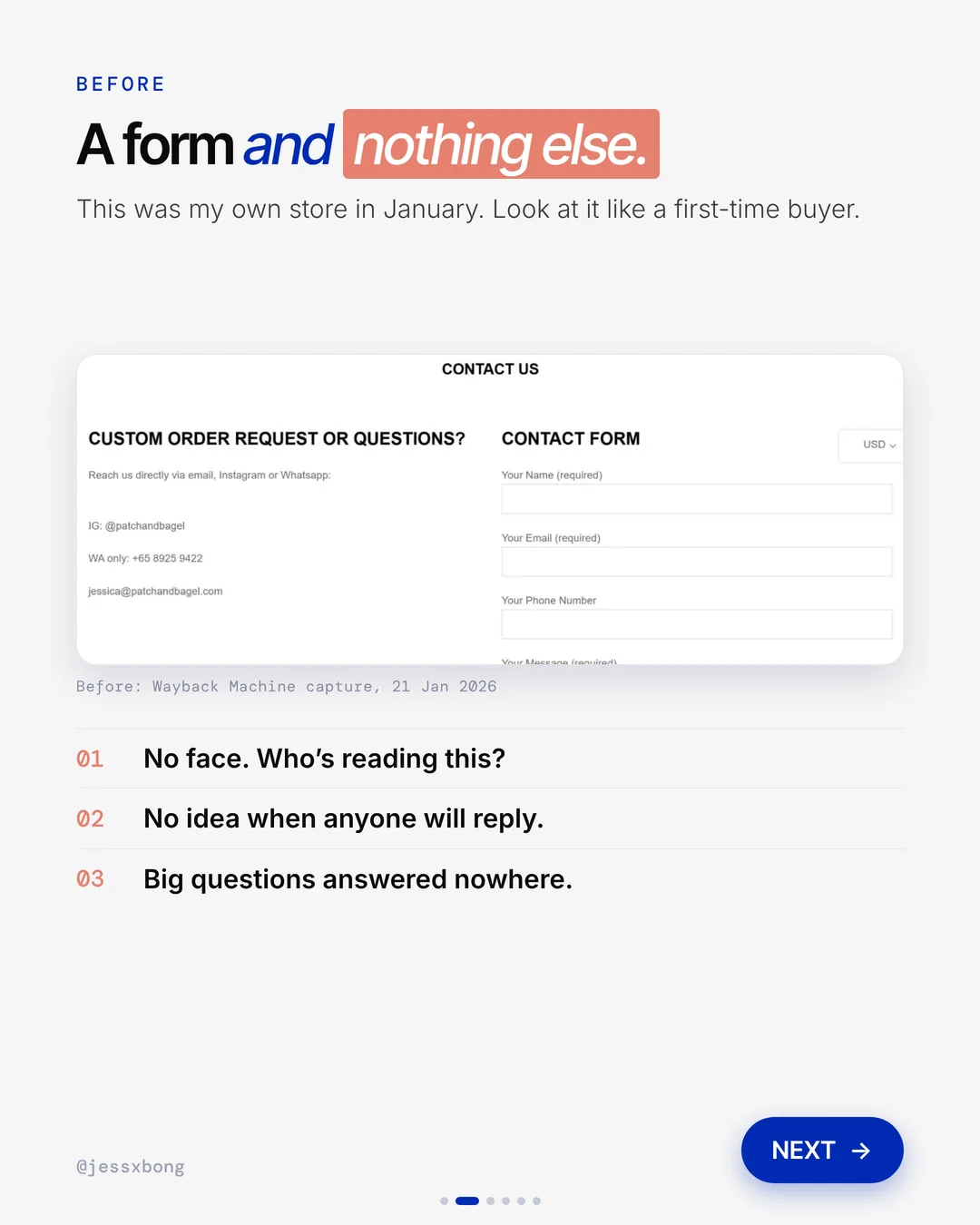
My contact page on Patch&Bagel used to be a dead end. A title. A form. Nothing else.
Look at it like a first-time buyer. There was no face. No idea when anyone would reply. And the big questions were answered nowhere.
So I changed 5 things. No developer, one afternoon. Here is what changed and how to do it on your own store.
What changed
- 01A face and a nameReal photo, not a logo.
- 02A reply promisePromise a reply time you can keep: within 24 hours.
- 03WhatsApp firstIn SG, people would rather chat than fill a form.
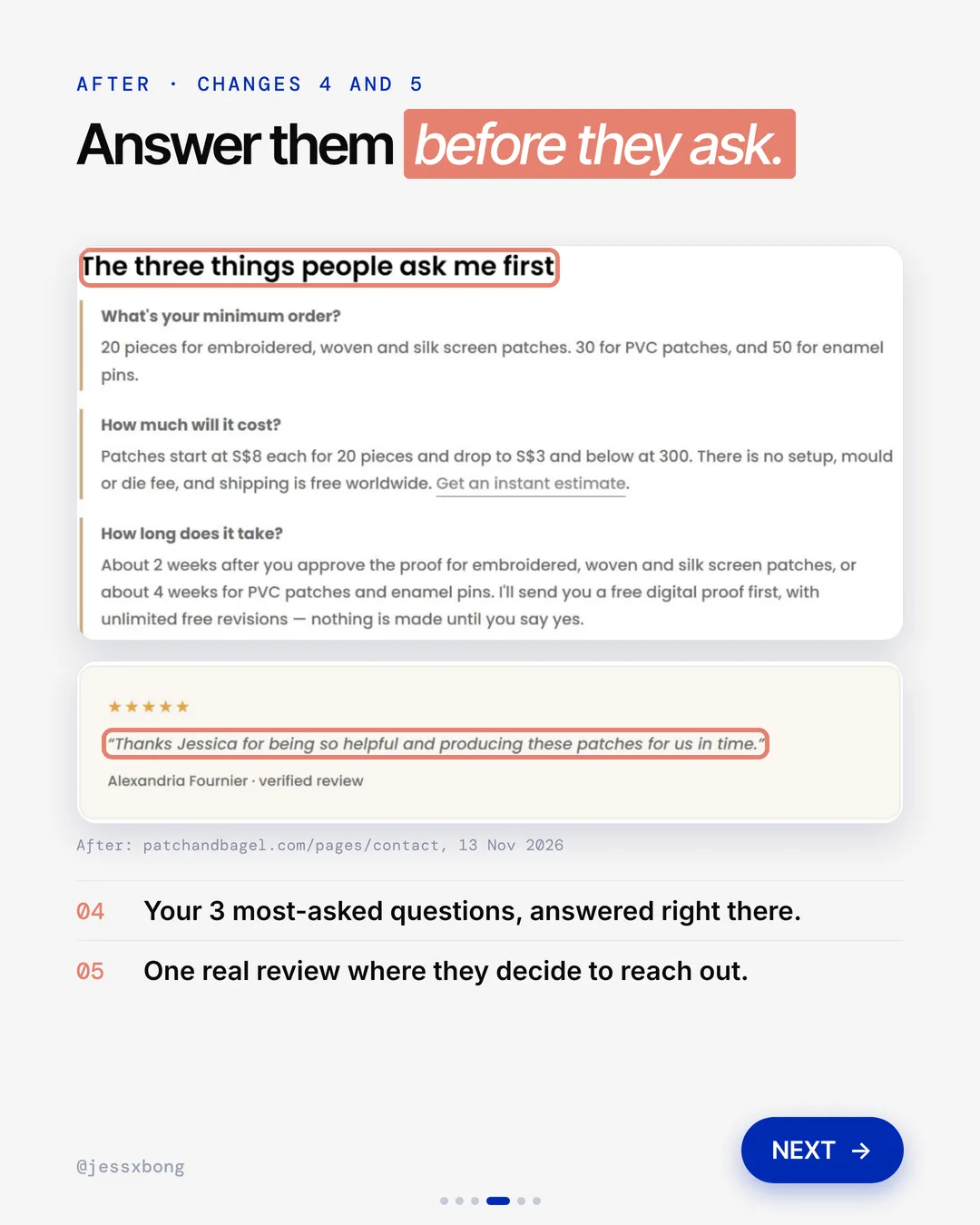
- 04A mini FAQYour 3 most-asked questions, answered right there.
- 05A real reviewOne real review where they decide to reach out.
01 · Contact page makeover
A face and a name
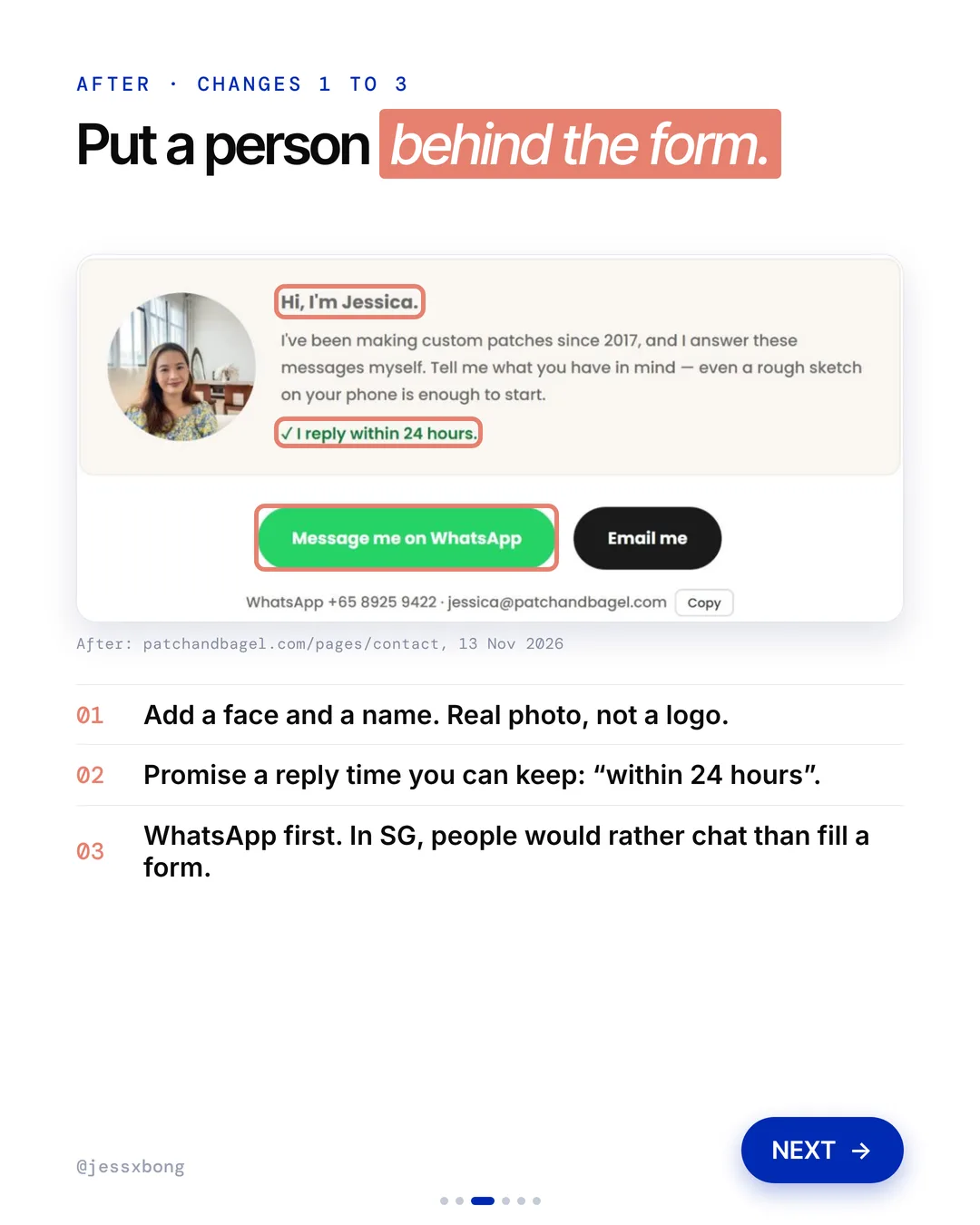
I added my photo and "Hi, I'm Jessica." at the top. A short note says I have made custom patches since 2017 and I answer the messages myself.
On Patch&Bagel, the note under my name also tells people how to start. It says even a rough sketch on your phone is enough. That takes away the fear of not being ready.
Tip: a face works best with a few words that sound like you. Say who you are, what you make, and that you read the messages yourself.
Why it works
"Who's reading this?" Now they can see a real person.
People trust a face more than a form. They feel safe reaching out.
Your turn
- Use a real photo of you, not a logo.
- Write "Hi, I'm" and your name.
How to do it on Shopify
- Pick a clear, friendly photo of yourself.
- Write one or two lines about who you are and what you make.
- Put them at the top of your contact page.
- Write it like you talk. "Hi, I'm Jessica." beats "Contact us".
Mistakes to avoid
- Using a logo or a stock photo instead of a real face.
- Writing "Contact us" in a cold, formal voice.
- Putting the photo so far down that nobody sees it.
How to tell it is working. Count how many messages you get each week, before and after the change. More messages from the same traffic means it is working.
02 · Contact page makeover
A reply promise
I added one line: "I reply within 24 hours." Before, shoppers had no idea when anyone would reply.
On Patch&Bagel, the promise shows twice. It sits under my note at the top, and again in the thank-you message after someone sends the form.
Tip: pick a time you can keep on your busiest week, not your quietest. A promise you break hurts more than no promise at all.
Why it works
"Will anyone even answer?" Now they know when to expect a reply.
A clear promise gets more people to send the message. Just make sure you can keep it.
Your turn
- Within 24 hours
- Pick a time you can really keep
How to do it on Shopify
- Pick a reply time you can keep.
- Add it near your name and photo.
- Keep it short, like "I reply within 24 hours."
Mistakes to avoid
- Promising a reply time you cannot keep.
- Putting the promise only at the bottom of the page.
- Forgetting to say it again after the form is sent.
How to tell it is working. Track how long you really take to reply. If you keep the promise and more people send messages, it is working.
Free checklist
Get the free Shopify Optimization Checklist
The same checklist people get on Instagram when they comment SHOP. Go through your homepage, product pages, checkout and more, one tick at a time. No developer needed.
03 · Contact page makeover
WhatsApp first
I made a big green "Message me on WhatsApp" button the first thing people see. Email is still there, next to it.
The WhatsApp button sits right next to an Email me button. Under them, the WhatsApp number and email address show in plain text with a Copy button, for people who want to save them.
The old form is still there, lower down, for people who prefer email. It asks for the rough quantity, size, backing and any deadline, so the first message already has what I need.
Why it works
"I'll just send a quick message." WhatsApp is how Singapore messages.
More people start a chat. A chat is easier to turn into an order than a form.
Your turn
- Put the way your shoppers like to chat first.
- Keep email as a second button.
How to do it on Shopify
- Add a "Message me on WhatsApp" button to your contact page.
- Make it the first and biggest button.
- Add an "Email me" button next to it.
- Test both buttons on your phone.
Mistakes to avoid
- Making WhatsApp a tiny icon that is hard to tap on a phone.
- Removing email and the form, so some shoppers have no way in.
- Never testing that the WhatsApp button opens the right number.
How to tell it is working. Count new WhatsApp chats each week. Then count how many of those chats turn into orders.
04 · Contact page makeover
A mini FAQ
I added a section called "The three things people ask me first". It answers minimum order, cost and how long it takes.
My three answers are full of real details. The minimum is 20 pieces for embroidered, woven and silk screen patches. Prices start at S$8 each for 20 pieces. Embroidered patches take about 2 weeks after the proof is approved.
Under the three answers, a See all questions link goes to my full FAQ page. Tip: give real numbers in your answers. "It depends" makes people message you just to find out.
Why it works
"How much will it cost?" They get the answer before they even ask.
Fewer back-and-forth messages. The people who do reach out are ready to buy.
Your turn
- What's your minimum order?
- How much will it cost?
- How long does it take?
How to do it on Shopify
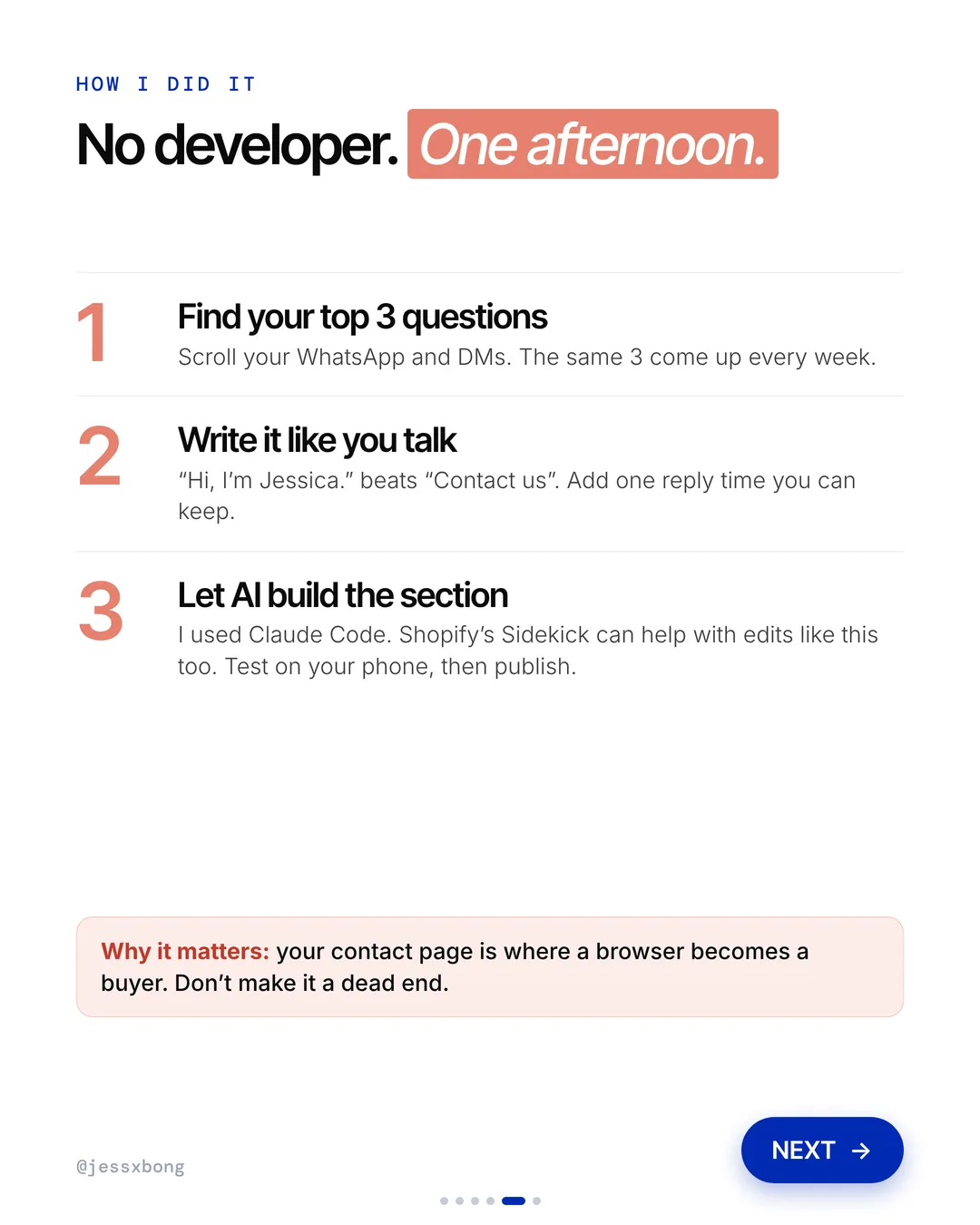
- Scroll your WhatsApp and DMs. The same 3 questions come up every week.
- Write a short answer to each one.
- Add them to your contact page.
- Let AI build the section. I used Claude Code. Shopify's Sidekick can help with edits like this too.
Mistakes to avoid
- Answering with "It depends" instead of real numbers.
- Adding 20 questions so the 3 that matter get lost.
- Letting the prices on the contact page go out of date.
How to tell it is working. Watch how often the same 3 questions still come up in WhatsApp and DMs. If they drop, the mini FAQ is doing its job.
05 · Contact page makeover
A real review
I added one 5-star verified review right on the contact page. It thanks me for being so helpful and making the patches in time.
On Patch&Bagel, the review shows the customer's name and the words verified review. Under it, one line says the store is rated 4.8 out of 5 from 329 reviews.
Tip: pick a review that talks about the help, not just the product. On a contact page, people want to know you are easy to work with.
Why it works
"Can I trust this shop?" A real customer says yes, right when they are deciding.
Proof at the right moment turns a browser into a buyer.
Your turn
- Pick one real review.
- Choose one that talks about how you helped.
How to do it on Shopify
- Pick one real review from a happy customer.
- Add it near your contact buttons.
- Show the star rating and the customer's name.
- Test on your phone, then publish.
Mistakes to avoid
- Using a made-up or edited review.
- Showing a review about the product when the page is about getting help.
- Putting the review far away from the contact buttons.
How to tell it is working. Compare messages per week before and after you add the review. Also check how many of those chats turn into orders.
Do this this week
- Scroll your WhatsApp and DMs and write down the 3 questions you get most.
- Take a clear, friendly photo of yourself for the top of the page.
- Write one line with a reply time you can really keep.
- Add your favourite way to chat as the first and biggest button.
- Test every button on your own phone, then publish.
Your contact page is where a browser becomes a buyer. Don't make it a dead end.
Questions
What should a Shopify contact page include?
More than a form. Add your face and name, a reply time you can keep, the way your shoppers like to chat, answers to your top 3 questions and one real review.
Can I change my Shopify contact page without a developer?
Yes. I did it in one afternoon with no developer. I used Claude Code to build the section, and Shopify's Sidekick can help with edits like this too.
Should I add WhatsApp to my Shopify contact page?
If your shoppers use WhatsApp, yes. In Singapore, people would rather chat than fill a form. Make it the first button and keep email next to it.
How do I edit the contact page on Shopify?
Go to Online Store, then Themes, then Edit theme. Open Pages, then Contact. Click Add section to add new content, then Save.
What questions should I answer on my contact page?
The 3 you get most in WhatsApp, DMs and email. For a lot of stores, that is the minimum order, the cost and how long it takes. Give real numbers, not "it depends".