HubSpot Shopify Integration: Singapore Sync Fixes and When to Hire
For most stores the native HubSpot Data Sync is the right first choice: it quickly syncs customers, products and orders from Shopify into HubSpot, provided you approve the required permissions and understand the one-way default. You’ll need HubSpot Super Admin or App Marketplace access plus Shopify Store Owner access, and you should know upfront that Shopify metafields don’t sync natively.
TL;DR:
- Choose middleware or a custom build for Shopify metafields, custom field mapping, bespoke checkout flows, multi currency catalogs, or near real time two way updates.
- Confirm HubSpot Super Admin or App Marketplace access and Shopify Store Owner access; enable email filtering and match product variants by SKU.
- The initial import can take time based on catalog size; later changes usually sync within about ten minutes, too slowly for inventory sensitive workflows.
- If HubSpot already contains imported contacts, stage the first sync with a small test batch and deduplicate records before enabling live workflows.
- Deleting a contact in either platform does not remove its counterpart, so manage Shopify customers and HubSpot contacts separately after syncing.
Table of Contents
- Choose the right approach: native app, middleware, or custom API
- Step-by-step connection checklist for permissions, install and sync settings
- Troubleshooting: fixes for the most frequent post-install problems
- What syncs, what doesn’t, and how HubSpot matches and deletes records
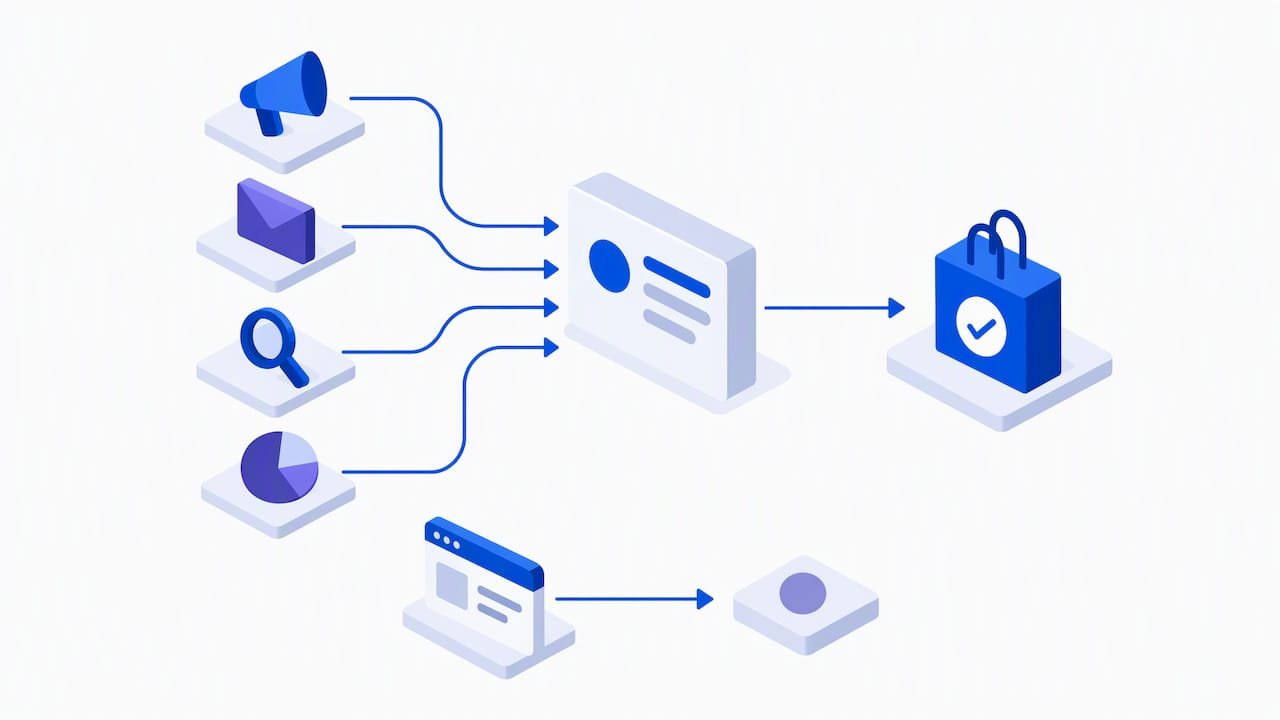
- How to use synced data: workflows, cart recovery and reporting examples
- When to bring in a specialist agency like Soodo
- How we help with HubSpot and Shopify integrations
- FAQ
- Sources
Choose the right approach: native app, middleware, or custom API
Picking the right path saves you weeks of rework later. Start by listing exactly which objects and fields matter to your marketing and sales teams, because that list decides everything else.
- Standard objects only: if you just need customers, orders and products flowing into HubSpot for email and reporting, the native HubSpot Data Sync covers you.
- Metafields or custom properties: native sync won’t carry these, so you’ll need middleware or a custom build to map them into HubSpot.
- Two-way updates: the native integration is primarily one-way (Shopify to HubSpot), with two-way contact sync still in beta, so plan around that limitation rather than against it.
- Budget and developer time: native setup takes an afternoon; middleware takes days; a custom API project takes weeks and ongoing maintenance.
Native sync works well when your needs are standard: customer records, order history and basic product data feeding marketing automation and sales pipelines. Middleware earns its cost when you’re syncing metafields, need custom field mapping, or want more sophisticated error handling than the native app offers. A custom API build becomes necessary when you run multi-currency catalogues, bespoke checkout flows, or need near real-time two-way data outside what HubSpot currently supports. Most merchants we speak with overestimate how much customisation they need and underestimate how much the native sync already does well.
Step-by-step connection checklist for permissions, install and sync settings
Running through these steps in order avoids the majority of first-week sync problems.
- Confirm your permissions first. You need HubSpot Super Admin or App Marketplace access, and the Shopify account must be logged in as Store Owner, not a staff account.
- Install the app. Add it from the HubSpot Marketplace or the Shopify App Store, and approve every requested scope, including customers, orders, products and inventory, because skipping a scope is the most common cause of sync failure.
- Turn on the email filter. Enable “Only sync contacts with an email address” during configuration to cut down on duplicate contact records from guest checkouts.
- Set variant matching rules. Choose SKU as your matching field wherever possible, since HubSpot’s own guidance recommends SKU matching to stop duplicate product records forming.
- Understand sync timing. The first sync runs as a bulk import and can take a while depending on your catalogue size; after that, changes typically sync within about ten minutes.
- Test before going live. Where you can, trial the connection on a staging store or with a small batch of test orders before letting it touch your full customer list.
Pro Tip: Run your first sync overnight on a quiet day, then check contact and order counts the next morning before you build any workflows on top of the data.
If you’ve migrated platforms recently or imported contacts from another CRM, map out a deduplication plan before you flip the sync on. Skipping this step is the single biggest reason merchants end up with messy HubSpot databases in month one.
Troubleshooting: fixes for the most frequent post-install problems
Most sync issues trace back to one of a handful of causes, and each has a known fix.
- Sync stalls or fails entirely: re-check that every OAuth scope was approved during install; a single declined permission can quietly break the whole connection.
- Duplicate contacts pile up: enable “Only sync contacts with an email address” and run a deduplication pass, particularly if you had existing HubSpot contacts before connecting Shopify.
- Deals aren’t linked to contacts: this usually means your checkout flow has been customised in a way HubSpot doesn’t expect, since the integration relies on default checkout events to associate deals with the right contact record.
- Metafields are missing from HubSpot: this is expected behaviour, not a bug. Native sync doesn’t pull custom Shopify properties, so you’ll need middleware or a small custom app to push those fields across.
- You need two-way syncing: HubSpot currently offers this as a beta feature for contact sync only, so test it on a small segment before relying on it for your full database.
One data point worth planning around: after the initial bulk sync, HubSpot generally updates records within a short time of a change, which is fast enough for most marketing automation but not instant enough for inventory-sensitive workflows.
If you already have contacts imported from a previous system, community practitioners recommend staging the initial sync and testing with a small batch first, rather than letting a full historical import run against live marketing lists.
What syncs, what doesn’t, and how HubSpot matches and deletes records
Knowing exactly what crosses over, and what HubSpot does when records change on either side, prevents a lot of confusion down the line.
| Shopify object | HubSpot target | Matching rule |
|---|---|---|
| Customers | Contacts | Email address |
| Products | Products | SKU (recommended) |
| Product variants | Separate product records | SKU (recommended) |
| Orders | Deals | Associated contact via email |
| Carts / abandoned checkouts | Deal or contact activity | Associated contact via email |
Shopify metafields and other custom properties aren’t supported by the native sync, so anything stored there needs a separate mapping route if you want it in HubSpot. On deletion, the two systems don’t mirror each other automatically: deleting a contact in HubSpot won’t delete the matching customer in Shopify, and vice versa, so treat each platform’s records as independently managed once synced. For product variants specifically, matching by SKU avoids the duplicate product records that often appear when variants are matched by name alone.
How to use synced data: workflows, cart recovery and reporting examples
Once data is flowing, the real value shows up in the automations you build on top of it.
- Abandoned cart emails: trigger a sequence using cart data, and pair it with practical recovery tactics to lift completion rates.
- New-customer welcome series: fire automatically off the first synced order, introducing your brand before the second purchase window closes.
- VIP segmentation: build lists based on order history and total spend to target your highest-value customers differently.
- Variant-level personalisation: use synced variant data to recommend the right size or colour in follow-up emails rather than a generic product.
Pro Tip: Build your dashboard around the deal pipeline HubSpot creates for e-commerce, but check whether the automation you want requires Sales Professional before you design the workflow around it.
For attribution reporting, use the deal stage data to see which marketing source actually drove the order, not just the session.
When to bring in a specialist agency like Soodo
Metafields, bespoke checkout flows, multi-currency catalogues and full platform migrations are where native sync reaches its limit, and where a specialist conversation pays for itself. We approach every HubSpot and Shopify project with founder-led execution and a CRO lens, drawing on migration work like our HairMax WooCommerce-to-Shopify project, so the data you sync actually drives measurable revenue, not just dashboards.
— Soodo
How we help with HubSpot and Shopify integrations
We handle the parts of this setup that trip most merchants up: metafield mapping, checkout customisation, and migrations that need HubSpot data preserved along the way. Whether you’re building a new store or optimising an existing one, our Shopify store optimisation service covers the technical and conversion work that sits behind a clean integration.

If your project involves a full rebuild or platform move, our new Shopify website development service starts from 6,000 SGD and includes the groundwork a HubSpot connection depends on. Get in touch for a consult and we’ll map out exactly what your store needs.
FAQ
Which CRM is best to integrate with Shopify?
The best fit depends on your sales process, but HubSpot is a strong choice for Shopify stores because its native Data Sync pulls customers, orders and products across without custom development. Merchants running more complex catalogues or needing deeper CRM customisation sometimes pair HubSpot with middleware rather than switching platforms entirely.
Is Shopify still worth it in 2026?
Shopify remains one of the most widely used eCommerce platforms for merchants who want fast setup, a large app ecosystem and integrations like HubSpot’s Data Sync without heavy development work. Whether it’s the right fit still depends on your catalogue size, growth plans and how much custom functionality you need beyond what apps provide.
Why doesn’t HubSpot sync Shopify metafields automatically?
HubSpot’s native Shopify integration is built around standard objects like customers, orders and products, and doesn’t include support for metafields or other custom Shopify properties. Merchants who need that data in HubSpot typically use middleware or a small custom app to map metafields into HubSpot custom properties.
How long does the Shopify to HubSpot sync take?
The first sync runs as a bulk import and its length depends on how many records you’re bringing across. After that initial sync, HubSpot generally reflects changes within about ten minutes, which works well for most marketing and sales workflows.
What should I check before choosing a Shopify integration method?
Start by listing which objects and fields your team actually needs synced, including whether metafields or two-way updates matter to you. That list determines whether the native app, middleware, or a custom build is the right route, and it’s worth confirming with a specialist review if your catalogue or checkout flow is non-standard.
Sources
- Connect HubSpot and Shopify (Data Sync)
- Sync Shopify product variants to HubSpot
- HubSpot Native Shopify Integration 101: Setting up the integration – HubSpot Community
Recommended

Jessica Bong
Jessica Bong is the founder of Soodo, a Singapore Shopify agency that builds, revamps and migrates Shopify stores, with every store set up to be found in AI search (GEO). She has spent over 10 years in ecommerce and runs her own Shopify brand, Patch&Bagel, where every Soodo technique is tested first. Jessica is also a WSQ-certified Shopify trainer at Equinet Academy.