

Shopify Blog SEO: How to Make Your Posts Sell in 2026
Shopify blog SEO means writing posts that rank for what your customers search, then sending those readers to the collections and products that answer their next question. Shopify’s built-in blog tools handle the basics. The results come from topic choice, structure, internal links and a habit of checking the numbers.
We are a founder-led Shopify agency in Singapore. This guide covers the steps we would give a brand owner before the first post goes live.
Key Takeaways
- Blog posts can bring organic traffic, but only when each post targets one clear search and links to a matching product or collection.
- Pick topics that pass three tests: they help a real buyer, fit your store, and fill a gap your site does not already cover.
- Keep titles under 70 characters and meta descriptions under 160, so Google does not cut them off.
- Link in both directions: post to product, and product back to post.
- Review each post with Search Console after about three months, then update, expand or retire it.
Table of Contents
- Can a blog really help a Shopify store get organic traffic?
- How do you choose blog topics that match what customers search?
- How should you structure a Shopify blog post for search?
- How do internal links connect blog posts to products?
- Perspective: why we treat the blog as part of the store build
- What Shopify blog SEO mistakes should you avoid?
- How do you measure blog SEO results?
- When is a blog not the first fix?
- What can Soodo do for your store?
- FAQ
- Sources
Can a blog really help a Shopify store get organic traffic?
Yes. Shopify’s own Help Center says blog posts drive traffic to a store by improving SEO and help turn visitors into customers. Each optimised post is another indexed page that can show up in search results. Over time, a blog builds a library of useful content that draws in people searching for topics related to what you sell, as Shopify’s guide to creating a blog explains.
Position matters. Shopify’s blog SEO guide notes that the top five spots on Google’s first page generate 70% of all clicks. A post stuck on page three will do very little for you.
A blog also has a limit you should know about. A post that ranks but sends nobody to a product is a cost, not an asset. SEO Conversion makes the same point: internal links give readers a next step and tell Google which collection and product pages matter for which topics. Plan the link to the product before you write the first line.
Is blog content still worth it now that people use AI tools?
It is. Merchants are now also writing for tools such as ChatGPT and Perplexity, which pull from web content to build answers. Shopify calls this answer engine optimisation, and the same habits help: clear headings, direct answers and an FAQ. Every store we build is set up for AI search (GEO). You can read what that means on our GEO explainer and in our guide to Shopify AI search optimisation in Singapore.
How do you choose blog topics that match what customers search?
Start from your products, not from a list of trending keywords. Shopify’s keyword research guide maps each keyword type to a page type:
| Search type | Best page for it |
|---|---|
| Transactional (ready to buy) | Product page |
| Commercial (comparing options) | Collection page |
| Informational or research | Blog post or guide |
| Seasonal or campaign | Landing page |
| Post-purchase problems | Support or FAQ page |
The same guide says relevance is the most important factor. The page you write must match the intent behind the search. A buyer typing a product name wants a product page, not a 1,500-word essay.
Three tests for every topic
SEO BOSS suggests that a good topic passes three tests:
- Reader value: the post helps a real buyer make a clearer decision.
- Store fit: the topic connects naturally to your products, collections or expertise.
- Content gap: no existing page or post on your site already handles it well.
If a topic fails one of these, drop it or merge it into something stronger.
Where to find ideas you can trust
Your own customers are the best source. Try these:
- On-site search terms. SEO BOSS recommends grouping similar terms, working out the shopper intent, then choosing whether the answer is a product edit, a collection change or a blog post.
- Customer reviews, product FAQs and support messages. These show the exact words buyers use for their worries.
- Collection pages turned into buying guides.
One practical method is to list 20 to 30 ideas, then keep only those that link to a product or collection and that you can answer better than a generic website.
Group related searches into one post. Do not write a post for every term. Three searches about breathable socks and summer cotton socks can become a single article on choosing socks for warm weather.
Add a Singapore angle
If you sell to Singapore or Southeast Asia, say so. Write about local sizing, local delivery, local payment habits and local events. A post that could sit on any country’s site is easy for a global retailer to beat. Our post on local SEO for Shopify stores in Singapore shows how to bring that local detail into your pages.
How should you structure a Shopify blog post for search?
One post, one target keyword. Shopify’s blog SEO guide recommends placing that keyword in the H1, title tag, URL, intro and meta description. Add two or three supporting keywords and the common questions around the topic to shape the outline.
Here is a simple structure that works for most posts:
- A direct opening. Answer the search in the first two sentences.
- Key takeaways. A short bullet list near the top helps skimmers, and Shopify lists it among formatting tactics for SEO and AEO.
- H2 and H3 headings. Clear hierarchy helps search engines crawl the post and understand it.
- Product and collection links placed where a reader would want them.
- Original images or video from your own products.
- A short FAQ. It can help win featured snippets and AI-generated answers.
Titles, descriptions and URLs
Shopify’s Help Center says text may be cut off in search results if a blog title runs past 70 characters or a description past 160. Put the main keyword near the front. Write the description as a promise to the reader, not a keyword list.
Keep URLs short and readable. Do not change the URL of a post that already ranks unless you add a redirect.
Do not stuff keywords
Weave the keyword into the title, the first paragraph and a few subheadings. If a sentence sounds odd read aloud, rewrite it. Buyers notice, and so does Google.
How do internal links connect blog posts to products?
They do the selling. A post earns attention, and the link moves the reader to something they can buy.
Shopify explains that internal links create a contextual link between new and old articles, which helps search engines understand your expertise in a niche. They also push readers to more content they may want.
A simple hub-and-spoke pattern
Obsess AI describes a hub-and-spoke model:
- Each supporting post links to its main pillar post.
- The pillar links to the three to five most important supporting posts.
- Supporting posts link to each other only where it helps the reader.
- Product types link to matching collections. Specific recommended items link to product pages, with descriptive anchor text.
RunOctopus adds that a sensible post has a handful of links, placed where they help. Use the product type or name as the link text, and link back up from the collection to the post.
Do not forget the link back
The direction most stores skip is product page to blog post. Obsess AI calls it the most neglected internal link type. Its suggestion is a small “related content” block on the product template with two or three hand-picked posts, starting with your top 50 products. If your best sellers are few, start with those.
This works best when the product page itself is strong. Our guide to fixing product page issues that lift sales covers the page the reader lands on after your post.
Perspective: why we treat the blog as part of the store build
We build every Shopify store around how customers actually buy. A blog is part of that path, not a separate marketing task bolted on later.
When we plan a store, we decide early which collections and products each future post will point to. We also set up the navigation, templates and page structure so that a post can lead a reader to a purchase in one or two clicks. Every store we build is also set up for AI search (GEO), so headings, answers and FAQs are structured to be easy to read for search engines and AI tools.
Our founder, Jessica Bong, has more than 10 years in ecommerce. We also run our own ecommerce brand, Patch&Bagel, and we test our recommendations there before we suggest them to clients. We would rather give you four well-linked posts that sell than forty that only collect clicks.
A blog works best on a store that is already built to convert. If your theme is slow, your product pages are thin or your site structure is messy, fixing that comes first.
Soodo
What Shopify blog SEO mistakes should you avoid?
Most blog problems are planning problems. These are the ones we see most often, each tied back to the guidance above.
- Posts with no path to a product. If a post ranks and leads nowhere, it is a cost. Add a collection or product link where the reader would naturally want one.
- Forcing links into every paragraph. SEO BOSS advises against pushing product links into every paragraph. Use “recommended for” sections after you explain a concept, and decision points that route readers to the right collection.
- Several keywords in one post. Shopify recommends one target keyword per post. Two posts fighting for the same search split your own chances.
- Generic topics. SEO BOSS warns against publishing broad informational articles that bring little product discovery. It also warns against stuffing educational text onto product pages that belongs in a blog post.
- Cut-off titles and descriptions. Past 70 and 160 characters, your text may be trimmed in results.
- Never updating old posts. Shopify’s own nine-step list includes updating old content, along with checking technical issues.
- Leaving blog content behind in a migration. If you move platforms, posts and their URLs need to move with proper redirects. Our guide on migrating a blog to Shopify without losing traffic explains the steps.
- Chasing every search term. Look for the broader angle that several related searches point to.
How do you measure blog SEO results?
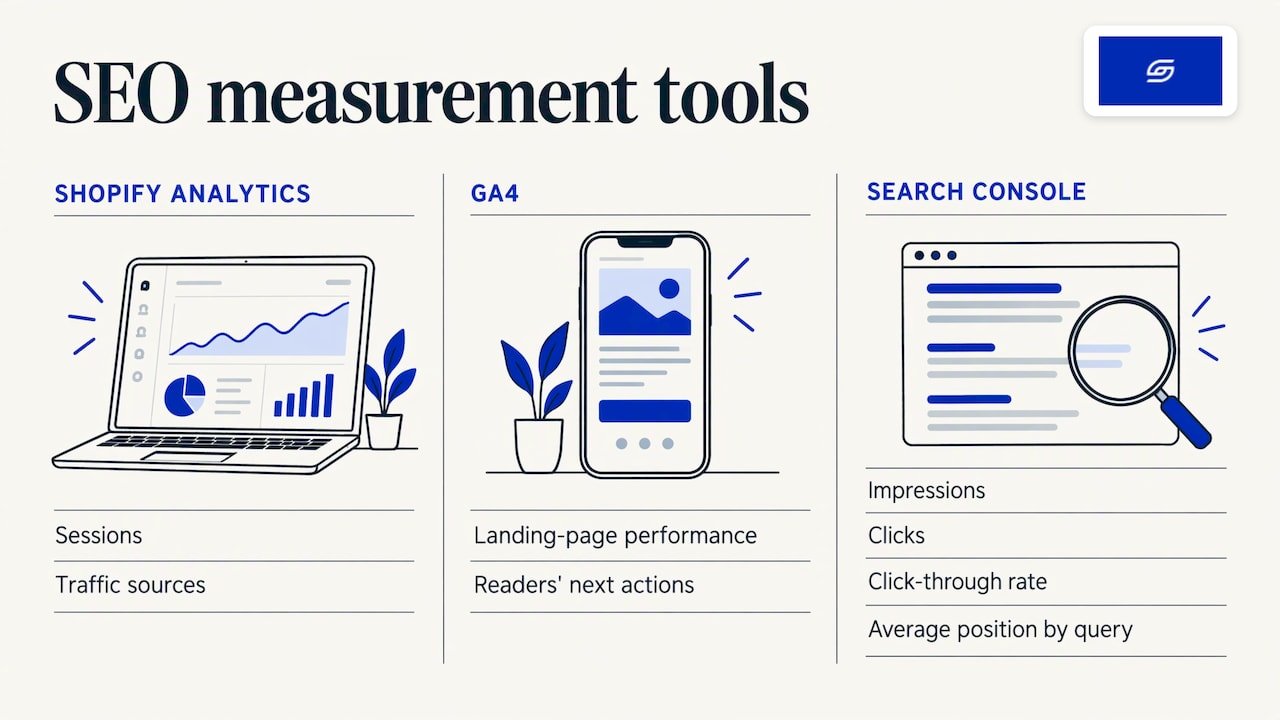
Use three free tools together. SEO BOSS recommends Shopify analytics for sessions and traffic sources, GA4 for landing page performance and what readers do next, and Google Search Console for impressions, clicks, click-through rate and average position by query. Our beginner’s guide to conversion tracking helps you set up the GA4 side.
Read the numbers like this
The same SEO BOSS guide gives simple decision rules:
| What you see | What to do |
|---|---|
| High impressions, low clicks | Rewrite the title and meta description |
| High traffic, low time on page | Rewrite the opening to answer the search faster |
| High traffic, strong engagement | Write more posts in the same cluster and add internal links |
| Almost no traffic after about 3 months | Try a new angle, better on-page SEO or a less competitive keyword |
VortexIQ adds that a click-through rate below 2% on the first page usually points to a weak title or description. It also says positions 4 to 20 are the fastest wins, because a page already near the top can improve with targeted edits.
Track sales as well as visits. Shopify’s SEO campaign guide suggests combining Search Console with GA4 sessions and pages per session, and measuring SEO return on investment. Report by page type, so you can see whether blog posts lead to product views and orders.
A good rhythm is a monthly check. Look at one post at a time, decide to keep, update or retire it, and move on.
When is a blog not the first fix?
Sometimes the store needs work before the blog does. Three signs:
- Your product pages are thin or slow, so traffic would not convert.
- You are on WooCommerce or another platform and plan to move to Shopify. Move first, then build the blog plan on the new structure.
- Your theme is dated and your navigation hides your best collections.
In these cases a build, revamp or migration gives the blog something to stand on. See how we think about revamp, rebuild and migration if you are unsure which fits.
What can Soodo do for your store?
Soodo is a founder-led Shopify agency in Singapore, founded in 2022 by Jessica Bong. We build, revamp and migrate Shopify stores for brands in Singapore and Southeast Asia, with a sales-first approach. We are a Shopify Partner with 30+ live stores. Jessica is also a WSQ Shopify trainer at Equinet Academy.
Here is what we offer:
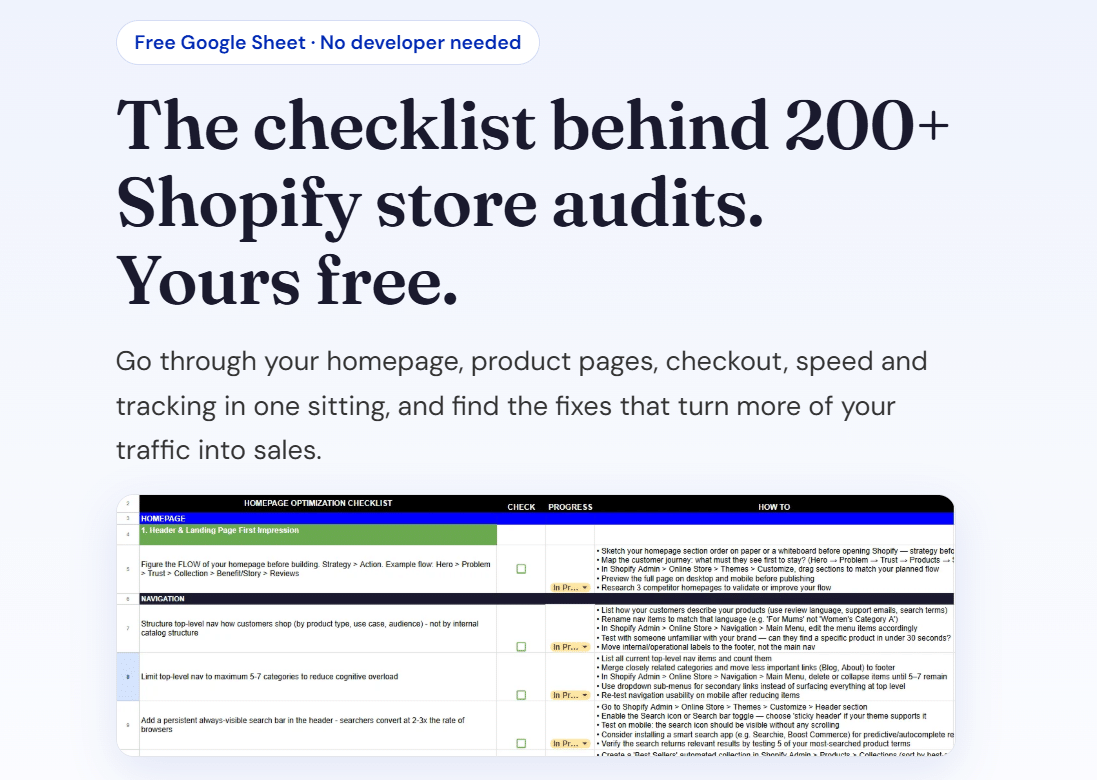
- A new Shopify store from SGD 8,500.
- A Shopify Revamp from SGD 3,000.
- A migration to Shopify from SGD 6,000.
No GST is added, as Soodo is not GST-registered. Every project includes handover training and 6 months of post-launch fixes: if something we built breaks, we fix it. Revisions are unlimited within the agreed scope. Projects start on set monthly start dates, and we agree the timeline and start date before we begin. A 50% non-refundable deposit secures your start date, and the balance is due on completion.
We do not offer a monthly GEO or SEO service. For long-term GEO growth, we work through specialist partners. You can also browse our Shopify guides for more on content and store structure.
FAQ
How often should I post on my Shopify blog?
Choose a pace you can keep. Shopify’s blog strategy guide describes an editorial calendar as a way to stay consistent and plan around campaigns, events and seasons. Four strong, well-linked posts beat a long run of thin ones.
Do Shopify blog posts help product pages rank?
They can, when the posts link to the right products and collections with descriptive anchor text. The post earns attention for a research search, and the link tells Google which product pages matter for that topic. Linking from product pages back to relevant posts strengthens the connection both ways.
How long does it take to see results from a blog post?
Plan on a few months. SEO BOSS suggests that a post with near-zero traffic after about 3 months needs a new angle, better on-page SEO or a less competitive keyword. Check Search Console for indexing first, then for impressions and clicks.
Should I write about my products or about general topics?
Write about topics that connect to your products. The best topics combine search evidence, product relevance and real customer usefulness. General posts with no product link bring little product discovery.
Sources
- Shopify Help Center: Manage blogs for your online store
- Shopify: Blog SEO guide (Singapore)
- Shopify: How to create a blog on Shopify
- Shopify: Keyword research for ecommerce
- Shopify: Blog strategy in 7 steps
- Shopify: How to run an SEO campaign
- SEO Conversion: Shopify blog SEO
- SEO BOSS: Store-aware content stack
- SEO BOSS: On-site search queries for blog ideas
- SEO BOSS: Topic clusters and pillar pages
- SEO BOSS: Blog traffic analytics
- Obsess AI: Shopify topic cluster strategy
- RunOctopus: Shopify blog SEO
- VortexIQ: Google Search Console for Shopify
- Shopify blog ideas from your product catalog
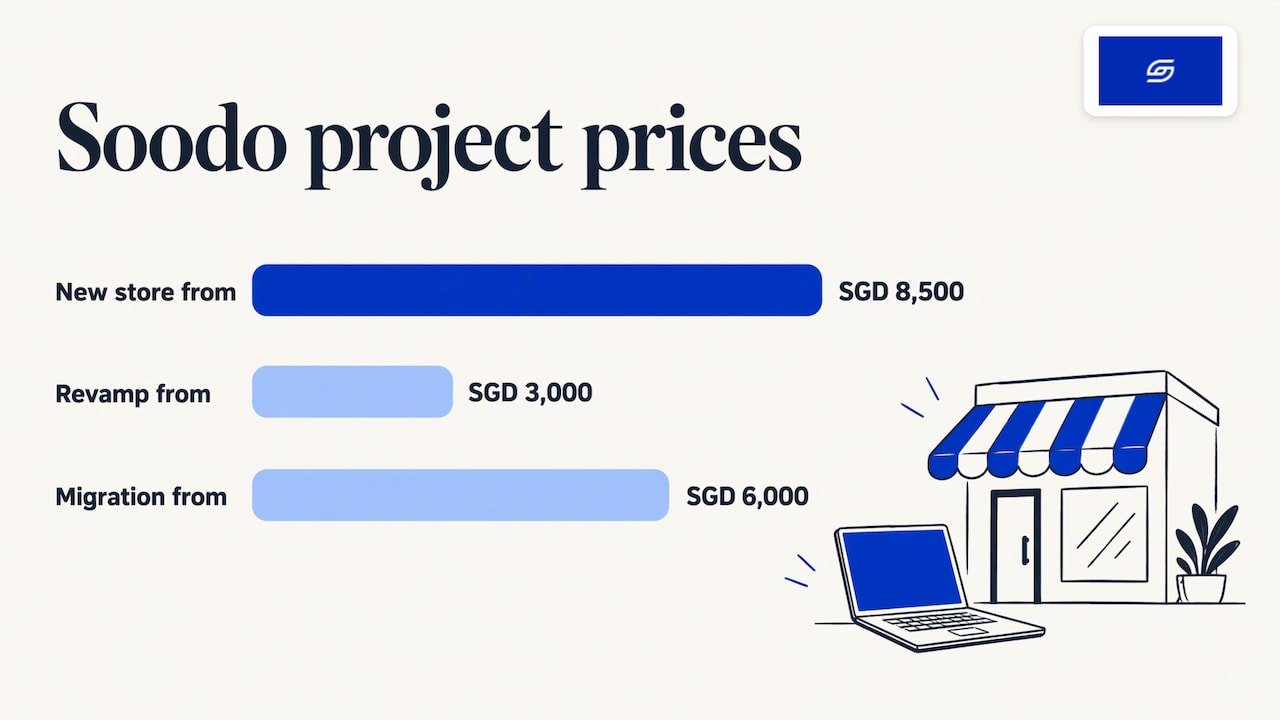
Get the free Shopify optimisation checklist or apply for a project slot.
Recommended

Jessica Bong
Jessica Bong is the founder of Soodo, a Singapore Shopify agency that builds, revamps and migrates Shopify stores, with every store set up to be found in AI search (GEO). She has spent over 10 years in ecommerce and runs her own Shopify brand, Patch&Bagel. Jessica is also a WSQ-certified Shopify trainer at Equinet Academy.