Shopify Local Delivery in Singapore: Couriers, Zones and Costs
Short answer: Shopify's local delivery feature lets you set delivery zones by postal code or distance, each with its own fee and minimum order. In Singapore, most stores pair it with a courier such as Ninja Van, J&T Express or SingPost for standard delivery, and Lalamove or GrabExpress for same-day. Soodo sets up delivery zones and rates in every new Shopify store, from SGD 8,500.
Shopify includes native local delivery on every plan, and you switch it on per location under Settings → Shipping and delivery. Choose between two zone methods, a delivery radius or a postal code list before you touch pricing or checkout messaging. Get the zone type right first because it shapes almost every decision that follows.
TL;DR:
- Ensuring sufficient inventory, staff, and accurate address data is crucial before activating Shopify local delivery to prevent unfulfillable promises.
- Delivery options only appear when orders are fulfilled from a single location, have stock on hand, and the customer’s address falls within the defined zone.
- Proper pricing models recommend low flat fees, distance-based tiers, or free delivery above a minimum order to protect margins and improve conversion.
- A hybrid fulfilment approach is often best, combining in-house delivery for dense areas with courier outsourcing for outlying zones, with proof of delivery being essential.
- Testing the entire delivery process, including zone setup, checkout logic, and app integrations, before going live helps avoid operational mistakes and margin erosion.
Table of Contents
- Key considerations before enabling Shopify local delivery
- When does the local delivery option appear at checkout?
- How do you set up local delivery in Shopify admin?
- What delivery rates protect your margin?
- Which fulfilment model fits your business: in-house, outsourced or hybrid?
- Do you need an app for delivery windows and routing?
- How should you test and launch local delivery?
- Practitioner perspective: common local delivery mistakes
- What actually matters once local delivery is live
- Get Shopify local delivery built and tuned properly
- Sources
- FAQ
Key considerations before enabling Shopify local delivery
Before you flip the switch, sort out the operational questions Shopify itself can’t answer for you. Local delivery only works from a location that actually holds the stock, so if your fulfilment location has patchy inventory or a short-staffed back room, you’ll be promising deliveries you can’t fill on time.
A few checks worth doing in advance:
- Confirm each fulfilment location has enough inventory and staff to pick and pack same-day orders without falling behind.
- Check for conflicts with third-party shipping apps, since some override native local delivery or hide it behind accelerated checkout options.
- Decide your operational model (in-house drivers, a courier partner, or both) and set a daily capacity limit before launch, not after the first overbooked Saturday.
- Double-check your location’s address is accurate in Shopify admin. Radius rules calculate distance from that exact point, and a wrong pin can quietly exclude or include the wrong postcodes.
Shopify’s own guidance frames local delivery as a way to centralise fulfilment decisions, but that only pays off if the groundwork above is solid before go-live, according to Shopify’s blog on local delivery.
When does the local delivery option appear at checkout?
Local delivery only shows up when three conditions line up: the order fulfils from a single location, that location has the stock in hand, and the customer’s address falls inside your defined zone with a Google-verified match. Miss any one of these, and the option simply won’t appear, which is often mistaken for a bug rather than a design choice.
There’s a firm limitation worth flagging to your team and your customers: shoppers cannot mix local delivery with carrier shipping in the same order. If a customer’s basket includes one item stocked locally and another shipped from a separate warehouse, Shopify’s checkout rules force the whole order onto one fulfilment method. Explain this on your delivery FAQ page or at checkout, because customers rarely expect it.
Accelerated checkout adds another wrinkle:
- Shop Pay supports local delivery, but other accelerated checkout methods can disable the option entirely.
- Customers need a valid phone number and full address on file, since drivers and notification templates rely on both.
- Address verification failures are the most common reason a legitimate local customer sees only shipping options.
How do you set up local delivery in Shopify admin?
Setup takes minutes, but the details inside each zone type decide whether it runs smoothly. Start in your Shopify admin.
- Go to Settings → Shipping and delivery, find the location you want to enable, and select Manage next to Local delivery.
- Tick Deliver orders to customers directly from this location, following the exact steps in Shopify’s Help Centre setup guide.
- Choose your zone type: postal codes or radius.
- For postal codes, paste your list directly into the field. Shopify accepts comma-separated codes, and it’s worth trimming trailing spaces before pasting, as stray characters can silently exclude valid codes.
- For radius, enter your delivery distance in kilometres or miles and confirm the pinned location is correct. There’s a checkbox for including neighbouring states or regions, but leave it unticked unless you genuinely deliver across a border, since it can quietly widen your zone further than intended.
- Set conditional pricing: define a flat rate, or add a rule for free delivery above a minimum order value.
- Save, then repeat for every fulfilment location that offers local delivery.
Postal codes suit dense cities where border precision matters, while radius rules work better for simpler, single-store suburban operations, a distinction Shopify’s own guidance makes clear.
Pro Tip: Set your radius slightly smaller than you think you need at launch — a good way to complement this is with Shopify SEO Automation tools that can help streamline your workflows and improve efficiency. It’s far easier to expand a zone once you’ve proven you can hit delivery windows than to shrink one after customers have already booked outside your real capacity.
What delivery rates protect your margin?
Pricing local delivery wrong is the fastest way to turn a popular feature into a loss-making one. Three models cover most cases:
- Flat fee works when your delivery radius is small and drive times are consistent, such as a bakery delivering within 5 kilometres.
- Tiered fee by distance suits wider zones where a 2km delivery and an 8km delivery cost you noticeably different amounts.
- Free over a threshold lifts average order value. A common approach is offering free local delivery above a set spend, which nudges customers to add one more item rather than pay a delivery fee.
Practitioner guides report that a modest local delivery charge, often in the $5 to $10 range, tends to improve conversion compared with either a much higher fee or no delivery option at all. Shopify allows conditional pricing rules per zone, so you can combine a flat base rate with a free-delivery threshold in the same setup. As a rough rule, build in a small markup for fuel and driver time on top of your raw delivery cost. Underpricing this is the single most common way merchants quietly lose money on local delivery.
Which fulfilment model fits your business: in-house, outsourced or hybrid?
The trade-off is control versus resources, and there’s no universally correct answer. Running delivery in-house gives you full visibility over the customer experience and driver behaviour, but it demands staff, vehicles, and someone managing schedules. Outsourcing to a courier removes that operational load but hands over the last mile, and with it some of the customer experience, to a third party.
A hybrid model often works best in practice: deliver a short radius in-house where density supports it, and outsource the outer ring to a courier partner rather than sending your own driver on expensive long hops. This structure preserves service quality close to your store while keeping outlying orders viable, an approach Shopify’s blog also recommends for merchants scaling beyond a single neighbourhood.
Whichever model you choose, proof of delivery matters. Drivers should photograph the drop-off or capture a signature, and mark each order’s status in Shopify as it moves.
- Cap daily delivery slots by driver hours, not by order count, to avoid chronic overbooking.
- Expect roughly 20 to 30 stops per driver in a dense urban shift, and closer to 10 to 15 in low-density suburbs.
Pro Tip: Build your booking slot limits around the slower, low-density number first. It’s much easier to open extra capacity once you see real completion times than to apologise for missed windows in week one.
Do you need an app for delivery windows and routing?
Native Shopify local delivery handles the fundamentals well, but it stops short of a few things merchants ask for early: date and time pickers, advanced route optimisation, and scheduling across multiple locations at once. That gap is exactly what the app ecosystem exists to fill.
Three app categories cover most needs:
- Scheduling and date-picker apps let customers choose a delivery day or time slot at checkout, which matters for businesses like bakeries or florists working against tight prep windows.
- Route optimisation and driver apps cut delivery time per stop once volume rises, generally worth adding once you’re running more than around 10 deliveries a day or juggling multiple locations.
- Courier dispatch integrations connect your store to an external fleet when you’d rather not manage drivers directly.
ShopFast is a representative example of the third category, auto-dispatching local couriers and sending customers live SMS tracking links, useful if you want same-day delivery without building your own fleet. For merchants who need date and time slot scheduling alongside route optimisation and proof of delivery, Local Delivery + Pickup ‑ SE demonstrates that combined workflow well, and suits multi-location retailers in particular. Reviewing your options against a clear checklist, as covered in this Shopify integrations guide, helps you avoid paying for features you’ll never use.
How should you test and launch local delivery?
Before you announce anything, run the flow end to end.
- Place test orders from an address inside your zone and another just outside it, confirming the option appears and disappears correctly.
- Test accelerated checkout separately, since Shop Pay and other methods can behave differently.
- Install the Shopify Local Delivery driver app and confirm route display, status updates, and proof-of-delivery capture all work.
- Track on-time delivery rate, cost per stop, stops per hour, complaints, and any lift in average order value during your first two weeks.
- Adjust zones, order cutoff times, and pricing once you have real data rather than guesswork from launch day.
Practitioner perspective: common local delivery mistakes
The same operational mistakes turn up repeatedly across merchants running local delivery. Overextending a radius before you have the driver density to serve it is the biggest one, closely followed by underpricing last-mile costs and setting no cap on booking slots relative to actual driver hours.
A short audit checklist catches most of this early: confirm inventory is tagged correctly per location, build a prep buffer into cutoff times, and check notification templates actually reach customers before the driver does.
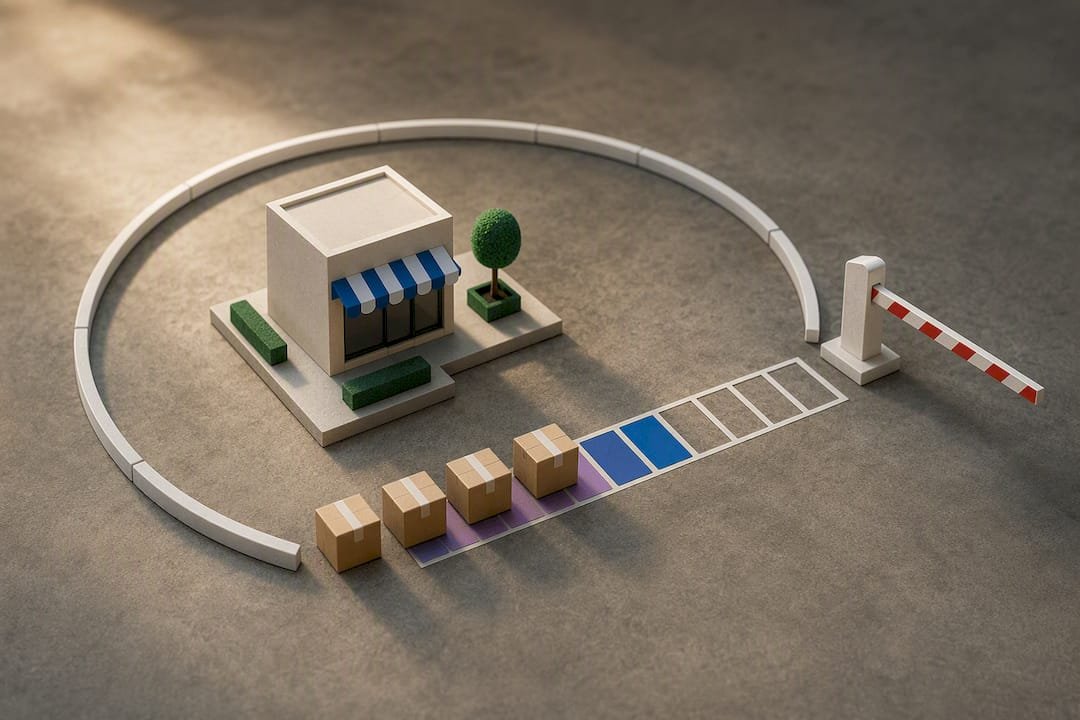
Pro Tip: Run a two-week pilot with a deliberately tight radius and a hard slot cap. It’s far cheaper to discover a driver shortage on paper than after fifty customers have booked a slot you can’t fill.
What actually matters once local delivery is live
Most guidance on this topic treats local delivery as a checkbox: turn it on, add a fee, done. That undersells how quickly margin disappears when a radius is set by ambition rather than driver capacity. The merchants who get real value from local delivery are the ones who treat the first two weeks as a data-gathering exercise, not a finished launch.
The conventional advice to “start small and expand” is right, but it rarely says what “small” means in practice. Cap your radius and your daily slots below what you think you’ll need, then watch on-time rates and cost per stop before touching either number. Pricing gets less attention than it deserves too. A flat fee that ignores distance quietly subsidises your farthest customers at the expense of your nearest ones.
If there’s one priority above the rest, it’s testing the checkout logic before launch, not after. The mixed-cart restriction and accelerated checkout quirks catch merchants out because they only show up once real customers hit them. Test with an address inside your zone, one outside it, and a mixed basket, before you tell anyone local delivery exists.
— Soodo
Get Shopify local delivery built and tuned properly
This agency works directly with the parts of this setup that trip merchants up most: configuring delivery zones and conditional pricing correctly the first time, choosing the right scheduling or routing app for your order volume, and rewriting checkout messaging so customers understand exactly what they’re getting before they pay. The person configuring your delivery zones has experience running conversion-focused Shopify builds, rather than following a generic setup script.

If your store already exists and you want your local delivery workflow optimised, that falls under Shopify revamp, priced from SGD 3,000. Building a new store with delivery and checkout logic designed in from day one sits under New Shopify Website Development, from SGD 8,500. Book a call to talk through your delivery zones, your current app stack, and where margin is likely leaking, before you spend another month guessing.
Sources
- What Is Local Delivery? How to Set It Up for Your Business — Shopify blog
- ShopFast: Same‑Day Delivery — Shopify App Store
Local delivery in Singapore: how to set it up
- Zones: Singapore is small enough that one island-wide zone often works. Split zones only if your costs genuinely differ, for example for Sentosa or offshore addresses.
- Couriers: Ninja Van, J&T Express and SingPost cover standard delivery. Lalamove and GrabExpress suit same-day orders.
- Thresholds: a free-delivery threshold shown in the cart encourages larger orders. Test the number against your margins.
- Self-collection: offer pickup if you have a shop or studio. Many Singapore buyers like collecting on the way home.
Soodo configures delivery zones, rates and pickup as part of every new Shopify store and every migration to Shopify.
FAQ
How do I add a local delivery option on Shopify?
Go to Settings → Shipping and delivery in your Shopify admin, select the fulfilment location, and enable local delivery. From there, choose a postal code list or radius zone and set your pricing, following the steps in Shopify’s Help Centre.
What does “local delivery” mean?
Local delivery is a Shopify fulfilment method where you or a driver deliver orders directly to nearby customers, rather than shipping through a carrier. It’s built into every Shopify plan and configured per fulfilment location.
Does Shopify offer local pickup?
Yes, Shopify supports local pickup alongside local delivery, configured in the same Settings → Shipping and delivery section. Merchants often enable both so customers can choose whichever suits them at checkout.
Does Shopify have its own delivery service?
Shopify doesn’t operate its own courier fleet; local delivery is a feature that lets you or your own drivers fulfil orders directly. For same-day dispatch without an in-house team, apps like ShopFast connect your store to third-party couriers instead.
Recommended

Jessica Bong
Jessica Bong is the founder of Soodo, a Singapore Shopify agency that builds, revamps and migrates Shopify stores, with every store set up to be found in AI search (GEO). She has spent over 10 years in ecommerce and runs her own Shopify brand, Patch&Bagel. Jessica is also a WSQ-certified Shopify trainer at Equinet Academy.