Shopify Trust Signals: Fix These 3 Places Before Checkout
Realistic reviews with photos, clear payment and security cues, visible returns and delivery dates, and the Shop Promise badge for eligible stores are the Shopify trust signals that move the needle most. Prioritise them in this order: product page, then cart, then checkout. Shopify says the badge can lift conversion by up to 25%, and Baymard’s research ties abandonment to hidden costs and weak validation.
TL;DR:
- An apparel study of 23,000 reviews found verified reviews raised repeat purchase proxies by 30%–40%, while detailed photo and video reviews built trust most.
- Validate card fields before submission, preserve entered details after errors, explain phone number requests, and offer a fallback payment method when cards fail.
- Shop Promise supplies estimated delivery dates only to eligible stores; publish return windows only when you can honor them and match the full policy.
- Too many badges, ratings, and proof elements can dilute credibility; choose one or two relevant additions near decision points and refresh them regularly.
- Change one element per test, record the date, and wait for steady traffic before A/B testing, since small samples can produce false winners.
Table of Contents
- Which essential trust signals should you add to your store?
- Where should you place trust signals so they reduce doubt?
- How do you use reviews and social proof effectively?
- Which payment, security and checkout UX choices prevent abandonment?
- How do shipping, delivery estimates and returns copy lower perceived risk?
- What design and first-impression signals make a store feel credible?
- How do you measure and prioritise trust fixes with a short audit?
- How does an agency audit deliver these trust wins faster?
- How can social proof go beyond reviews?
- How should trust signals work on mobile?
- What does the evidence show for Shopify stores in Southeast Asia?
- What is our take on a conversion-first trust checklist?
- How can we help you optimise your existing store?
- FAQ
- Sources
Which essential trust signals should you add to your store?
First-time shoppers are asking one question: “Will I regret this?” Every trust signal answers a piece of it. You do not need all of them at once, but you do need the right ones in the right spots.
- Verified reviews and star ratings. A realistic mix beats a flawless 5.0. Shopify’s own guidance notes that mixed ratings, paired with professional replies to negative feedback, signal authenticity. Photos and videos from buyers add weight.
- The Shop Promise badge. If your store meets the eligibility and delivery performance standards, the badge automatically enables estimated delivery dates, which sets clear expectations before checkout.
- Payment icons and one clear security cue. Show the payment methods you accept and a single, readable secure-checkout message. Clarity beats a wall of logos.
- Business identity. A concise About page, visible contact options (email, WhatsApp, phone) and plain statements about how you operate tell shoppers a real team stands behind the store.
- Shipping and returns previews. A short line near the add-to-cart button saves shoppers from hunting through policy pages.
There is a catch with piling these on. Research on platform trust signals warns of “trust inflation”, where too many badges and ratings dilute their value and push shoppers towards snap judgements. Pick fewer signals and make each one count. If your store carries a lot of this clutter already, our Shopify product page optimisation guide shows how to tidy it.
Where should you place trust signals so they reduce doubt?
Doubt peaks at specific moments: when shoppers look at the price, when they see the cart total, and when they are about to press the pay button. Place reassurance at exactly those points.
- Product page: close to the price and add-to-cart button.
- Cart: inside the order summary, beside the total.
- Checkout: next to the primary action button.
Microcopy matters as much as badges. “Taxes and shipping calculated at checkout” tells shoppers what to expect. A surprise charge on the final screen does the opposite. Keep the payment flow predictable too, because a sudden redirect to an unfamiliar page feels like a trap.
Here is a short checklist you can apply today:
- Add a one-line delivery and returns summary beside the add-to-cart button.
- Show accepted payment icons under the cart total.
- State shipping and tax expectations before the checkout step.
- Place one secure-checkout message next to the pay button.
- Test the full flow on a phone for any unexpected redirects.
Mapping these moments to the wider buyer flow is easier with our guide to the three leaks in your Shopify customer journey.
How do you use reviews and social proof effectively?
Reviews only build credibility when shoppers believe them. Collect them carefully and show them where they matter.
- Prioritise verified purchases. Ask for photos and videos. A marketing study found that detailed multimedia reviews were the strongest predictor of trust, ahead of verified star ratings.
- Keep some mixed ratings. Respond to negative reviews politely and specifically. Buyers read your replies as closely as the complaints.
- Show reviews in layers. Put the full set on the product page, a highlight reel on the homepage, and a star rating snippet on collection pages.
- Add review schema. Structured data helps search engines display your ratings and supports credibility in results.
- Mind the data you collect. If you gather personal details alongside reviews, our note on cookie consent and PDPA covers the privacy side.
Evidence from apparel backs this up. An empirical study of 23,000 clothing reviews found that verified reviews raise repeat-purchase proxies by 30–40%, and that review ratings strongly predict recommendations.
Pro Tip: Moderate for authenticity, not for comfort. Remove spam and abuse, but let real customers describe real experiences, including the imperfect ones.
Which payment, security and checkout UX choices prevent abandonment?
Checkout is where trust either holds or collapses. Shoppers who have already decided to buy will still leave if something feels off.
- Show recognisable payment methods and one secure-checkout reassurance. Avoid badge clutter.
- Validate card fields before final submission and keep entered data when an error occurs, so no one retypes everything.
- Explain why you ask for a phone number, and make it optional where you can. Baymard’s benchmarking notes that a short explanation eases privacy concerns and reduces abandonment.
- Offer a fallback payment method for when a card fails, such as a wallet or bank transfer.
- Never surprise people. Label the next step clearly and avoid unexpected redirects.
Baymard’s payment UX research shows that validating card payments before submission, avoiding surprise redirects and removing hidden costs all reduce checkout abandonment. These are fixes inside your control, and most cost little to implement. If you want a ready-made list, our free Shopify optimisation checklist covers the checkout items.
How do shipping, delivery estimates and returns copy lower perceived risk?
Shoppers fear two things after paying: waiting forever and being stuck with the wrong item. Address both before they reach checkout.
- Show estimated delivery dates and offer tracking. Eligible stores get estimated delivery dates enabled automatically through Shop Promise.
- Summarise your returns and guarantee on the product page and again in the cart.
- Present shipping cost expectations early. New costs appearing late in the flow are a leading reason people abandon.
- Keep the wording plain. One sentence beats a policy page.
Here is a returns line you can copy and adapt: “Not right for you? Return it within 30 days for a refund, no questions asked.” Only publish a window and terms you can honour, and make sure your full policy page matches the summary exactly.
What design and first-impression signals make a store feel credible?
Visitors judge your store in seconds, long before they read a policy. Fast visual fixes often earn more trust than another badge.
- Readable typography and spacing. Legible body text and a clear visual hierarchy make the page easy to scan.
- Consistent photography. Matching backgrounds, lighting and product templates reduce friction and make the catalogue feel curated.
- Mobile first. Most shoppers arrive on a phone, so layout and speed are trust builders, not extras. Our guide to Shopify speed optimisation explains how to measure it properly.
- A quick first-view audit: Is the value clear above the fold? Is the price visible? Can you find contact details in two taps? Do images load without jumping?
How do you measure and prioritise trust fixes with a short audit?
Fix the biggest leaks first. Work through this sequence at a pace that suits you:
- Check that reviews are visible and recent on product pages.
- Confirm badges and payment icons are visible without scrolling.
- Read your shipping and returns copy as a stranger would.
- Test checkout validation by entering a wrong card number.
- Run a page speed and mobile check on your top three products.
Track checkout completion rate, conversion rate, page load time and review submission rate. Fix checkout issues first, then cart friction, then product-page signals. Only A/B test once a page gets steady traffic, because small samples produce false winners. Our guide on raising Shopify conversion rates goes deeper on testing.
Pro Tip: Change one thing per test, and record the date, so you can tie any lift back to a specific fix.
How does an agency audit deliver these trust wins faster?
We are a founder-led Shopify agency with a conversion-first approach, and we have consulted on Shopify stores. A typical engagement includes an audit of the full buying journey, a prioritised list of fixes, hands-on implementation and measurement afterwards. Agencies make sense when your team lacks bandwidth, or when checkout abandonment keeps repeating despite small tweaks. We work through the same sequence described above, but we do the building and the testing for you.
How can social proof go beyond reviews?
Reviews are the baseline. Other forms of proof show that real people use and like your products, which matters most to shoppers who have never heard of you.
User-generated content is the most useful of these. Customer photos and short videos on product pages show items in real homes, on real bodies, in real light. Encourage them with a small incentive, a branded hashtag or a follow-up email after delivery, and always ask permission before reusing a customer’s image.
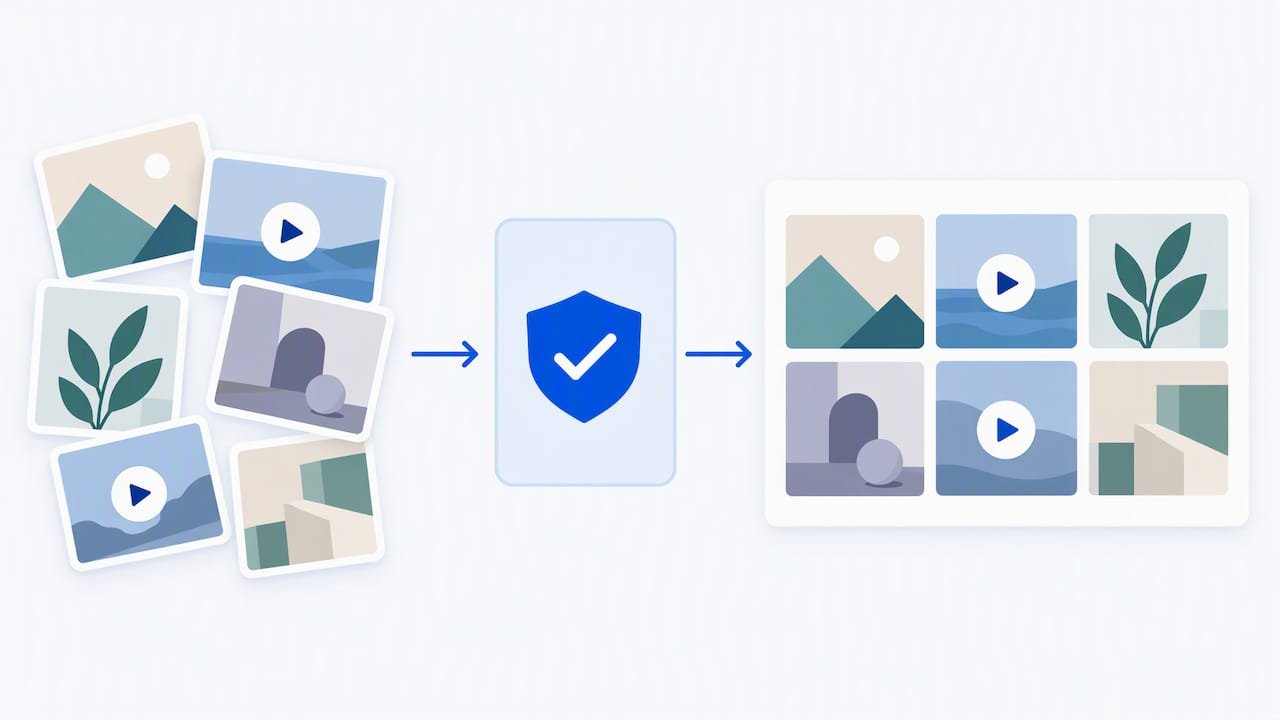
Influencer endorsements work when the fit is genuine. A micro-creator your audience already follows carries more credibility than a celebrity who has never touched the product. Show the content on your product pages or homepage, and keep the sponsored relationship clearly disclosed.
Other signals worth considering:
- Press mentions or “as featured in” logos, only where they are real and current.
- A live or recent purchase notification, used sparingly so it does not feel staged.
- Community numbers, such as the number of orders shipped, shown only if you can verify them.
Keep an eye on balance. The same research that warns about trust inflation applies here: too many proof elements make the page feel like it is trying too hard. Choose one or two forms that suit your brand, place them near decision points, and refresh them regularly so nothing looks stale.
How should trust signals work on mobile?
Mobile shoppers have less screen and less patience. A trust signal that looks tidy on a desktop can crowd the add-to-cart button on a phone, or disappear entirely.
Start by checking the order of elements on a small screen. Your price, add-to-cart button and one line of delivery and returns copy should all sit within the first view or just below it. Star ratings should be tappable and jump to the full reviews instead of forcing a long scroll.
Mobile checks that matter:
- Payment icons should wrap neatly and stay legible, not shrink into a blur.
- Security and returns messages should sit beside the pay button, not hidden in a footer.
- Sticky add-to-cart bars should still show your delivery estimate.
- Tap targets for contact options such as WhatsApp must be large enough to hit without zooming.
Consistency across devices is its own trust signal. If the desktop store promises a 30-day return and the mobile page leaves it out, shoppers notice. Keep the same wording and the same offers everywhere, then test on at least one iPhone and one Android device. Speed counts too, since heavy badge scripts and review widgets can slow a page and undermine the credibility they were meant to build.
What does the evidence show for Shopify stores in Southeast Asia?
We want to be straightforward here: we have not found published, region-specific conversion figures for Shopify stores in Southeast Asia that we can cite with confidence, so we will not invent any. What we can offer is what the available evidence supports and how to gather your own.
The platform-level and checkout research above is not tied to one country, and its lessons carry across markets. Shopify reports an uplift for eligible stores that activate the badge, and Baymard’s findings on hidden costs and validation apply wherever people shop. Regional factors add their own layer: shoppers in the region often compare you against large marketplaces, so clear delivery estimates and visible returns terms matter even more.
How to build your own proof:
- Record your baseline conversion and checkout completion rates before you change anything.
- Introduce one trust fix at a time, such as delivery estimates or a returns summary.
- Compare results after a full buying cycle, not just a few days.
- Keep a simple log so you can see which fix paid off.
Our portfolio shows examples of stores we have rebuilt and optimised. Your own numbers will always be more persuasive than anyone else’s average.
What is our take on a conversion-first trust checklist?
Most advice on trust signals reads like a shopping list of badges. That is backwards. The research points the other way: signals work when they answer a specific doubt at a specific moment, and they weaken when stacked for show. A cluttered page with six badges tells a worried shopper that you are nervous about something.
So the priority is not “add more”, it is “remove the surprise”. Fix hidden costs, vague delivery times and fragile checkout validation before you touch a single logo. Those problems cost you sales whether or not you display a badge. Then make your reviews believable by keeping the imperfect ones and answering them well.
Our advice: run the short audit above, fix checkout first, then cart, then the product page. Add the Shop Promise badge if you qualify, because it brings delivery dates along with it. Resist the urge to decorate. If a signal does not answer a real question your customer is asking, leave it out.
— Soodo
How can we help you optimise your existing store?
If your store already runs on Shopify but trust gaps are costing you orders, our Existing Shopify Store Optimization service, from 1000 SGD one-off, turns this article into implemented fixes with a founder who has built and grown Shopify stores himself.

A typical engagement includes:
- A full audit of your product pages, cart and checkout.
- A prioritised list of trust and conversion fixes.
- Hands-on implementation by our team.
- Measurement afterwards, so you can see what moved.
Ask for a scoping call or a fixed-price audit and we will tell you which fixes are worth doing first. You can start from our existing store optimisation page.
FAQ
What are the most important trust signals for a Shopify store?
Realistic reviews with photos, clear payment and security cues, visible delivery and returns information, and the Shop Promise badge for eligible stores matter most. Place them near the price, in the cart and beside the pay button.
Do trust badges really improve Shopify conversions?
Shopify states that the Shop Promise badge can increase conversion rates by up to 25% for eligible stores. Badges help most when they are few, recognisable and placed where doubt is highest.
Should I hide negative reviews on my store?
No. A realistic mix of ratings reads as more authentic than a perfect score. Reply to negative reviews politely and specifically, and remove only spam or abusive content.
Where should I put secure checkout badges on Shopify?
Put one clear security message and your accepted payment icons beside the pay button and under the cart total. One readable cue beats a crowded row of logos.
Sources
- Shopify Trust Badges: How To Add Trust Badges To Your Store (2026) – Shopify
- Payment UX: Research-Backed Standards for Ecommerce Checkouts – Baymard
- [Trust in the Digital Marketplace: The Strategic Impact of Online Reviews on Brand Image and Buying Behaviour
| Indian Journal of Information Sources and Services](https://ojs.trp.org.in/index.php/ijiss/article/view/5880) - Trust as Behavioral Architecture: How E-Commerce Platforms Shape Consumer Judgment and Agency
Recommended

Jessica Bong
Jessica Bong is the founder of Soodo, a Singapore Shopify agency that builds, revamps and migrates Shopify stores, with every store set up to be found in AI search (GEO). She has spent over 10 years in ecommerce and runs her own Shopify brand, Patch&Bagel, where every Soodo technique is tested first. Jessica is also a WSQ-certified Shopify trainer at Equinet Academy.