


Shopify Loyalty Integration in Singapore: How to Set It Up
Shopify does not include a full loyalty programme, so you add one through an app that connects to your store. A good integration handles points, rewards, referrals and tiers, and shows balances to customers where they shop. This guide shows how to choose the app, set it up, check it works and stay inside Singapore’s data rules.
We are Soodo, a founder-led Shopify agency in Singapore. We build, revamp and migrate Shopify stores for brands in Singapore and Southeast Asia. This article is for owners who want loyalty to sit properly inside the store, not bolted on.
Key Takeaways
- Shopify has no comprehensive built-in loyalty programme. You connect a third-party app through Shopify’s APIs, checkout and POS access.
- Setup is simple in principle: install an app, set points rules, define rewards and make sure customer accounts are on.
- Check the app against your theme, customer accounts, checkout and other apps before you pay for it.
- In Singapore, consent under the PDPA and the Do Not Call rules apply to loyalty sign-ups, referrals and marketing messages.
- Test with real orders, then measure repeat purchases against a baseline, not just member spend.
Table of Contents
- Does Shopify have a built-in loyalty programme?
- What can a loyalty app actually do for your store?
- How do you set up a rewards programme on Shopify?
- How do you choose a loyalty app that works with your store?
- How do you add a referral programme?
- What should Singapore stores check about PDPA and consent?
- How do you connect online loyalty with Shopify POS?
- How do you test, launch and measure the programme?
- Our view: loyalty works when the store is built for repeat buyers
- What does it cost to get loyalty built into your store?
- Which mistakes slow loyalty programmes down?
- FAQ
- Sources
Does Shopify have a built-in loyalty programme?
No. Shopify leaves loyalty to apps. A third-party retention platform plugs into Shopify’s APIs, checkout capabilities and POS access to run points, rewards, referrals and tiers. This keeps the platform flexible, and it lets specialist tools go deeper than one fixed feature could.
So “Shopify loyalty integration” really means three things:
- The app, which holds the rules, balances and member records.
- The storefront layer, where customers see points, join the programme and redeem rewards.
- The connections, to checkout, customer accounts, email and, if you sell offline, your POS.
Most problems come from the second and third parts. The app itself usually installs in minutes. Getting it to look right in your theme and behave correctly at checkout is where stores lose time.
What can a loyalty app actually do for your store?
The common feature set is similar across the category. According to one app’s guide, a Shopify loyalty app can offer points for orders and other actions, rewards such as discounts, free products or free shipping, and, depending on the plan, VIP tiers, referrals and email reward notifications.
Points can also reward more than purchases. Retailers can reward reviews, social engagement and newsletter sign-ups. That matters for a young brand, because it lets you build your email list and review count while you reward repeat buyers.
A practical way to decide what you need:
| Your situation | What to prioritise |
|---|---|
| New brand, small catalogue | Simple points per dollar spent, one or two rewards |
| Repeat-purchase products (skincare, food, pet) | Points plus a referral reward |
| Higher order values | VIP tiers with clear thresholds |
| Shop and online store | POS support and a single member profile |
| Several apps already installed | Compatibility and clean data sync |
Start with fewer rules than you think you need. A programme customers understand in ten seconds beats a clever one they ignore.
How do you set up a rewards programme on Shopify?
Follow these steps in order.
Step 1: Turn on customer accounts
Customers need accounts to see and spend points. Install the app, set the earning rules, define rewards, and confirm customer accounts are enabled so people can sign up, track points and redeem. If you are not sure which account version your store uses, our guide to launching Shopify customer accounts walks through it.
This matters because new customer accounts support app blocks for loyalty features, so you can customise the loyalty experience inside the account pages. Customer-account extensions can display loyalty points too.
Step 2: Pick an app and install it
Install from the Shopify App Store. Read the listing for theme support, checkout support and plan limits. See the next section for a checklist.
Step 3: Set the earning rules
Decide how many points a customer earns per dollar. Setup tools often let you pick a ratio, for example 10 or 100 points per dollar in your store’s default currency. Choose a ratio that makes the numbers feel meaningful without making maths hard. If a reward costs 500 points and an average order earns 50, customers see the goal as far away.
Work backwards from margin. Decide what reward you can afford at a given spend, then set points to match. Do the sum for your best seller and your cheapest item.
Step 4: Define the rewards
Pick two or three rewards at first: a discount code, free shipping, or a free product. Shopify also supports store credit as a payment method, which can be issued as a reward or incentive. Store credit works well for referral rewards because it brings the customer back to spend it.
Step 5: Place the programme in the storefront
Add a clear sign-up prompt, a points balance in the header or account area, and a dedicated programme page that explains the rules in plain words. Show how points are earned and when they expire, if they do.
Step 6: Connect email
Points notifications and reward reminders drive redemptions. If you plan to send them, read our guide on Shopify email marketing and consent in Singapore first. For capturing sign-ups, Shopify email capture touchpoints show where to place the forms.
How do you choose a loyalty app that works with your store?
Compatibility decides whether the programme feels native or clunky. Check these points before you commit.
- Theme support. Does the app work with your theme’s app blocks, or does it inject code that may break on a theme update?
- Customer accounts. Does it support the account version you use, and can it show points there?
- Checkout. Can customers redeem at checkout without a workaround? Shopify apps can add extensions to the online store, checkout, customer accounts and POS. Ask which of these the app uses. If your checkout is customised, see our notes on checkout extensibility and checkout customisation routes that survive upgrades.
- Other apps. Reviews, email, subscriptions and discount apps can clash with a loyalty app over discount codes. List what you run and ask the vendor about conflicts.
- POS. If you have a shop, check offline support. Several well-known tools support Shopify POS, so this is a reasonable thing to expect.
- Data. Can you export members, balances and history if you leave?
- Plan limits. Many apps price by order volume or member count. Work out your cost at double your current volume.
For wider context on picking apps by return, see our Shopify apps ROI guide for Singapore and our overview of which Shopify integrations actually work.
How do you add a referral programme?
Referrals are a second loop on top of loyalty. A customer shares a link or code, a friend buys, and both get a reward. Referral tools follow a common pattern. One vendor’s guide says to set the advocate reward, the friend offer and the purchase conditions, customise the programme, enrol eligible customers, and test in a test mode before going live. The tool then detects referred purchases and manages rewards under your settings.
Decide these rules before you switch on:
- Who can refer. All customers, or only those who have bought once.
- What the friend gets. A first-order discount is typical.
- What the referrer gets. Points, store credit or a discount on the next order.
- Conditions. A minimum spend, and a rule for returns.
Tracking matters as much as the offer. One platform’s documentation tracks referrals through stages such as pending purchase, completed, reversed after a return, unmet condition, blocked and duplicate. Those stages cover eligibility, suspected fraud, minimum spend and refunds, so rewards can be withheld or taken back. Ask any app you consider how it handles returns and duplicate sign-ups. A completed referral also records the referrer, the code, the referred customer, the points earned and the reward issued, which gives you an audit trail.
What should Singapore stores check about PDPA and consent?
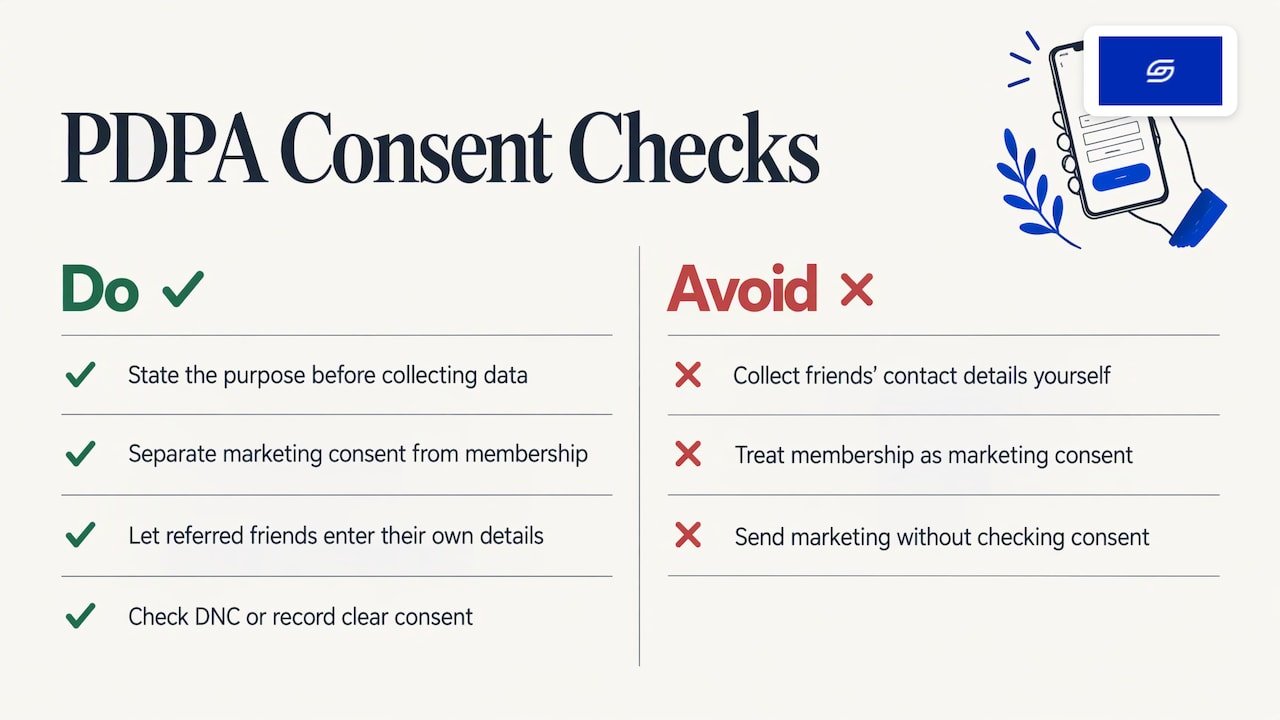
A loyalty programme collects personal data: names, emails, phone numbers, purchase history. In Singapore, the PDPA applies. Three checks keep you safe.
Consent at sign-up. Under the PDPA, personal data should be collected for reasonable purposes that you tell the person in advance and that they have consented to, unless collection without consent is allowed. Put the purpose in the sign-up form: running the programme, sending reward updates, and so on. Keep marketing consent separate from programme membership where you can.
Referrals. The PDPC’s guidelines say that a referrer must have informed the referred person and obtained their consent before their personal data is disclosed to your business. In practice, a share-a-link flow where the friend enters their own details is cleaner than a form where customers type in their friends’ emails and phone numbers.
Text and WhatsApp messages. When you send marketing messages to Singapore numbers, you must check the Do Not Call Registry unless you have clear and unambiguous consent. If your reward reminders go out by SMS or WhatsApp, record consent at sign-up and keep the record.
If your situation is unusual, such as a regional programme or a data transfer outside Singapore, check with the PDPC or a data protection adviser.
How do you connect online loyalty with Shopify POS?
If you have a shop, members should earn and spend in both places. Some apps offer a POS extension for enrolment and redemption. One vendor’s guide describes a Shopify POS tile where staff add or search customer profiles and track online and in-store purchases.
Shopify points to customer data as a main POS loyalty benefit, since data feeds unified profiles that support personalised omnichannel experiences. Loyalty APIs can also sync balances and redemptions across channels. That is the route if you have an external loyalty system, such as a mall or group programme, and need Shopify to talk to it.
For staff, keep it simple:
- One way to look up a member, by phone number or email.
- A clear rule for how returns affect points.
- A short script for the counter: “Are you a member? You can join in 30 seconds.”
Test the same customer buying online, then in store, then returning an item. The balance should match every time.
How do you test, launch and measure the programme?
Do not announce until it works.
Test before launch
Place a sample order and confirm the app integration works. A launch checklist from one app vendor recommends testing storefront access, purchase earning, checkout redemption, refunds, referrals and connected integrations on desktop and mobile before you promote anything. Most of your Singapore shoppers are on phones, so test there first.
A simple test list:
- Sign up as a new member on mobile.
- Buy a product and check points appear.
- Redeem a reward at checkout.
- Refund the order and check points reverse.
- Refer a friend with a second email and complete a purchase.
- Check that your email and any other discount apps still behave.
Pilot first
One implementation guide suggests piloting with a defined audience, reviewing support and balance problems early, and assigning owners for reconciliation, exceptions, integrations and reporting. For a small team, that means one named person who checks balances weekly in the first month.
Measure what counts
Track repeat purchase rate, programme enrolment, redemption frequency and loyalty-attributed revenue. Be careful with one trap. Members often spend more because they were already your best customers. The same guide advises measuring incrementality, comparing results with a baseline or a comparable non-member group, rather than assuming the programme caused the higher spend.
Our view: loyalty works when the store is built for repeat buyers
We see the same pattern on many builds. Owners pick a loyalty app first and ask later whether the store can carry it. The result is a points widget that sits on top of a slow, confusing page.
Our approach is sales-first. We look at how customers actually buy, then place sign-up, balance and redemption where they help the next order. Account pages, checkout and email all need to agree with each other.
We also run our own ecommerce brand, Patch&Bagel. And every store we build is set up for AI search (GEO), so your product and programme pages are written to be understood by both shoppers and AI tools.
Our advice: keep the first version small. One earning rule, two rewards, one referral offer. Prove that customers use it, then add tiers.
Jessica Bong, founder of Soodo, has 10+ years in ecommerce and is a WSQ Shopify trainer at Equinet Academy. Soodo is a Shopify Partner with 30+ live stores.
Soodo
What does it cost to get loyalty built into your store?
The app subscription is separate from the build work. Our fixed project prices cover the store itself, and the loyalty integration sits inside that scope.
- New Shopify store: from SGD 4,500, from 6 weeks. Loyalty, accounts and checkout are planned from day one.
- Shopify Revamp: from SGD 1,600, from 2 weeks. Good if your store exists but the account area, product pages or checkout need work before a programme goes in.
- Migration to Shopify: from SGD 4,000, from 4 weeks. For stores moving from WooCommerce or Magento, including customer records.
- AI-Readiness Audit & Fix: one-time, from SGD 1,500.
- Store Maintenance: talk to us for pricing.
Every project includes handover training and 6 months of post-launch support, so your team knows how to run rewards and read the reports.
We do not run a monthly GEO or SEO service. For long-term GEO growth, we work through specialist partners.
If you are deciding between a new store, a revamp or a migration, our revamp, rebuild or migration comparison helps you choose.
Want a loyalty programme that fits your store properly? See our Shopify Revamp service or get an instant quote.
Which mistakes slow loyalty programmes down?
- Too many rules. Customers do not read long terms. Keep one clear earning rule.
- Rewards that cost too much. Check margin on your best sellers before you set point values.
- No mobile test. A balance that is hidden on a phone will not be used.
- Mixed consent. Do not bundle marketing consent into programme sign-up without saying so.
- No owner. Someone must check balances, refunds and exceptions each week.
- Judging by member spend alone. Compare with a baseline.
FAQ
Does a Shopify loyalty app work with Shopify POS?
Many do, but not all. Some apps offer a POS extension for enrolling members and redeeming rewards in store. Check the app listing for POS support, then test the same member online and in store before launch.
Can I run loyalty and referrals in the same app?
Often yes. Many loyalty apps include referrals, though some limit it to higher plans. Check what your plan includes, and confirm how the app handles returns, duplicate sign-ups and blocked referrals.
Do I need customer accounts for a loyalty programme?
Yes, in most cases. Customers need an account to see and spend their points. Turn accounts on in Shopify settings and check that your chosen app displays points in the account area.
Do I need consent for a Singapore loyalty programme?
Yes. Under the PDPA you should tell people why you collect their data and get their consent. For marketing to Singapore phone numbers, check the Do Not Call Registry unless you hold clear consent. Record consent at sign-up.
Can Soodo set up a loyalty programme on my store?
We build loyalty into new stores, revamps and migrations as part of the project. Every project includes handover training and 6 months of post-launch support. Ask us for a quote and we will scope it with you.
Sources
- Does Shopify Have a Loyalty Program?
- Implementing Shopify In-Store and Online Loyalty
- How to Create a Loyalty Program on Shopify
- Small Business Rewards Program: Types and Steps
- Shopify Help Center: Store credit
- Shopify Help Center: App extensions and functions
- Shopify Help Center: Upgrade customer accounts
- Guide to Launching Your Loyalty Program
- POS Loyalty Programs: Benefits and Setup Guide
- How to Start a POS Loyalty Program
- What Is Loyalty API?
- Getting started with a referral app
- Monitoring and managing customer referrals
- Referral Completed reference
- Integrating loyalty and referrals with Shopify POS
- PDPC Advisory Guidelines on Key Concepts in the PDPA
- PDPC Data Protection Starter Kit
- Shopify Loyalty Program Launch Checklist
- Shopify Loyalty Program Implementation Checklist
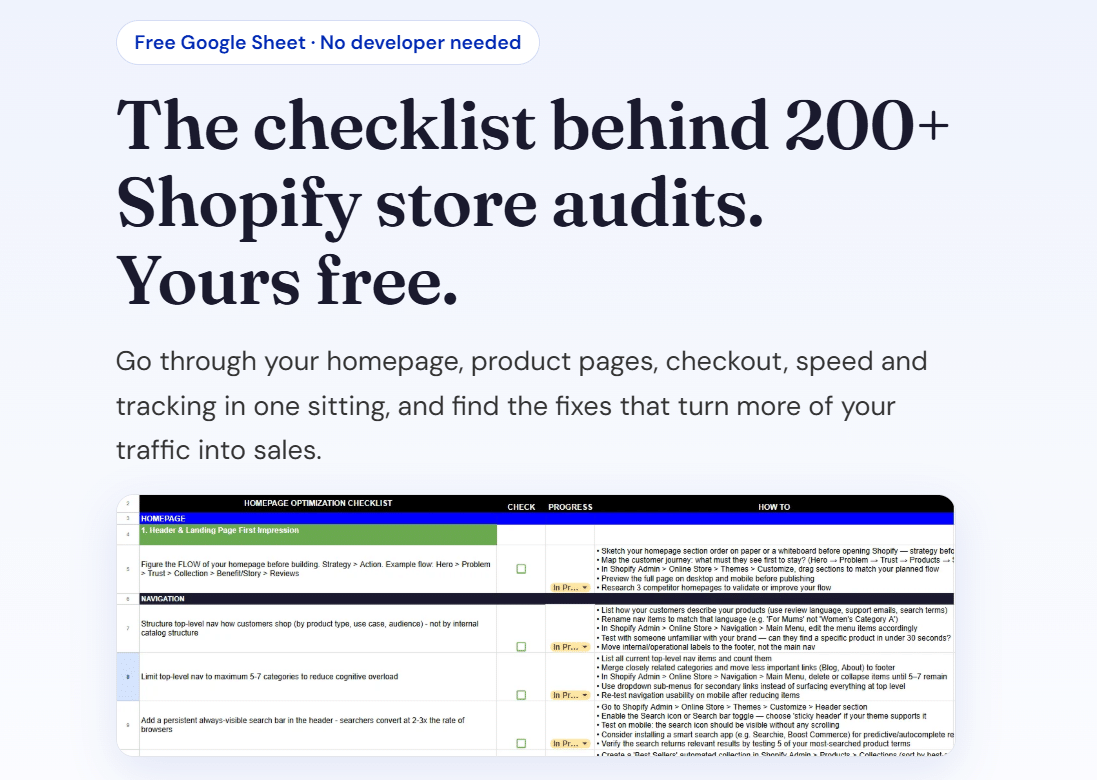
Get our free Shopify optimisation checklist or get an instant quote.
Recommended

Jessica Bong
Jessica Bong is the founder of Soodo, a Singapore Shopify agency that builds, revamps and migrates Shopify stores, with every store set up to be found in AI search (GEO). She has spent over 10 years in ecommerce and runs her own Shopify brand, Patch&Bagel. Jessica is also a WSQ-certified Shopify trainer at Equinet Academy.