
Shopify Plus Features: What You Get and Who Needs Them
Shopify Plus is the same Shopify core with the limits removed and the controls opened up: deeper checkout customisation, B2B selling on one store, automation, unlimited staging stores and priority support. For most Singapore brands the real question is not “what does it offer?” but “do we need any of it yet?”. This guide covers the features that matter, what they cost, and how to decide.
TL;DR
- Plus is less about more features and more about extensibility: custom checkout logic, Shopify Functions, higher technical ceilings and a sandbox to test safely.
- Shopify lists Plus from USD 2,500 a month on a one-year term or USD 2,300 on a three-year term, and some high-volume merchants move to a variable platform fee.
- The biggest gains show up for brands with wholesale and retail on one store, complex checkout rules, or a team that keeps hitting plan limits.
- If your store is under-converting because of slow pages, weak product pages or a cluttered checkout, fix that first. Plus will not fix it for you.
Table of Contents
- What Shopify Plus actually is
- Checkout customisation: the headline feature
- B2B and wholesale on the same store
- Automation and scheduling
- Staging stores and safer launches
- Scale, reliability and the developer layer
- Support and launch help
- Payments and transaction fees
- Retail and omnichannel
- What Shopify Plus costs
- Do you need Plus? A practical checklist
- Our view: features are not a growth plan
- How we can help
- FAQ
- Sources
What Shopify Plus actually is
Shopify describes Plus as a commerce operating system that brings online, retail and B2B selling into one place. It is not a different engine. You are on the same platform as everyone else, but with access to more of it.
That framing helps when you read feature lists. A feature on the Plus list usually falls into one of four groups:
- Control: how far you can change checkout and business logic.
- Scale: how many catalogues, locations, staff and API calls you can run.
- Automation: tools that remove manual work.
- Service: who you can call when something breaks on a sale day.
We use those four groups below.
Checkout customisation: the headline feature
Checkout is where most merchants first feel the ceiling of standard plans. On Plus, you can place custom app blocks on the information, shipping and payment steps and use the Checkout Branding API for fine-grained visual control. These run on Checkout Extensibility, which is designed so your customisations survive Shopify upgrades.
What this means in practice:
- A loyalty or gift-with-purchase prompt placed inside checkout rather than on the cart page.
- Brand-matched styling beyond what standard checkout settings allow.
- Custom logic through Shopify Functions, for example bespoke shipping rates or payment terms, instead of fragile workarounds.
Older guides talk about editing a checkout file directly. That is the old route. Today the upgrade-safe path is extensibility, and we have written a step-by-step Checkout Extensibility migration guide for Singapore developers if you still have legacy customisations to move.
A caution from our own work: more checkout control is not automatically more conversion. Shopify’s checkout is tuned for conversion out of the box, with auto-fill, express options such as Shop Pay and PayPal, and local payment methods. Every field or block you add is friction you must justify. Our piece on trimming checkout to eight fields shows how we think about it, and our checkout customisation routes that survive upgrades lists the options by plan.
B2B and wholesale on the same store
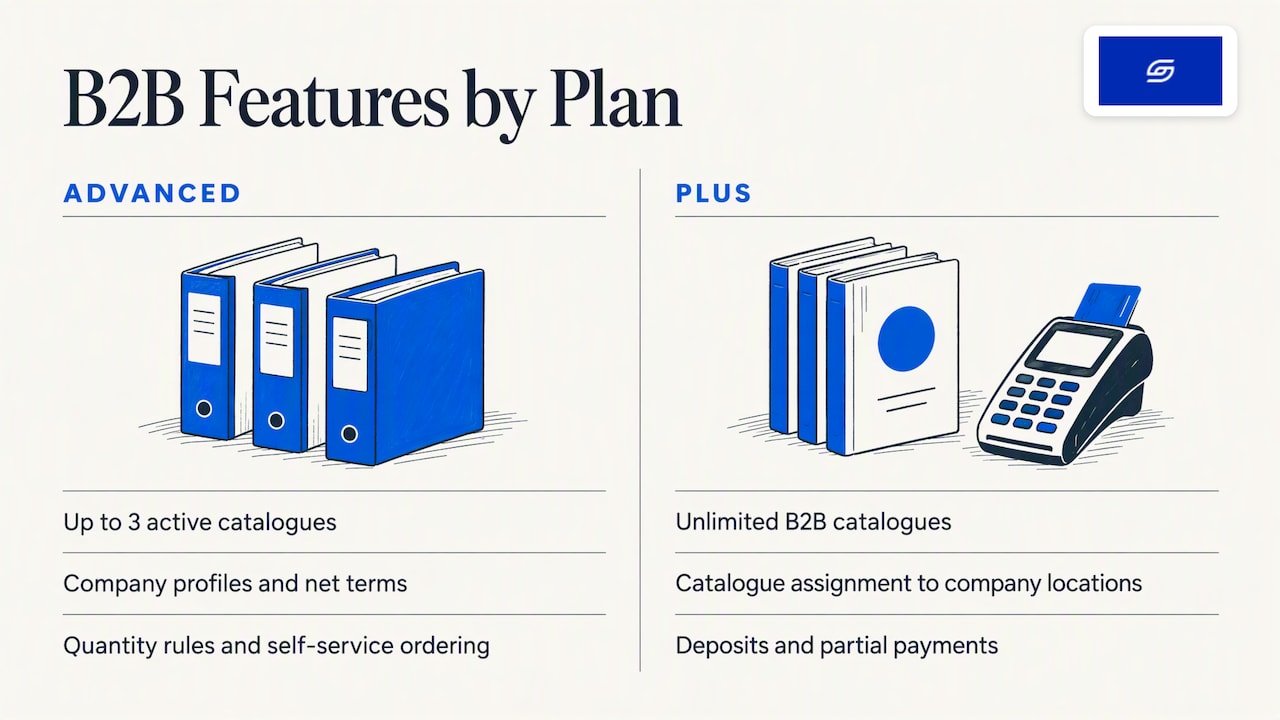
Plus lets you sell to wholesale and direct customers from a single store. The Plus-specific parts are unlimited B2B catalogues, catalogue assignment to company locations, and payment terms such as deposits and partial payments.
B2B itself is not Plus-only. Shopify’s help centre confirms you can use Shopify B2B on the Basic, Grow, Advanced and Plus plans, with the available features depending on the plan. Shopify’s own upgrade guidance notes that the Advanced plan already includes company profiles, net terms, quantity rules and self-service ordering, and that its main limit is three active catalogues across all B2B markets.
So the honest test is simple. Count your distinct wholesale price lists. If you serve a handful of buyer groups, Advanced may be enough. If you have many tiers by customer, region or contract, or need deposits and partial payments, Plus starts to earn its fee. We cover the detail in Shopify B2B features and when merchants need Plus.
Automation and scheduling
Two tools come up in almost every Plus comparison. Shopify Flow handles automation, and Launchpad schedules campaigns. Both are listed among the features exclusive to Plus, alongside access to more certified Plus apps, coding access for bespoke editing and priority support.
Typical uses we see for SME brands:
- Tagging high-value customers automatically so your team can follow up personally.
- Flagging orders that need a manual check before fulfilment.
- Scheduling a sale, price change and homepage swap to go live together at midnight, rather than someone staying up to click through it.
These save hours, not dollars, so judge them by your team’s time. If one person currently spends a day a week on repetitive store admin, automation has a clear value. If your operations are small, it is a nice-to-have.
Staging stores and safer launches
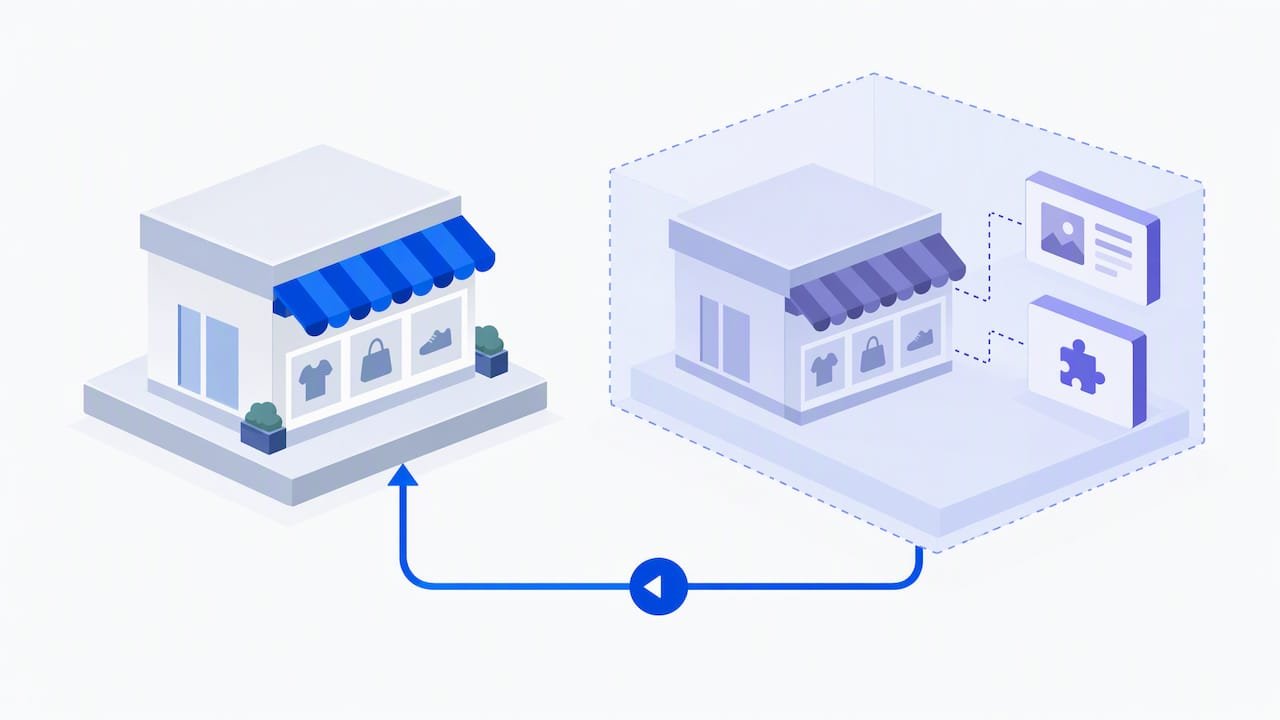
This one is rarely on the marketing page but matters to anyone who has broken a live store. Plus includes unlimited staging stores, so your developers can test a theme overhaul or a new app integration in an isolated copy that mirrors your live settings before it touches customers.
For a brand running paid campaigns, that is real protection. A broken add-to-cart button during a promotion costs more than a month of platform fees.
Scale, reliability and the developer layer
Shopify’s platform page promotes unlimited bandwidth and hosting at no extra cost and positions Plus as flexible and customisable for fast-growing brands. Beyond that, the Plus value for technical teams is access to Shopify Functions and a deeper API layer. That is what lets developers build experiences that an off-the-shelf theme cannot.
If you are considering a headless build, treat it as a separate decision. It adds engineering cost and ongoing maintenance. Most of the SME stores we see convert better from a well-built Online Store 2.0 theme, fast pages and tight product pages than from a headless rebuild.
Support and launch help
Plus support is a different tier of service. Shopify’s documentation lists priority support, dedicated launch engineers and access to the Plus Certified App Partner programme, aimed at moments like flash sales, new-market entry and platform migrations.
If your revenue is concentrated into a few big campaign windows a year, that support is part of what you are paying for.
Payments and transaction fees
On Plus, using Shopify Payments gives you competitive rates for domestic and international cards. If you use a third-party gateway, you pay that provider’s fees, and Shopify’s pricing page notes that transaction fees and card rates vary by region.
Before you decide, ask Shopify for a rate quote based on your actual Singapore card and PayNow mix, then compare it with what you pay today. Do not assume lower fees will cover the platform fee. Run the numbers on your last 12 months of orders.
Retail and omnichannel
If you also run physical stores, Shopify positions Plus POS around synced online and offline experiences, such as buy online, pick up in store. For brands with a few outlets in Singapore and a growing online arm, one inventory and customer record is a practical benefit, not just a slogan.
What Shopify Plus costs
As of October 2026, Shopify lists Plus at USD 2,500 per month on a one-year term or USD 2,300 per month on a three-year term. Pricing is quoted in USD for countries without local currency support. Shopify also notes that high-volume, complex businesses may be put on a variable platform fee based on revenue and business model.
Two budget points people miss:
- The platform fee is only part of it. Custom checkout work, app subscriptions and developer time sit on top.
- Term length matters. A three-year term lowers the monthly rate but commits you for longer. Be sure about your trajectory before signing.
For a broader view of standard plan costs in Singapore, see our Shopify pricing guide for Singapore. Once you are live on Plus, organic discovery still has to be earned, and tools such as automated SEO and content planning for Shopify stores can help keep that running alongside the platform spend.
If you want to test before committing, Shopify offers a Plus trial for eligible merchants that gives access to most Plus features for a limited time.
Do you need Plus? A practical checklist
Plus tends to pay off when at least two of these are true:
- You have more B2B catalogues or payment-term rules than Advanced allows.
- You need custom logic inside checkout that apps and standard settings cannot deliver.
- Your team is large enough that user caps or permissions get in the way.
- You run frequent big releases and want a proper test environment.
- Campaign days are high stakes and you want priority support behind you.
Plus is probably premature when:
- Your conversion rate is below where it should be on mobile and you have not tuned product pages or page speed.
- Your main problem is traffic, not checkout.
- You are still on WooCommerce or a marketplace and have not yet moved to Shopify at all.
Our Singapore guide to when to upgrade to Shopify Plus goes through the thresholds in more detail.
Our view: features are not a growth plan
We are a founder-led Shopify agency, and the pattern we see is consistent. Brands ask for Plus because they want a faster, higher-converting store. But the largest gains usually come from the unglamorous work: mobile-first layouts, clear product pages, quick load times and a checkout with nothing unnecessary in it. Those apply on every plan.
Our rule of thumb:
- Fix the fundamentals on your current plan first, and measure the result.
- Upgrade when a specific limit blocks a specific business need, such as catalogue count, checkout logic or team size.
- Build the Plus customisations once, upgrade-safe, rather than patching as you go.
Plus is a tool for brands that have already outgrown the standard plans. It is a poor shortcut for brands that have not yet tuned what they already have. If you cannot name the limit you are hitting, you probably do not need it yet.
— Soodo
How we can help
Whether you are on Plus, considering it, or still deciding on the right Shopify setup, we work on a fixed-price basis with direct WhatsApp support. Our published starting prices are:
- New Shopify website development: from SGD 4,500, one-off.
- Existing Shopify store optimisation: from SGD 1,000, one-off.
- Platform migration: from SGD 4,000, one-off.
If you are not sure which applies, start with an optimisation review. It often shows whether your next step is a tuning project or a platform upgrade. You can reach us through the form at soodo.co.
FAQ
What are the main benefits of Shopify Plus?
The main benefits are deeper checkout control through Checkout Extensibility, unlimited B2B catalogues, automation tools, unlimited staging stores and priority support. Shopify also positions it as one system for online, retail and wholesale. The benefit you actually feel depends on which limit you were hitting before.
Does Shopify Plus have a different checkout?
It is the same checkout, but Plus lets you add custom app blocks to the information, shipping and payment steps and use branding APIs. Standard plans have styling options, not that level of integration. Customisations built through extensibility are designed to survive Shopify upgrades.
How much does Shopify Plus cost in Singapore?
Shopify lists it from USD 2,300 per month on a three-year term or USD 2,500 on a one-year term. Some high-volume merchants are moved to a variable platform fee. Add budget for apps and development work on top.
Can I try Shopify Plus before upgrading?
Eligible merchants can use the Plus trial, which gives limited-time access to most Plus features. Check the eligibility conditions on Shopify’s help page. It is a good way to test your checkout and B2B requirements before signing a term.
Sources
- Shopify Plus pricing
- Shopify Help Center: Shopify Plus plan
- Shopify Help Center: Shopify B2B features by plan
- Shopify Help Center: Shopify Plus trial
- Shopify Plus platform
- Shopify Plus: commerce platform
- Shopify Plus POS
- Shopify: When to upgrade to Shopify Plus
- Shopify: How to customise Shopify checkout
- Omnisend: Upgrade to Shopify Plus guide
Recommended

Jessica Bong
Jessica Bong is the founder of Soodo, a Singapore Shopify agency that builds, revamps and migrates Shopify stores, with every store set up to be found in AI search (GEO). She has spent over 10 years in ecommerce and runs her own Shopify brand, Patch&Bagel, where every Soodo technique is tested first. Jessica is also a WSQ-certified Shopify trainer at Equinet Academy.