

Shopify WhatsApp Notifications: Setup Guide for Singapore Stores
You can send Shopify order notifications on WhatsApp by connecting your store to a WhatsApp Business account, getting message templates approved by Meta, and sending each message only to customers who opted in. Shopify’s own order notifications go out by email and SMS. WhatsApp needs one extra layer on top. In Singapore, that layer must also respect the PDPA.
We are Soodo, a founder-led Shopify agency in Singapore. This guide is for store owners who want order updates on WhatsApp and want the setup done properly, once.
Key Takeaways
- WhatsApp is not built into standard Shopify order notifications. You connect it through Shopify’s WhatsApp tools or another WhatsApp Business connection.
- Order updates need approved message templates. Write one per stage: confirmation, shipped, delivered.
- Collect opt-in at checkout, with a clear label such as “Get order updates on WhatsApp”.
- Keep promotions out of order updates. A promo inside a status message changes what the message is, and what consent it needs.
- Test with real orders on iPhone and Android before you switch on the flow.
Table of Contents
- What can you send on WhatsApp from a Shopify store?
- How do you add WhatsApp to a Shopify store in Singapore?
- Which setup method should you choose?
- What does Singapore law say about WhatsApp notifications?
- What should you automate, and what should stay with a person?
- What if notifications fail or show wrong details?
- Do you need a new store build to get this right?
- Our view: a good WhatsApp flow starts with a sales-first store
- FAQ
- Sources
What can you send on WhatsApp from a Shopify store?
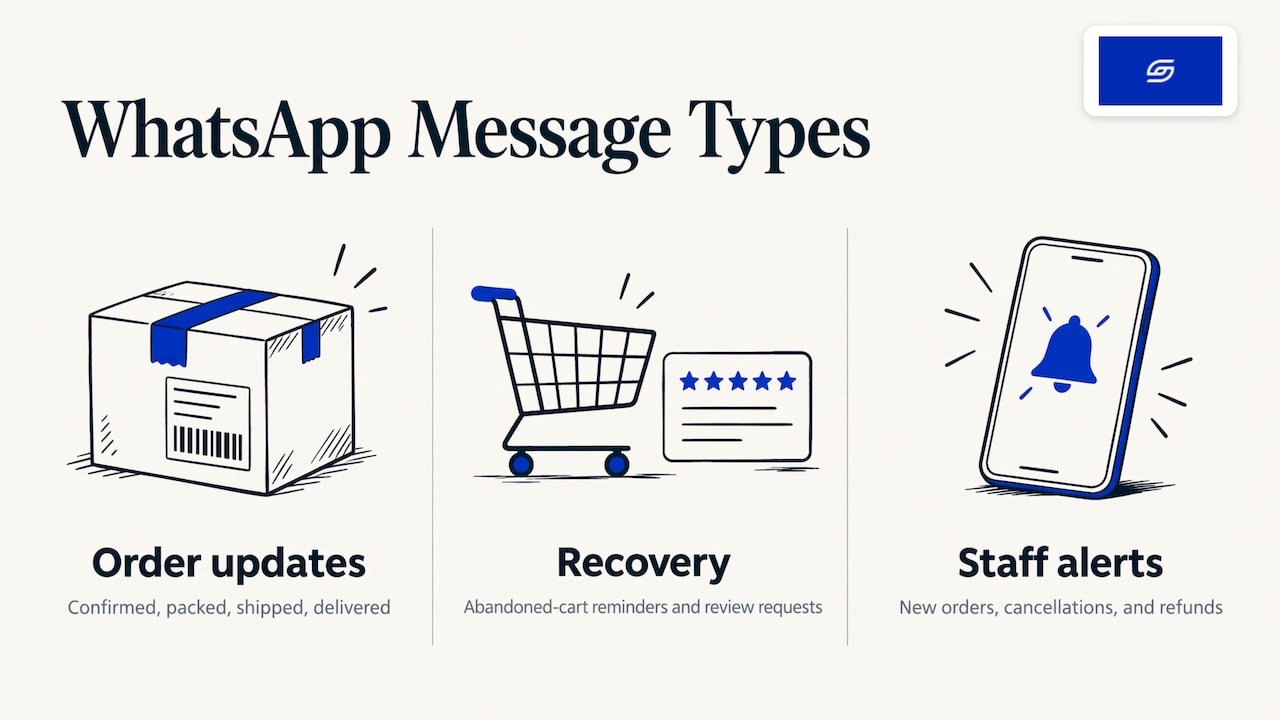
The useful messages are the ones customers expect. They fall into three groups.
Order updates. Order confirmed, packed, shipped with tracking, out for delivery, delivered. These cut “where is my order?” messages the most.
Recovery and follow-up. Abandoned cart reminders and review requests. These are marketing in nature, so consent matters more here. The official WhatsApp app in the Shopify App Store describes opt-in updates, abandoned cart messages and order updates as its core uses.
Staff alerts. A message to your own team when a new order, cancellation or refund comes in. These go to your staff, not customers, so customer consent does not apply in the same way.
Start with order updates. They carry the least risk and give customers the clearest benefit. Add cart recovery after that. If cart recovery is your main goal, our guide to Shopify cart abandonment covers the wider picture, including email.
How do you add WhatsApp to a Shopify store in Singapore?
Shopify’s Help Center says that to set up WhatsApp marketing in Shopify Messaging you need your legal business name and category, your Meta Business account credentials and a phone number. The number can be one you already own, one requested through WhatsApp, or one bought from a third-party provider.
Here is the routine, step by step.
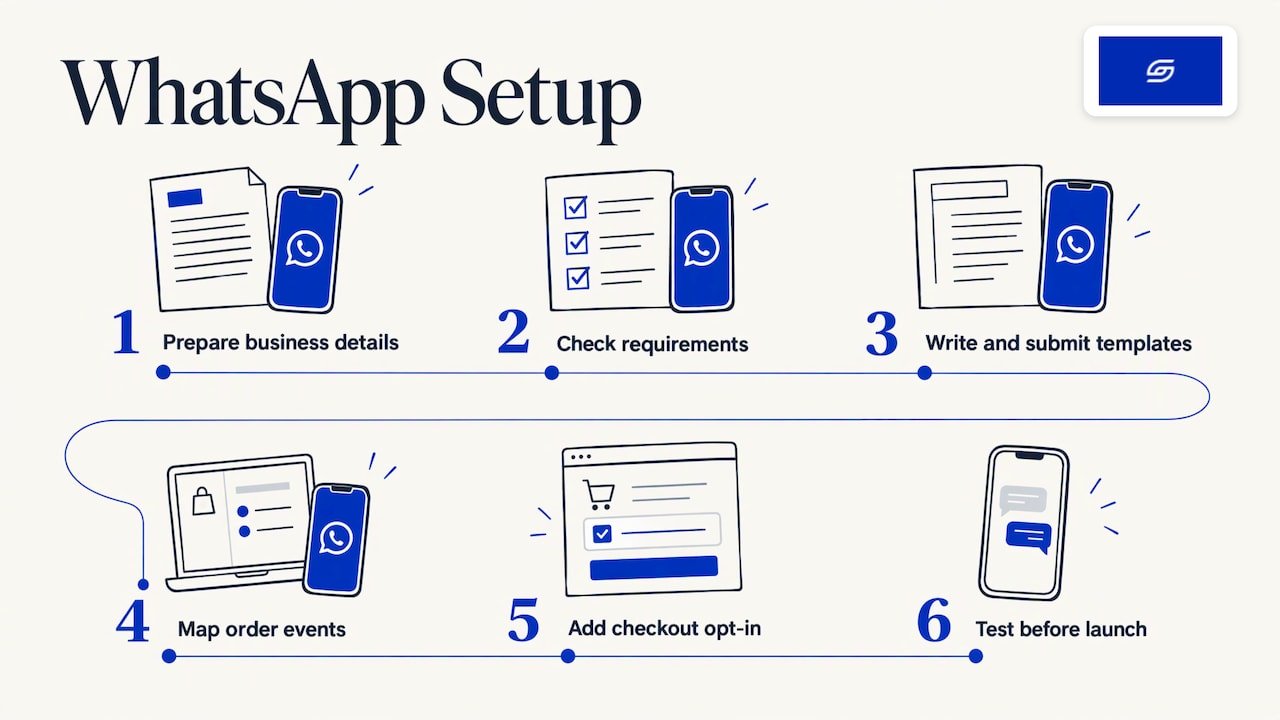
Step 1: Get your business details in order
Use your registered business name, exactly as it appears with ACRA. A mismatch between your Meta Business account and your legal name is a common reason for delays. Decide which phone number you will use. Pick a number you can dedicate to this job.
Where it goes wrong: using your personal WhatsApp number, or a number already tied to another messaging provider. An account connected elsewhere has to be disconnected before it can be used in a new place.
Step 2: Check you meet Shopify’s requirements
Shopify lists requirements for WhatsApp campaigns. You need the Shopify Messaging app installed, you must follow the WhatsApp Business Solution Terms and Messaging Policy, and you connect your WhatsApp Business Account through Meta’s embedded sign-up.
Two details from the same page matter for planning. New WhatsApp Business Accounts are capped at 2,000 messages a day until they move up Meta’s tiers. Every marketing message also carries a STOP-to-unsubscribe instruction that you cannot remove.
Step 3: Write your templates
WhatsApp only allows pre-approved templates for messages that start outside a customer conversation. Write one template for each stage of an order. Keep each short. A good confirmation covers three things: what they ordered, when it should arrive, and how to reach you if something is wrong.
Use Shopify data as variables, such as first name, order number, order total and tracking link. Do not add a discount code to an order update. See the consent section below for why.
Step 4: Submit templates early
Meta reviews templates before you can use them. Review is usually quick but can be rejected, so submit on day one and fix any rejection while you do the rest of the setup. Reject reasons are usually unclear wording or content that does not match the category you picked.
Step 5: Map templates to Shopify order events
Each template is triggered by a Shopify event: order created, fulfilment created, delivered. Match the right template to the right event. Check that tracking data exists before the shipped message fires, otherwise customers get an empty link.
This is where your shipping setup matters. Carriers, tracking numbers and fulfilment status need to be clean in Shopify first. Our Shopify shipping guide for Singapore covers that groundwork.
Step 6: Add opt-in at checkout
Add a clear checkbox or field for WhatsApp updates where the customer enters their phone number. Label it plainly. Store the consent with the customer record so you can prove it later. Our guide to email capture on Shopify shows where native touchpoints sit, and the same thinking applies to a WhatsApp opt-in.
Step 7: Test before launch
Place test orders. Check the name, order number and total. Open every message on both iPhone and Android. Click the tracking link. Reply STOP and confirm the contact stops receiving messages.
Which setup method should you choose?
There are four common routes. The right one depends on your volume and how much custom logic you need.
| Route | Best for | What to know |
|---|---|---|
| Shopify Messaging | Stores that want to send WhatsApp campaigns from the Shopify admin | Uses Meta-approved templates and opted-in customers. Charged per message through your Shopify bill. |
| A WhatsApp app from the Shopify App Store | Stores that want order updates and cart reminders with little setup | Check which events the app supports and what it costs per message. |
| A no-code automation tool | Stores that need staff alerts or custom flows | Needs a WhatsApp Business API connection behind it. |
| Custom development | Stores with unusual flows, such as pre-orders or multi-warehouse shipping | Built to your rules. Higher upfront cost. |
The free WhatsApp Business app is a different product. It works with one phone number and suits a founder answering chats by hand. It is not meant for automated order updates. Automation needs the WhatsApp Business Platform, which uses templates and charges per message.
Before installing any app, read our note on choosing Shopify apps in Singapore. Each app adds cost and page weight, so judge it by what it earns you.
One rule applies to all routes: choose your route before you design checkout. The opt-in field, the data you pass and the templates you write all depend on it.
What does Singapore law say about WhatsApp notifications?
In Singapore, the Personal Data Protection Commission (PDPC) says the Do Not Call (DNC) provisions apply to all means of sending a specified message to a Singapore telephone number, including data applications such as WhatsApp that use such a number. So WhatsApp is treated like SMS or a phone call when it comes to marketing messages.
In practice, split your messages into two streams.
Order updates. These tell a customer about something they bought. Collect the opt-in at checkout and use the number only for that purpose.
Marketing. Promotions, win-back offers, new-arrival alerts. These need clear marketing consent. Check the DNC Registry where it applies, and give people an easy way to opt out.
Three habits keep you safe:
- Do not reuse consent. A customer who joined your email list has not agreed to WhatsApp. A phone number given for delivery is not consent for promotions.
- Do not mix streams. If you add a promo code to a shipping update, treat the whole message as marketing. Customers also mute senders who turn useful updates into ads.
- Keep records. Log when and where each customer opted in, and what they agreed to.
This is general guidance for store owners, not legal advice. If your list is large or your use is unusual, speak to a lawyer familiar with the PDPA. For the cookie and privacy side of your storefront, see our guide on cookie consent for Shopify and the PDPA. For email, see Shopify email marketing in Singapore.
What should you automate, and what should stay with a person?
Automate messages that are factual and repeatable:
- Order confirmation
- Dispatch with tracking
- Out for delivery or delivery attempted
- Delivered
- Simple keyword replies, such as a reply to “tracking”
Keep these with a person:
- Refund approvals
- Delivery date promises you cannot guarantee
- Stock availability questions
- Shipping-waiver decisions
In Singapore there is no legal response time for general customer enquiries. Set your own, say it on your site and keep to it. A WhatsApp number that goes quiet for two days hurts trust more than having no WhatsApp number.
Staff alerts are worth adding too. A message to your team for each new order, cancellation or refund keeps packing and support moving without anyone watching the Shopify admin.
What if notifications fail or show wrong details?
Work through this list in order.
- Template status. A template still pending or rejected in Meta will not send. Check this first.
- Tracking data. If the shipped message has no link, the fulfilment was created without a tracking number.
- Opt-out. A customer who replied STOP will not receive messages. This is correct behaviour.
- Number format. Phone numbers need the country code. Singapore numbers start with +65.
- Variables. If a name or total is blank, the variable is mapped to the wrong Shopify field.
- Discounted totals. If the message shows the full price instead of the discounted one, check which order total field the template uses.
- Message limits. A new account has a daily cap, as noted above. A big sale can hit it.
Before a big sale, run test orders a few days ahead. Do not wait for the first real customer to find the fault.
Do you need a new store build to get this right?
Often not. WhatsApp notifications sit on top of a store that works. But a few store problems make them hard to run well:
- Checkout has no clean place to collect a phone number and consent.
- Shipping and fulfilment data is messy, so tracking links break.
- The store is on an older platform, such as WooCommerce, with order data that does not map cleanly.
- Too many apps overlap and send duplicate messages.
When the store itself is the problem, fixing it first saves more than any message template will. Our Shopify Revamp starts from SGD 3,000, a new Shopify store starts from SGD 8,500, and migration to Shopify starts from SGD 6,000. No GST is added, as Soodo is not GST-registered.
Every project includes handover training and 6 months of post-launch fixes: if something we built breaks, we fix it. Unlimited revisions apply within the agreed scope. The timeline and start date are agreed before we begin. Projects start on set monthly start dates, and a 50% non-refundable deposit secures your slot, with the balance due on completion. We take on a small number of projects each month, by application. If you want a WhatsApp opt-in planned into your build, tell us in your application.
Our view: a good WhatsApp flow starts with a sales-first store
We build every store around how customers actually buy. WhatsApp notifications are part of that. They are not a feature to bolt on at the end.
A customer who gets a clear confirmation and a working tracking link has fewer reasons to worry and more reason to come back. That only happens when checkout, shipping data and consent are set up properly first.
We run our own ecommerce brand, Patch&Bagel, and test our recommendations there before we suggest them to clients. Our advice is simple. Start with order updates. Keep promotions separate. Get consent at checkout, in plain words.
Every store we build is also set up for AI search (GEO). If you want to understand what that means, read what GEO is. We do not offer a monthly GEO or SEO service. For long-term GEO growth, we work with specialist partners.
Soodo was founded in 2022 by Jessica Bong, who has 10+ years in ecommerce and is a WSQ Shopify trainer at Equinet Academy. We are a Shopify Partner with 30+ live stores. A small team is a choice: the founder leads strategy and a dedicated developer builds.
Soodo
FAQ
Does Shopify send order notifications on WhatsApp by default?
No. Shopify’s standard order notifications go out by email and SMS. To use WhatsApp, you connect it through Shopify Messaging or a WhatsApp app. Either route needs a WhatsApp Business account and approved templates.
Can I use my personal WhatsApp number?
Use a dedicated business number. Shopify’s setup asks for a phone number that is existing, requested through WhatsApp or bought from a third-party provider. An account already linked to another provider must be disconnected first.
Do customers need to opt in to receive order updates on WhatsApp?
Yes, collect opt-in at checkout with a plain label. For marketing messages, Singapore’s DNC provisions apply to WhatsApp as they do to SMS, so you need clear consent. Keep records of when and where each customer agreed.
Can I add a discount code to an order update?
We advise against it. A message that mixes an order update with a promotion is a marketing message, and it needs marketing consent. Send promotions as a separate, consent-based message.
How many messages can I send per day?
Shopify states that new WhatsApp Business Accounts are capped at 2,000 messages a day until they move up through Meta’s trusted-account tiers. Plan big sales with that cap in mind.
Sources
- Shopify Help Center: Set up WhatsApp marketing in Shopify Messaging
- Shopify Help Center: Requirements and considerations for WhatsApp marketing
- WhatsApp app on the Shopify App Store
- PDPC: Part V, Definition of Sender
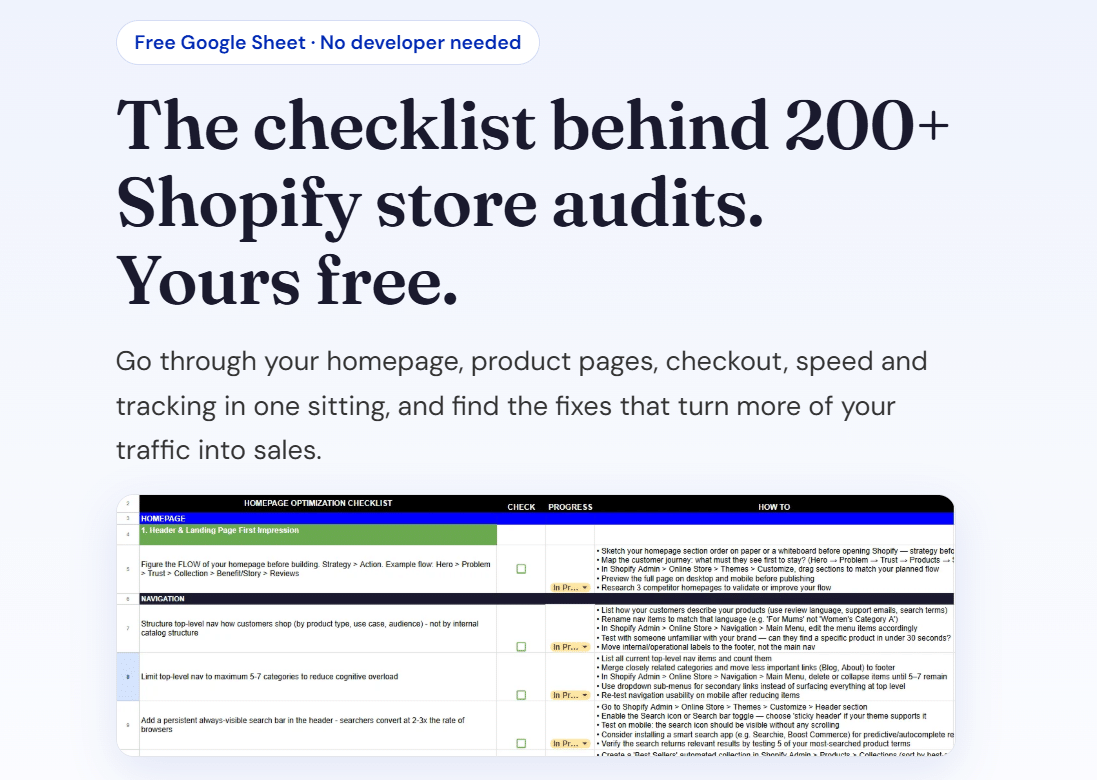
Want a Shopify store built to send the right message at the right time? Start with our free Shopify optimisation checklist, or apply for a project slot.
Recommended

Jessica Bong
Jessica Bong is the founder of Soodo, a Singapore Shopify agency that builds, revamps and migrates Shopify stores, with every store set up to be found in AI search (GEO). She has spent over 10 years in ecommerce and runs her own Shopify brand, Patch&Bagel. Jessica is also a WSQ-certified Shopify trainer at Equinet Academy.