
Shopify Image Alt Text: How to Add and Write It Well
You add alt text in Shopify by opening a product, clicking an image in the Media section and filling in the alt text field. Good alt text is a short, plain description of what the image shows, kept to about 125 characters. It helps screen-reader users and helps search engines understand your images.
This guide shows where the field sits for product images and theme images, how to write alt text that reads well, and how to fix a store with hundreds of images. We also cover the choices Singapore brands face, such as bilingual pages and variant photos.
Key Takeaways
- Add product alt text in the media editor, and theme images (banners, sections) in the theme editor. They are two different places.
- Describe the product: type, colour, material and one defining feature. Keep it to 125 characters or fewer.
- Skip “image of”, skip stuffing keywords, and give variants their own wording.
- Decorative images get an empty alt attribute, and images that act as links describe where the link goes.
- Fix the best sellers first, then work through the rest of the catalogue in a batch.
Table of Contents
- Why does alt text matter for a Shopify store?
- Where do you add alt text in Shopify?
- How long should alt text be?
- How do you write alt text for product images?
- Should you add the product title, keywords or your store name?
- How do you handle variants and multiple photos of one product?
- What about decorative images, links and infographics?
- What should Singapore stores do about language?
- How do you audit alt text across a whole store?
- What we think about alt text
- Want us to fix your images as part of a bigger project?
- FAQ
- Sources
Why does alt text matter for a Shopify store?
Alt text does two jobs. It tells people who cannot see an image what it contains, and it gives search engines a written clue about the image. Shopify describes alt text as a tool that helps people with disabilities use your store, and one that helps search engines show your images in relevant results.
Google says the same in its own guidance. Its image best practices tell site owners to write useful, information-rich alt text and to avoid stuffing keywords into it. So the two goals do not conflict. A clear description for a shopper is also the safest description for search.
There is a plain commercial reason too. When an image has no alt text, some screen readers may read out the filename instead. A shopper who hears “IMG_4821_final2” is unlikely to buy. Fixing this removes a small barrier on every product page.
If you want the wider picture on how images sit alongside titles, descriptions and markup, see our guide to Shopify structured data on product pages. For a primer on the image side of search, this walkthrough on optimising images for SEO covers the basics.
Where do you add alt text in Shopify?
There are three places, depending on the image. Most store owners only know the first.
Product images
Open Products in your Shopify admin, choose a product and scroll to the Media section. Click an image to open the media editor and fill in the alt text field. Save the product when you are done.
Shopify’s media editor help page notes that you can edit alt text there, and that the editor may offer AI-generated suggestions for images that have none. Treat a suggestion as a draft. It does not know your product range, your materials or your tone, so read and edit every line before you save it.
Theme images: banners, sections and logos
Images that are not part of a product, such as a homepage banner, a collection header or a section graphic, are edited in the theme. Go to Online Store, then Themes, then Customise. Click the image section in the sidebar and look for the alt text option. Shopify’s page on adding alternative text to theme images explains the steps.
This is the gap we see most often on stores we review. The product pages have been looked after, but the homepage hero, the lifestyle banners and the footer badges have nothing.
Many images at once
For a large catalogue, export your products as a CSV file, edit the image alt text column in a spreadsheet and import the file again. Keep the file in UTF-8 encoding. Shopify warns that other encodings can cause illegal quoting errors and strange characters, which matters if your product copy includes Chinese characters, accents or symbols.
Always keep a copy of the original export before you import changes. If something goes wrong, you can restore it.
How long should alt text be?
Keep it to 125 characters or fewer. Shopify’s help page on adding alt text to media recommends 125 characters or less, with a maximum of 512 characters allowed.
In practice, most product alt text lands between 40 and 100 characters. One clear sentence is enough. If you find yourself writing two sentences, the extra detail probably belongs in the product description.
How do you write alt text for product images?
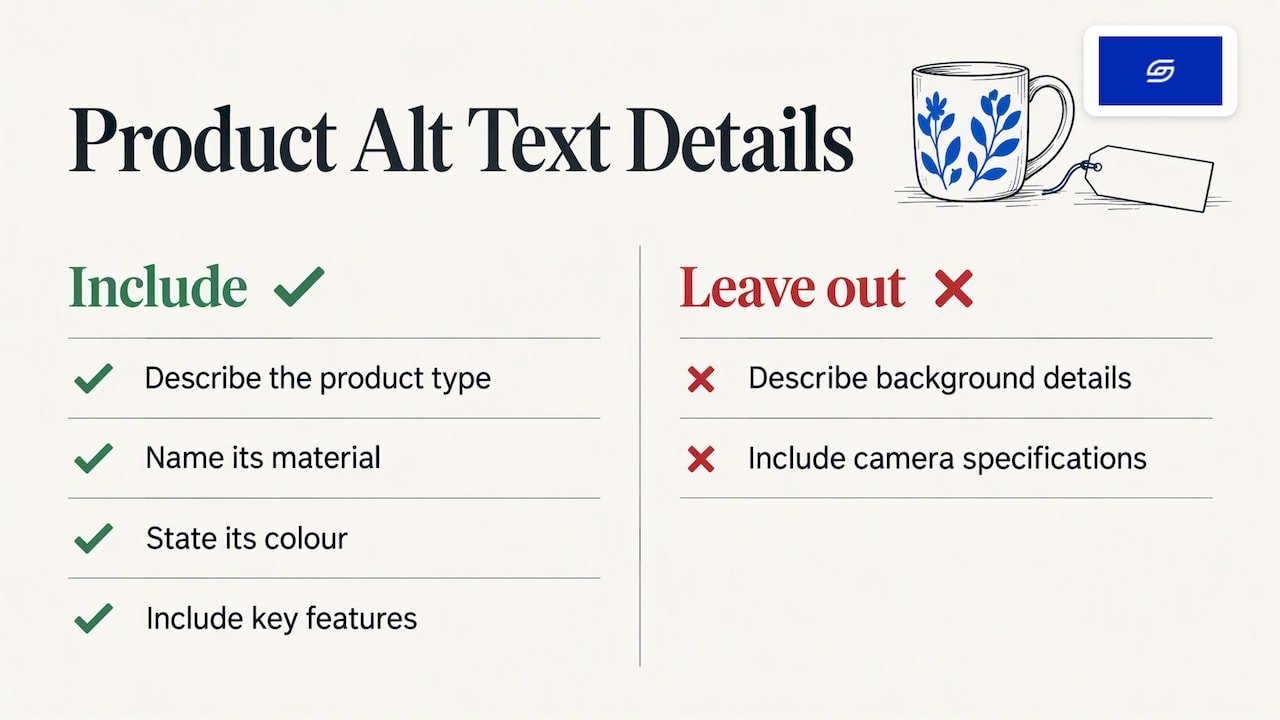
Describe what a shopper would want to know when judging the product. Shopify’s guidance says to focus on type, material, colour and key features, and to leave out background details and camera specifications.
A simple formula works for most products:
Product type + colour + material or key feature + (what is shown, if it matters)
Good and weak examples
| Image | Weak alt text | Better alt text |
|---|---|---|
| Front view of a linen shirt | IMG_2231.jpg | Men’s white linen shirt, front view, button-down collar |
| Ceramic mug on a table | mug mug cheap mug Singapore best mug | Handmade grey ceramic mug with a matte glaze, 350 ml |
| Skincare bottle in a hand | Photo of a woman holding a bottle at sunset | Hand holding a 30 ml vitamin C serum in an amber glass bottle |
| Tote bag, side view | Tote bag | Navy canvas tote bag with leather handles, side view |
| Size chart graphic | Chart | Size chart for women’s tops, XS to XL, with bust and waist in cm |
The examples above are illustrations of the pattern, not text from any real store. Swap in your own product facts.
Words to leave out
Do not start with “image of” or “photo of”. Screen readers already announce that an item is an image, so the phrase is redundant. It also eats into your character count.
Leave out the camera angle unless it helps the shopper. “Back view showing zip pocket” is useful. “Shot on a white background in studio light” is not.
Should you add the product title, keywords or your store name?
Use keywords only when they describe the image. A product type or material that is visible in the photo belongs in the alt text. Shopify’s advice is to include relevant keywords naturally and avoid keyword stuffing.
Stuffing unrelated terms is the habit to avoid. Google’s image guidance warns against it, and Shopify notes that it is treated as a spam signal that works against you.
What about the store name?
Do not add your store name to every image automatically. It repeats on every image, tells the shopper nothing about the picture, and makes screen-reader users hear the same words again and again. The exception is a logo, where the brand name is the content of the image.
What about copying the product title?
The product title is a fine starting point, because it often names the type and colour. But using the title alone for every image on the page creates a list of identical lines. Add what is different in each shot: the angle, the detail, the use.
Some themes can be edited to pull the product title in when alt text is empty. That is a safety net, not a replacement for writing real descriptions. It is also a theme code change, so have it done by someone who will test it on mobile and desktop.
How do you handle variants and multiple photos of one product?
Give each image its own description. If a t-shirt comes in black, white and olive, the alt text for each photo should name the colour shown. Identical alt text across variants gives screen-reader users no way to tell the images apart and wastes the chance to describe each option.
A gallery of five photos for one bag might read like this:
- Black nylon crossbody bag, front view
- Black nylon crossbody bag, open to show the zip compartment
- Black nylon crossbody bag worn across the body
- Close-up of the brass zip and woven strap
- Bag next to a 13-inch laptop to show its size
Each line is short, and each one adds something the shopper can use.
Context also matters. Shopify staff point out that the same image can need different alt text in different places on a store, depending on what it does on that page. A product photo used as a collection tile can be described as the product. The same photo used in a “how to style it” blog post might describe the outfit instead.
What about decorative images, links and infographics?
Not every image needs a description. Three cases come up often.
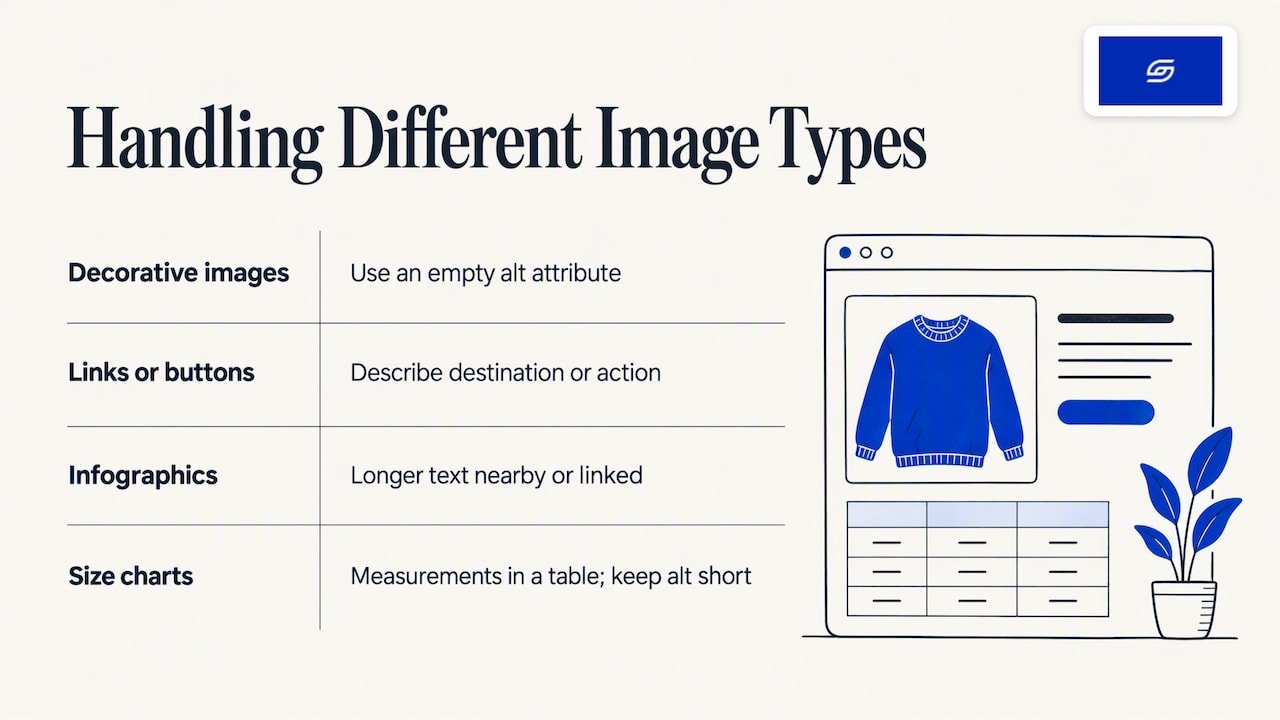
Decorative images. A divider line or a background swirl adds no information. Give it an empty alt attribute (alt="") rather than leaving the attribute out, so that assistive technology knows to skip it on purpose. Most themes handle this for you, so check how your theme treats images you leave blank.
Images that act as links or buttons. Describe where the link goes or what the button does, not how the image looks. The accessibility guidance from ta11y makes this point. A banner linking to your sale page should say something like “Shop the new arrivals”, not “Blue banner with white text”.
Infographics and size charts. A short alt text may not carry all the information. The W3C accessibility guidelines (WCAG 2.2) say complex non-text content may need a longer text alternative near the image, or linked from it. For a size chart, put the measurements in a real table on the page. Then the alt text can stay short.
What should Singapore stores do about language?
Write the alt text in the language of the page. If your product page is in English, the alt text is in English. If you run a Chinese version of a page, the alt text on that version is in Chinese. A screen reader reading Chinese alt text on an English page, or the other way round, confuses the listener.
Singapore brands selling across Southeast Asia often run more than one language. If you use Shopify’s translation tools, include alt text in the translation pass, since it is easy to forget. Where your product names mix English with a local term, such as a kueh or a traditional garment, use the name your customers search for and add a plain English description.
We also see Singapore stores add “Singapore” to every alt text in the hope of ranking locally. Unless the image shows something in Singapore, leave it out. Local search relies on other signals, which we cover in our guide to local SEO for Shopify stores in Singapore.
How do you audit alt text across a whole store?
You do not need to fix every image in one afternoon. Work in this order.
- List your top 20 products. Use your best sellers and the products you advertise. Fix these first, because they get the most views.
- Fix the homepage and collection headers. Open the theme editor and check each image section.
- Export your catalogue as a CSV. Filter for rows where the image alt text column is empty. Sort by product type so you can write similar descriptions together.
- Write in batches. Do one product type at a time, so your wording stays consistent.
- Import with UTF-8 encoding. Spot-check ten products on the live store afterwards.
- Set a rule for new uploads. Add alt text to your product upload checklist, so the gap does not return.
While you are in the media section, check the files themselves. Heavy images slow pages down, and slow pages lose sales. Our guides on Shopify product image sizes and formats and lazy loading explain how to keep photos sharp and light. Alt text also sits alongside the rest of the page, so read through our notes on product page optimisation as a companion.
What we think about alt text
We treat alt text as part of building a store properly, not as an SEO add-on. Jessica Bong, the founder of Soodo, has more than 10 years in ecommerce and is a WSQ Shopify trainer at Equinet Academy. Her view is simple: a store is built around how customers actually buy, and a shopper who cannot see or load an image still needs to understand the product.
That is why alt text is part of our sales-first approach. When we build or revamp a store, we think about what a buyer needs to know from each image, and we write it down. We test our own recommendations on Patch&Bagel, our own ecommerce brand, before we suggest them to clients.
Alt text also ties into search that goes beyond Google. Every store we build is set up for AI search (GEO), and clear, factual descriptions of products and images are part of that groundwork. You can read more in our guide on what GEO is and our page on Shopify AI search optimisation in Singapore.
We are also clear about what we do not do. We do not run a monthly GEO or SEO service. If you want long-term GEO growth after launch, we work with specialist partners who do that work full time.
— Soodo
Want us to fix your images as part of a bigger project?
If your alt text gaps are one sign of a store that needs more work, a revamp is usually the efficient fix. A Shopify revamp starts from SGD 3,000. Your timeline and start date are agreed before we begin. A new Shopify store starts from SGD 8,500. Your timeline and start date are agreed before we begin. A migration to Shopify starts from SGD 6,000. Your timeline and start date are agreed before we begin.
Every project includes handover training and 6 months of post-launch fixes. Soodo is a Shopify Partner with 30+ live stores, and we build for brands in Singapore and Southeast Asia.
If you are moving from WooCommerce, image alt text is one of the things that can get lost in a move, so we check it as part of our migration work.
FAQ
Can I add alt text to Shopify images without an app?
Yes. Open the product, click the image in the Media section and fill in the alt text field. For theme images, use the theme editor. For a large catalogue, a CSV export and import works without any app.
Is the Shopify AI alt text suggestion good enough to publish?
Use it as a first draft. The media editor may offer AI-generated suggestions for images that have none. Check each one for the correct colour, material and product name, and cut anything that is not visible in the image.
Does alt text help my Shopify store rank on Google?
It helps Google understand your images, which can help them appear in image results. It is one small signal, so do not expect it to lift rankings alone. Pair it with fast pages, good titles and clear product copy.
Should every image have alt text?
Every meaningful image should. Purely decorative images should have an empty alt attribute so screen readers skip them. Images that work as links should describe the link’s destination.
How long should Shopify image alt text be?
Aim for 125 characters or fewer, as Shopify recommends. Most product images need only 40 to 100 characters to cover type, colour, material and one key feature.
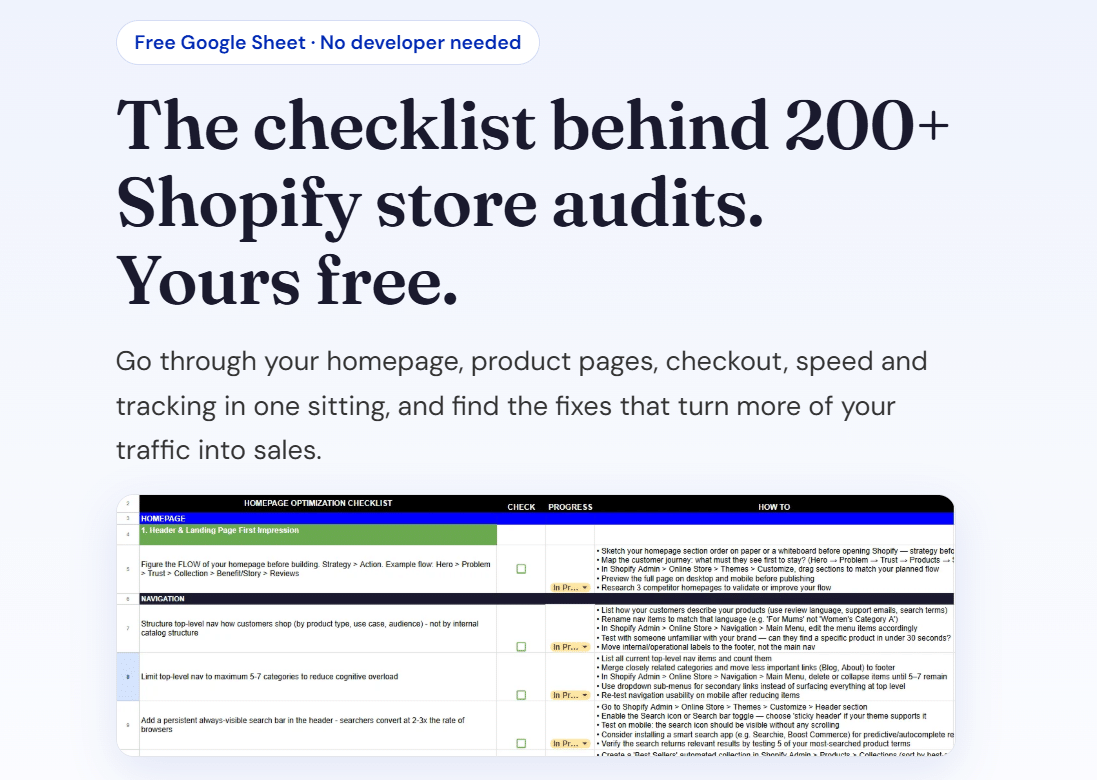
Ready to fix your store properly? Download our free Shopify optimisation checklist or apply for a project slot.
Sources
- Shopify Help Center: Using the media editor
- Shopify Help Center: Adding alternative text to your theme images
- Shopify Help Center: Adding alt text to media
- Shopify Help Center: Solutions to common product CSV import issues
- Shopify Blog: Image Alt Text, How to Write It for SEO
- Shopify Blog (Singapore): Image Alt Text
- Google Search Central: Image SEO best practices
- ta11y: Writing Alternative Text
- W3C: How to Meet WCAG 2.2 Quick Reference
- How to Optimize Images for SEO
- Alt Text for Images: A Technical Guide
Recommended

Jessica Bong
Jessica Bong is the founder of Soodo, a Singapore Shopify agency that builds, revamps and migrates Shopify stores, with every store set up to be found in AI search (GEO). She has spent over 10 years in ecommerce and runs her own Shopify brand, Patch&Bagel, where every Soodo technique is tested first. Jessica is also a WSQ-certified Shopify trainer at Equinet Academy.