


Shopify Product Metafields: A Practical Guide for Singapore Stores
Shopify product metafields are custom fields that store extra product information, such as care instructions, dimensions or warranty details, that the standard product form has no space for. You define the field once, fill it in per product, and show it on the product page through your theme. This guide explains how, and when to move up to metaobjects.
We are Soodo, a founder-led Shopify agency in Singapore. We build, revamp and migrate Shopify stores for brands in Singapore and Southeast Asia. Metafields come up in almost every project.
Key Takeaways
- A metafield is a custom data field with a namespace, a key, a type and a value. It adds product detail without changing your design.
- Setup has three steps: create a definition, fill in values per product, then connect the field to your theme.
- Use metafields for single facts on a product. Use metaobjects for reusable blocks of content, such as size guides or FAQs.
- Clean product data also helps predictive search, filters and AI search, so structure it before you scale your catalogue.
- Good field planning is easier at build or migration stage than after 500 products are live.
Table of Contents
- What are Shopify product metafields?
- How do you add custom fields to a Shopify product?
- What are category metafields?
- What is the difference between metafields and metaobjects?
- What are practical metaobject examples for a store?
- How do metafields help search and discovery?
- How should you plan your metafields before you build?
- What do metafields do for the product page?
- How much does it cost to set this up with Soodo?
- Frequently asked questions
- Sources
What are Shopify product metafields?
A product metafield is a custom field attached to a product, so you can store information the default product form does not capture. Shopify’s own help pages say metafields extend data models such as products, customers and orders with custom data. For products, examples include care instructions, recommended ages, dimensions and size charts.
Each metafield follows the same structure. Shopify’s developer documentation describes a key-value pair with a namespace and key (for example custom.warranty_info), a value and a type. The type tells Shopify what kind of value to expect, such as text, a number, a date or a reference to another item.
That structure matters. A text box in a product description is just text. A metafield is data. You can filter on it, reuse it, and show it in the same place on every product page.
What can a product metafield store?
The range is wide. Shopify’s help centre lists content types such as dimension, volume, weight, temperature, power and speed, each with units of measurement. Beyond measurements, common uses for a Singapore store include:
- Ingredients or materials, useful for skincare, food and apparel brands.
- Care or washing instructions.
- Warranty information. Shopify’s developer docs name warranty details as a standard use case.
- Size charts and fit notes.
- Links to related or recommended products.
- Shelf life, origin or halal and allergen notes where they apply to your products.
Shopify’s Singapore blog explains that metafields let you add content such as ingredients, key features, related items and care instructions without changing the store’s design. That last point is the real benefit. Your layout stays the same, and the content gets richer.
Are metafields only for the storefront?
No. Shopify says metafields can be used internally in the admin and optionally displayed in the online store. You might store a supplier code or a fulfilment note that customers never see. Metafields can also be used as filters and dimensions in analytics and reports.
How do you add custom fields to a Shopify product?
You add custom fields in three steps: create a definition, add values to your products, then connect the field to your theme. This is the order Shopify’s help centre sets out. It describes adding definitions, adding values to products or variants, and optionally connecting them to your theme.
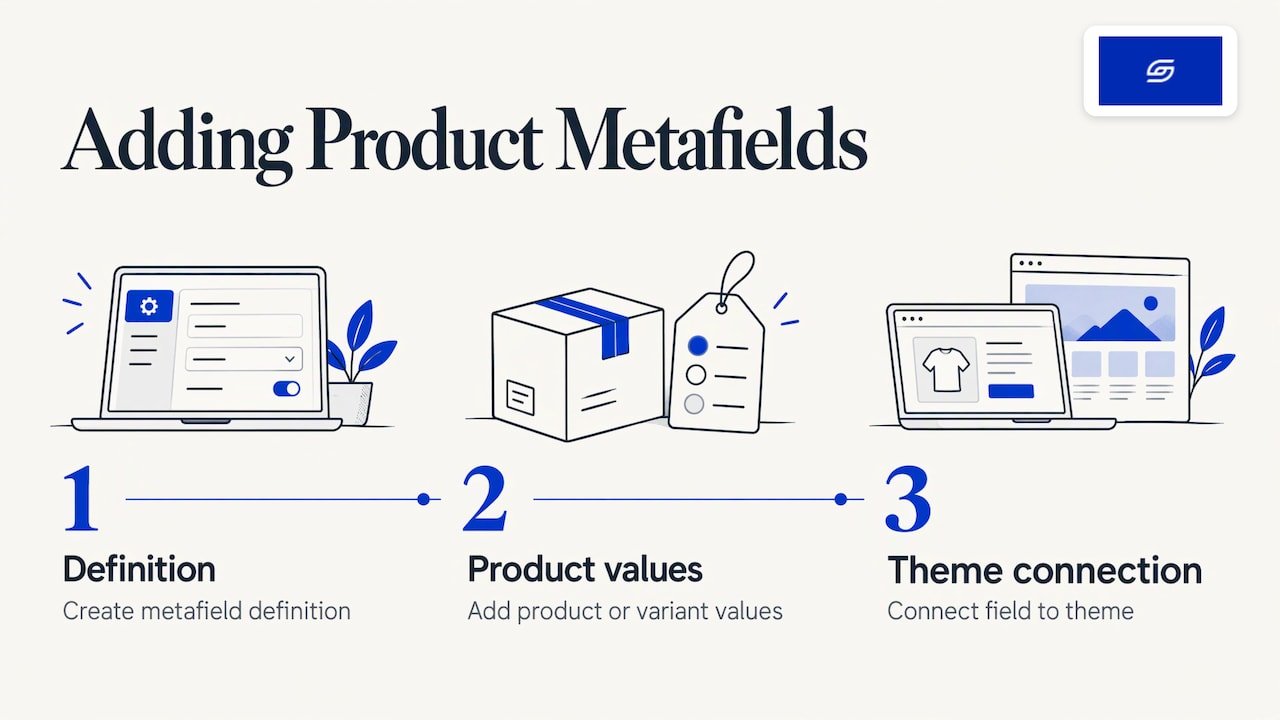
Step 1: Create the metafield definition
In your Shopify admin, go to Settings, then Custom data, then Products, and choose Add definition. Give the field a clear name, pick the type, and decide whether it holds one value or a list. Name it for what it is. “Care instructions” is better than “Text 1”.
The type is the most important choice. If you need a measurement, pick a dimension or weight type, not plain text. The unit is then stored properly, and you can filter on it later.
Step 2: Fill in the values
Open each product and complete the new field. For a small catalogue, you can do this by hand. For a large one, bulk import or a CSV is usually quicker. Plan this before you start, because inconsistent values (“100% cotton” on one product, “cotton” on another) are painful to clean up later.
Staff need the right permissions. Shopify states that to add, edit and delete product metafield definitions and values, staff need View and Create and edit permissions under Products.
Step 3: Show the field on your product page
This is the step many store owners miss. A field with values does nothing on the storefront until your theme references it. Shopify notes that if you have a compatible theme, you can add references to your product metafields in the theme editor. Online Store 2.0 themes let you add a block, then connect it to the dynamic source for your metafield.
If your theme is older or heavily customised, a developer may need to edit the template. That is common on stores that have grown over several years, and it is one reason some brands choose a Shopify revamp rather than patching.
What are category metafields?
Category metafields are fields Shopify ties to a product category, so the right attributes appear for the right kind of product. Shopify says they map to categories in the Standard Product Taxonomy and make products more discoverable on your site, on marketplaces and in search engines.
A practical example is colour. Shopify explains that when you use colour entries as variant options, you can display them as swatches on your product pages. Shoppers see a colour circle, not a text dropdown. It is a small change that makes a page feel more finished.
There is a link to product options as well. Shopify’s developer docs say you can link metafields to product options so that values like Red or Large reference structured data, which supports better search and marketplace integration. If your products have complicated option sets, our guide to maintainable product options covers the build side, and our note on the Shopify variant limit covers what happens as you scale.
What is the difference between metafields and metaobjects?
A metafield stores one piece of data on one item. A metaobject stores a reusable group of fields that you create once and attach to many items. Think of a metafield as a single label on a product, and a metaobject as a small content record with several parts.
| Metafield | Metaobject | |
|---|---|---|
| What it holds | One value on a product, variant, collection or other resource | A custom set of fields, such as image, heading and description |
| Best for | Facts unique to each product, such as weight or warranty | Content shared across products, such as size guides or FAQs |
| Reuse | Value belongs to one item | One entry can be linked to many products |
| Connects to products via | Direct value on the product | A metafield of type reference |
The two work together. Shopify’s own tutorial on creating a “Product highlights” metaobject has an image, a heading and a description, then links it to products through a metafield reference of type list of entries. So a metaobject often needs a metafield to reach the product page.
A simple rule for choosing
Ask one question: will I write this content once and use it on many products? If yes, use a metaobject. If the value is different on every product, use a metafield.
- Weight, material, shelf life, model number: metafield.
- Size guide shared by all tops: metaobject.
- Brand story or designer profile: metaobject.
- Per-product warranty length: metafield.
What are practical metaobject examples for a store?
Metaobjects suit any repeating block of structured content. Shopify’s Singapore blog lists product highlights, lookbooks, size guides, raw materials, designer profiles and store events, plus product FAQs, collection banners, collaborator profiles and quizzes.
Here is how that could look for brands we meet in Singapore:
- Fashion label: one size guide metaobject per garment type, linked to every matching product. Update it once and every page changes.
- Skincare brand: an ingredient metaobject with a name, a plain-language benefit and an image. Link several ingredients to each product.
- Homeware seller: a materials and care metaobject shared across a range.
- Food brand: a product FAQ metaobject for storage and delivery questions.
Shopify published a case study on the brand Smash + Tess. It says metaobjects cut the time to publish a new collection page template from an hour or more to a few minutes, sped up moving products from draft to active by 50%, and lifted conversions from the Collections page by more than 12%. Those are that brand’s results, not a promise for any other store. The three uses it describes are influencer content, product FAQs and logic-based collection banners. They show the idea well: structure the content once, then reuse it.
How do metafields help search and discovery?
Structured product data makes your products easier to find, both on your own store and in outside search. The first place to see it is the storefront search box.
What does predictive search show?
Predictive search shows suggestions as the shopper types, without sending them to a results page. Shopify’s help centre says it returns up to 10 results in total, and new stores request query, product and collection results by default. Product suggestions search the title, description, product type, tags, vendor, variant title, SKU and barcode.
Notice what is on that list: standard fields. Predictive search relies on the data you give it. If your product titles, types, tags and variant names are clean, suggestions are better. The developer reference confirms the defaults, with a limit from 1 to 10 and result types of query, product, collection and page. The Storefront API can also return products, collections, pages and articles with query suggestions.
So should you put all your custom data in metafields and expect search to find it? Not automatically. Treat metafields as structured storage for display and filtering. For search, make sure the words shoppers type appear in the fields Shopify searches: titles, types, tags and variant details. If search is a pain point on your store, a developer can advise how to set it up properly during a build or revamp.
How do metafields support filters?
Filters let shoppers narrow a collection by attributes such as material, size or colour. Those attributes need to exist as clean data first. Our guide to Shopify product filters walks through the Search & Discovery steps. Metafields are often the source of the attribute you want to filter on.
How do they help SEO and AI search?
Category metafields help products become more discoverable on marketplaces and search engines. The same principle applies to AI tools that read your pages: clear, consistent product facts are easier to understand and quote. Every store we build is set up for AI search (GEO), and structured product data is part of that. Read more in our guide on what GEO is, and see how gaps appear in our structured data audit of product pages.
Two related basics are worth checking at the same time: image alt text and product image size.
How should you plan your metafields before you build?
Plan your fields around what shoppers ask before they buy, then build only those. A short, consistent set beats a long, half-filled one.
- List the questions customers ask. Check your inbox, WhatsApp chats and marketplace reviews. Sizing, materials, delivery and warranty are common.
- Group them by product type. Apparel needs fit and fabric. Electronics need power and warranty. Food needs ingredients and storage.
- Choose the right type for each. Use dimension, weight or number types where you need units or filters. Use text only for free-form content.
- Decide single value or shared content. Shared content goes in a metaobject.
- Set naming rules. Use one spelling and one format for every product.
- Decide where each field shows. Above the fold, in a tab, or only in the admin.
This is easier before launch. On a migration, you can map your old custom fields into metafields as products move across, instead of leaving them buried in descriptions. Our guides to WooCommerce to Shopify migration in Singapore and moving from Shopee to Shopify cover that process.
If you also want to speed up product copy, our product description prompt guide pairs well with a clean field structure.
What do metafields do for the product page?
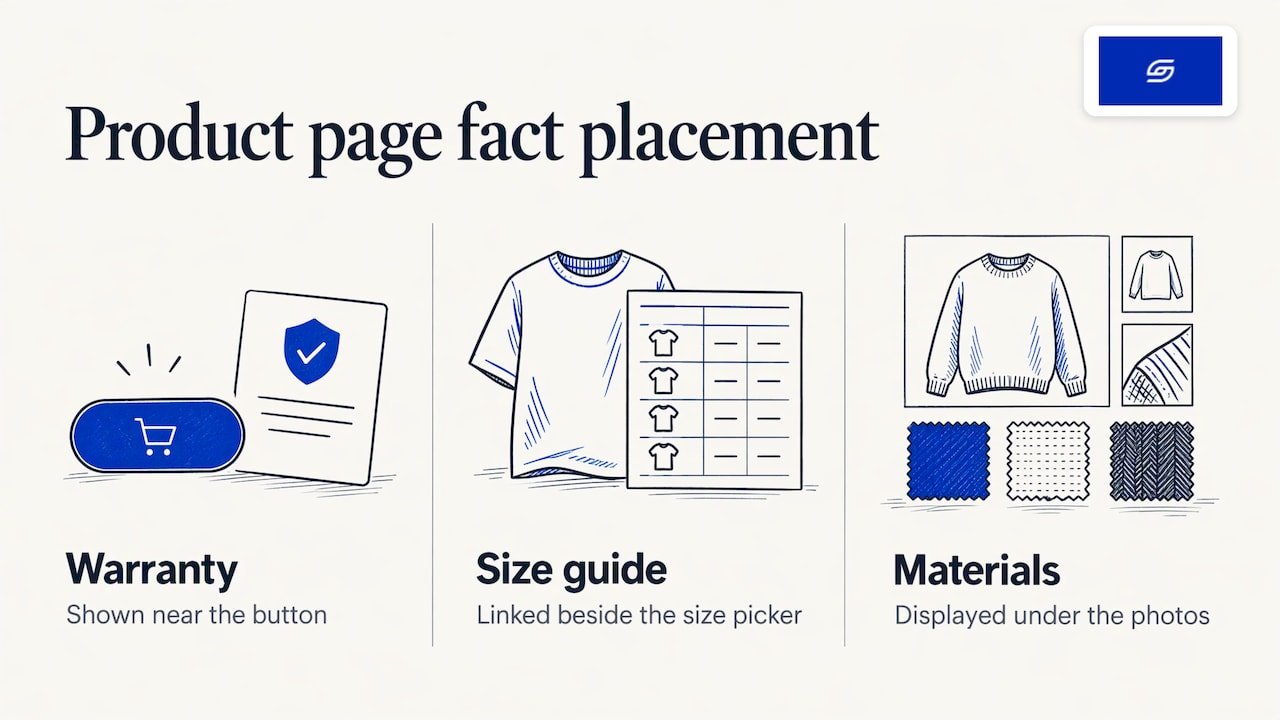
They let you answer buying questions where the shopper is already looking. A warranty line near the button, a size guide link beside the size picker, and a materials block under the photos all reduce doubt. Our article on fixing product page issues goes through the common problems, and our Pierzel case study shows product page work on a real project.
We design with a sales-first approach. Every page, menu and app is built around how customers actually buy. Metafields are one of the tools that make this practical, because the right fact can sit at the right spot on every product.
Why we plan product data before design
We start with the data, not the layout. When a brand tells us a product page feels thin, the cause is usually missing structure, not missing design. Fields for materials, fit, warranty and care are often buried in one long description, or not written at all.
At Soodo, the founder, Jessica Bong, leads strategy and a dedicated developer builds. Jessica has 10+ years in ecommerce and is a WSQ Shopify trainer at Equinet Academy. We run our own ecommerce brand, Patch&Bagel, and we test our recommendations there first.
Our view is simple. Decide which facts help a shopper say yes, store them as clean fields, and show them in the same place on every product. That also gives AI search tools clear facts to read. We set every store up for AI search (GEO) from the start, and we hand the store over with training so your team can add products without breaking the structure.
Soodo is a Shopify Partner with 30+ live stores. Each project includes handover training and 6 months of post-launch fixes: if something we built breaks, we fix it.
Soodo
How much does it cost to set this up with Soodo?
Metafields are planned as part of the build, revamp or migration, not sold as a separate item. Our published prices are:
- A new Shopify store costs from SGD 8,500.
- A Shopify Revamp costs from SGD 3,000.
- Migration to Shopify costs from SGD 6,000.
No GST is added, as Soodo is not GST-registered. The timeline and start date are agreed before we begin. A 50% non-refundable deposit secures your start date, and the balance is due on completion. Unlimited revisions apply within the agreed scope.
If your product pages need better structure, a Shopify Revamp is the usual starting point. If you are building from scratch, see our new Shopify store service. If you are leaving another platform, see migration to Shopify.
We take on a small number of projects each month, by application. Long-term GEO growth after launch is handled through specialist partners, not by us.
Frequently asked questions
Where do I find metafields in Shopify?
Go to Settings, then Custom data, then Products. There you can create and edit product metafield definitions. Values are filled in on each product’s page in the admin.
Can customers see my metafields?
Only if you connect them to your theme. Shopify says metafields can be used in the admin and optionally displayed in the online store. Without a theme connection, a field stays internal.
Should I use a metafield or a metaobject for a size guide?
Use a metaobject if several products share the same guide. You write it once and link it to each product. Use a metafield if each product has its own unique measurements.
Do metafields improve predictive search?
Not by themselves. Predictive search looks at titles, descriptions, product types, tags, vendors and variant details. Use metafields for structured display and filtering, and keep those standard fields clean for search.
Can I plan metafields during a migration?
Yes, and it is the best time to do it. Product data is already being mapped, so custom fields can be mapped into proper metafields. We agree the scope with you before the project starts.
Sources
- Shopify Help Center: Metafields
- Shopify developer docs: About metafields
- Shopify Help Center: Category metafields
- Shopify Help Center: Metafield content types and values
- Shopify Help Center: Using metafields
- Shopify developer docs: Link metafields to product options
- Shopify Singapore blog: New data structures across Shopify
- Shopify Help Center: Creating and connecting a metaobject
- Shopify: Smash + Tess metaobjects case study
- Shopify Help Center: Predictive search
- Shopify developer docs: Predictive Search API reference
- Shopify developer docs: PredictiveSearchResult
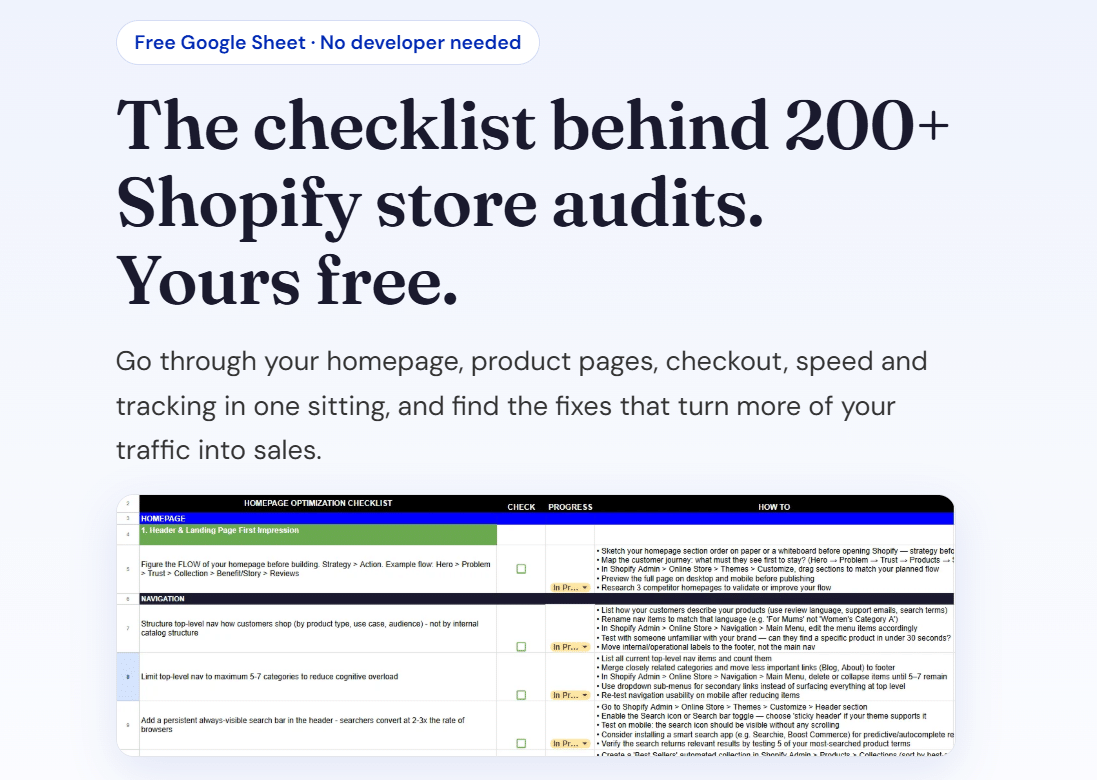
Ready to plan your store? Download the free Shopify optimisation checklist or apply for a project slot.
Recommended

Jessica Bong
Jessica Bong is the founder of Soodo, a Singapore Shopify agency that builds, revamps and migrates Shopify stores, with every store set up to be found in AI search (GEO). She has spent over 10 years in ecommerce and runs her own Shopify brand, Patch&Bagel. Jessica is also a WSQ-certified Shopify trainer at Equinet Academy.